
Phong Break Selection from C4D
Hello Blender community! I more and more digging in to Blender, it would be amazing to have the same selection tool as C4D has, Phong Break Selection too, it one of the most useful selection tool I've ever seen, it is Smart, gives you instant result, and very easy to use!
youtu.be/5uK2re4FTSo
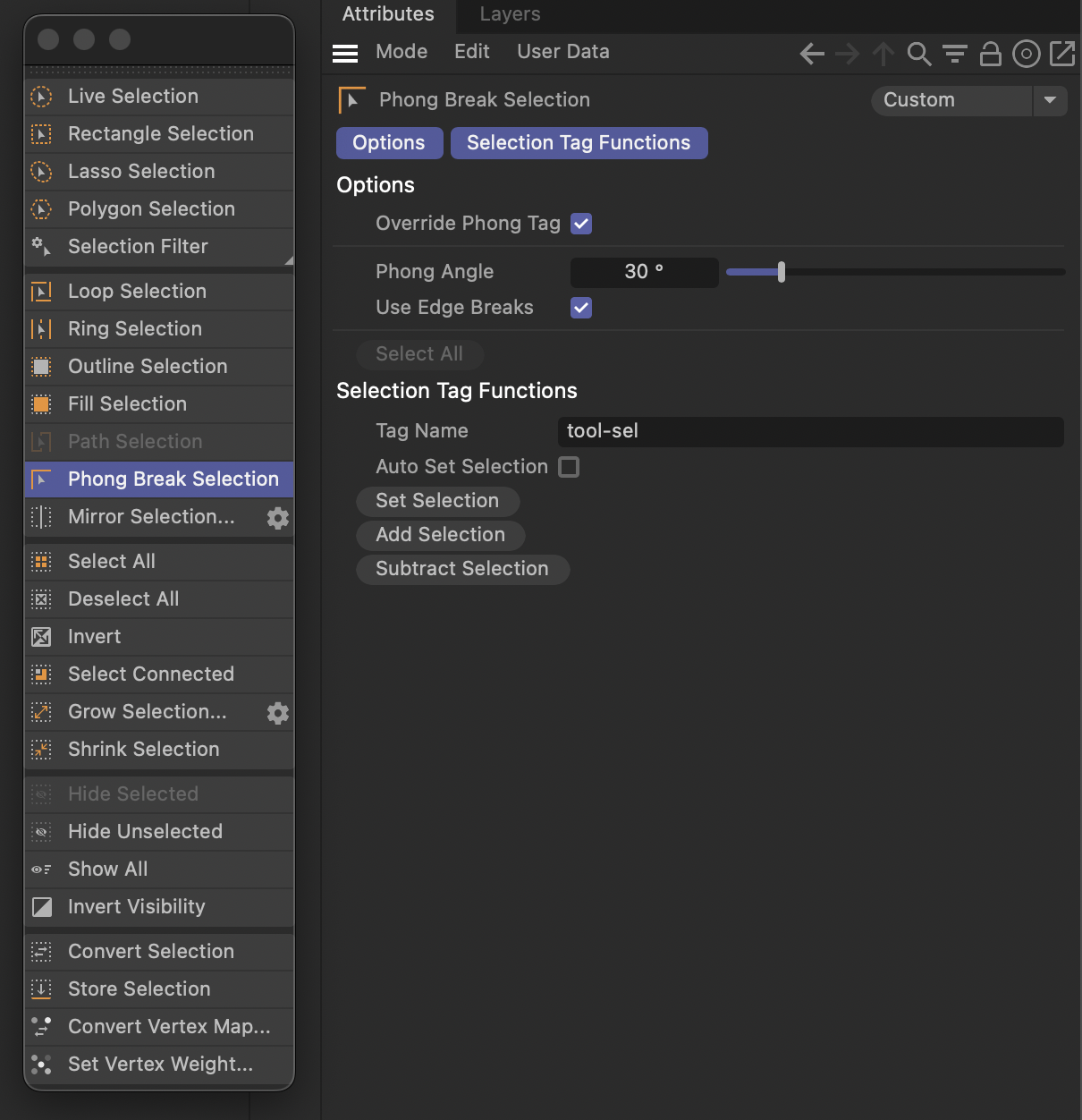 B3d has a complainer selection it is not that robust and smart unfortunately.
6 Comments
you can do this with the select linked flat faces operator: youtube.com/watch
Select Linked flat faces almost works. I encourage you to try this method with cube and chamfer top edge, it will not add chamfered edge to top face selection but also sides. From what I can see Phone break from C4D is based on pure angle but... there is a hope. Different method works as I tested so far. Select a face, shift+g, choose normal and play with threshold.
you can change the angle in the operator.. you can set whatever angle you like, even 180 degrees and select all connected faces.
Thank you @testure this is much better than Coplanar! Not sure why it is not in the menu of selection similar, a but confused
Some degree will not select chamfer of a cube and slightly above that number will select chamfer with all cube sides below also, but maybe I am doing something wrong. Normal threshold works like expected.
That sounds very similar to what you can do with the Select Similar menu: