
Allow adding manual keys in Auto keying mode replace mode
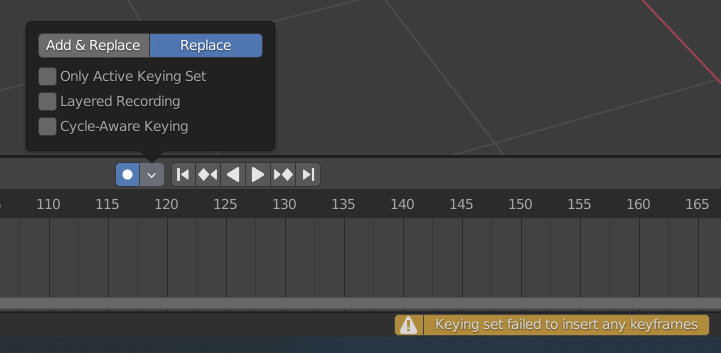
The auto keying mode turned on with "Replace" mode is intended to only replace existing keys as you change transforms, BUT when active it forbids to deliberately set keys by the "I" key on any object/parameter if there isn't previous keys on that frame. What sounds right in theory is practically a pain in the butt. If I the animator decides I need a key over there I want it set no matter what mode I'm in. Switching mode back and forth is cumbersome. The other mode "Add & Replace" sets too many keys (i.e. it always set keys on all translate, rotate and scale axes regardless what single transform you made) and it ignores any value changes beside transforms (i.e. modifier values, materials, etc.) To put it short: If I, the user deliberately press "I" over a value or object I WANT a key there, there is no mistake in this. At least please make this behavior toggleable.
0 Comments