
Customizable UI
Why does Blender need a customizable UI?
- Everyone has different UI tastes.
For example, some people:
- Prefer less buttons for ease of use.
- Prefer tons of buttons for maximum functionality.
- Want to hide a feature they'll never use.
- Prefer a UI designed for absolute beginners.
- Are switching programs and want a similar UI to help them learn faster.
Also,
- A customizable UI gives developers a break because users can easily install a custom UI from any Blender forum, rather than having a portion of people always disappointed with UI changes.
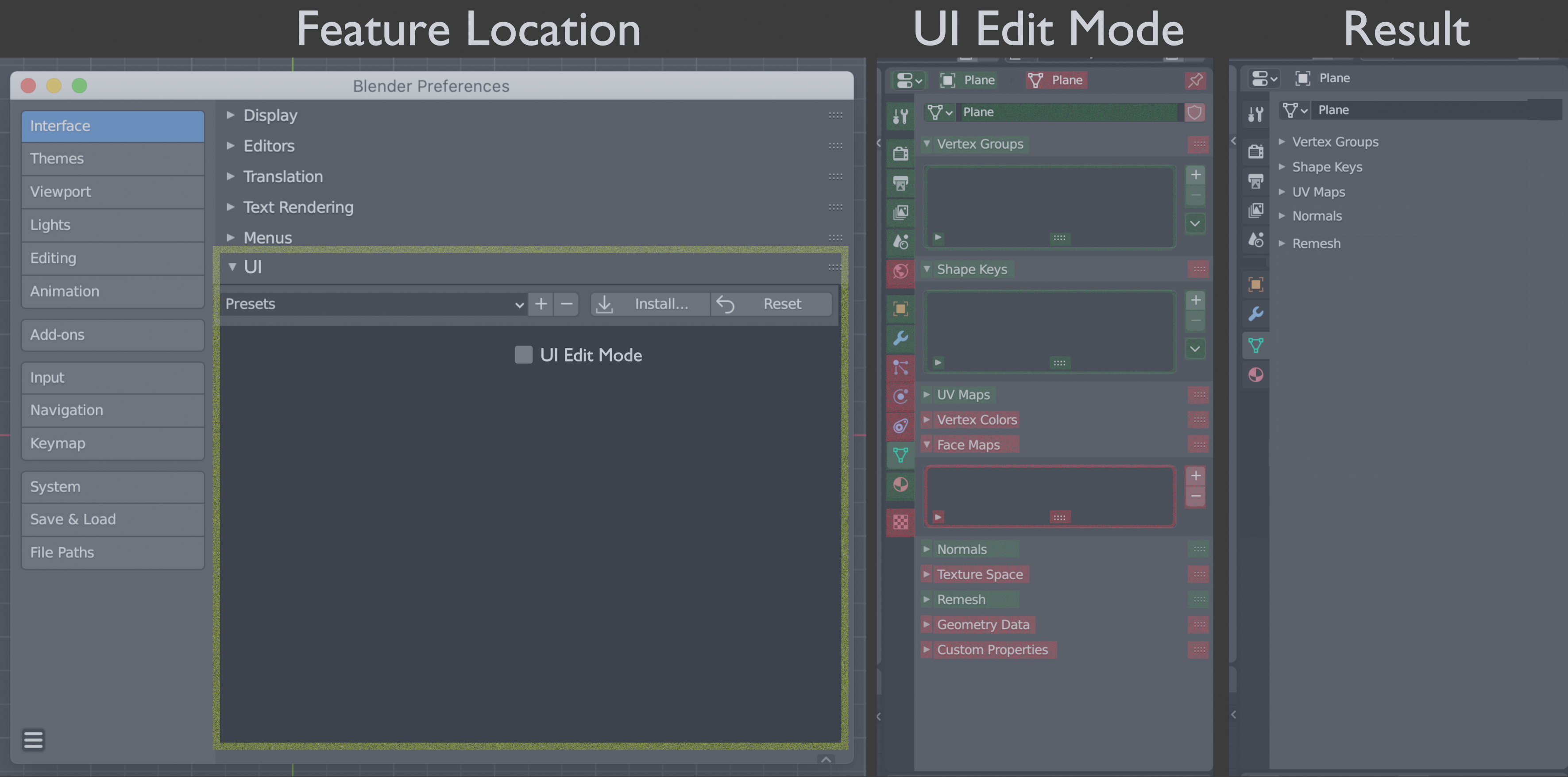
Here’re the base features I'm requesting:
In Edit UI mode, each UI button is color coded:
- Green features = on
- Red features = off
UI edit mode controls:
- Option+ left-click: Toggle features on or off
- Left-click: Navigation (clicking tabs, opening menus, etc.)
- Right-click: Placeholder for right-click menu
Here're extra features that I'm not requesting now, but might be considered later:
- Left-click: Using value boxes to set default values
- Backspace: Reset default value
- Double click: Rename features (option for local or systemwide)
- Right-click: Menu for extra UI tools like changing icons, adding new UI elements like custom toolbars or tabs, etc.
- Option+ left-click drag: Move UI elements
- Node editor: Nodes for making custom commands without coding
Mockup (Photo)
0 Comments