
Make 3d tracking markers "snappable"
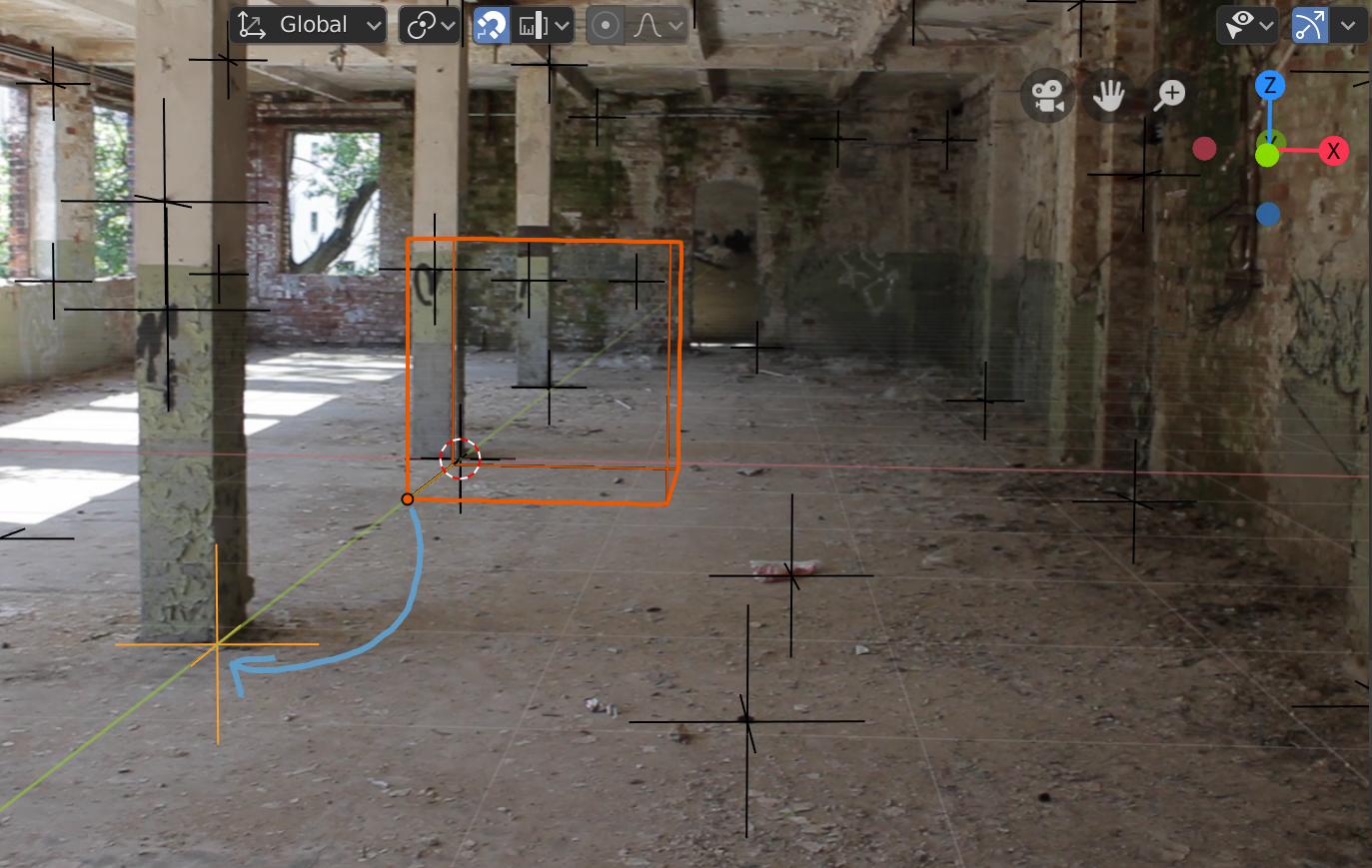
When doing a camera solve Blender will place the estimated positions of the tracks as 3d markers in the 3d viewport. You can select them and snap the 3d Cursor to them, in order to place 3d objects at that position. However, it is not possible to snap Vertices or Object Origins to them with the snapping tool (e.g. hold CTRL while draggin an object). It would be nice if we could use those 3d markers as snapping target just like we can with Empties.
1 Comment
I have 3D laser scan data from a scene that I'm working with. It would be very useful to assign the tracking markers to 3D 'points' selected from the scan data. Would be useful to set the scale and orientation of the camera in a 'real' space. Of course, distortion plays a role in accomplishing this but if you have an idealized set of images, I'm sure it's possible. Anyone else out there incorporating 3D scanning for scene development? Surely I'm not the only one..