
Make Material Override More Obvious
Edit: - @Simon Storl-Schulke: has pointed out (I'm a derp), it exists, but lets make it more obvious. Redesign and have the settings more accessible.
Problem/Issue: Super lazy, I mean efficient! A time saver, lets NOT build a wireframe or clay, etc for a quick simple render because we all like to be basic at times.
- Whether you want to do a wire-frame or a simple one material render, you either have to build it, have it pre-made/saved in another file, saved on startup, imported, using a third party addon, etc.
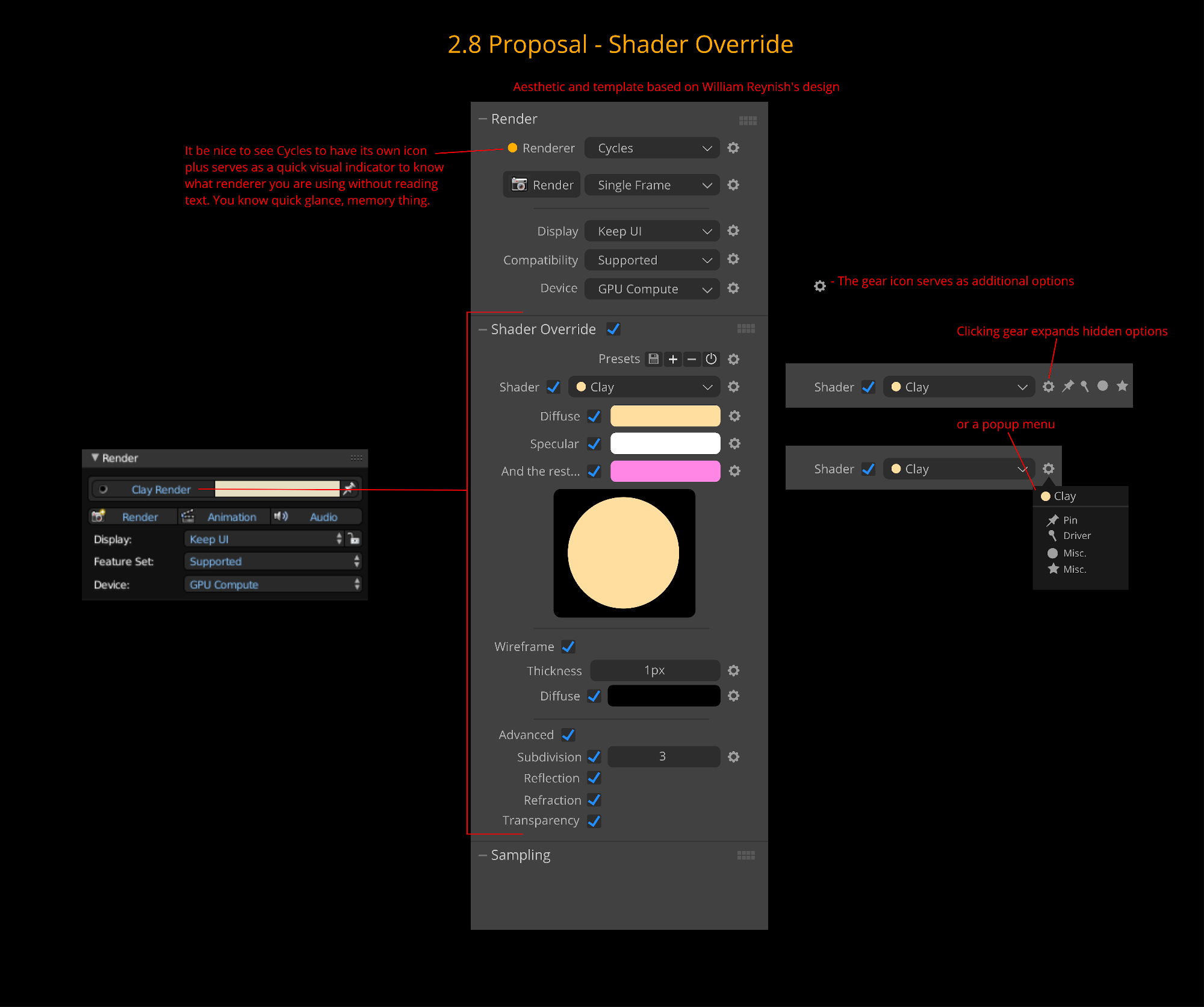
Proposal/Solution: New Render Panel - Shader Override
- The 'Shader Override' when enabled ,will basically override all materials in your scene with one material. It has its own basic settings you can adjust such as wire-frame and basic colour data settings.
Extra:
- Save material node tree from the 'Node Editor' as a 'Shader Override' preset, or imported from material library (if that is coming to 2.8).
3 Comments
This is already possible in the Render Layer Tab.
In 2.8 there will likely be even more advanced options for Material Overrides anyway.
@Simon Storl-Schulke: T.T oh Blender please put the word override in the title. Ill just rename my proposal, make it more obvious or something like that haha
I'd like better granularity for material overrides. Hopefully they'll come with 2.8. just an example: ovverride everything but mirror and transparent materials. Either settable (a check for "don't override me") or heuristical (if material is mostly sharp transparent/glossy don't override)