
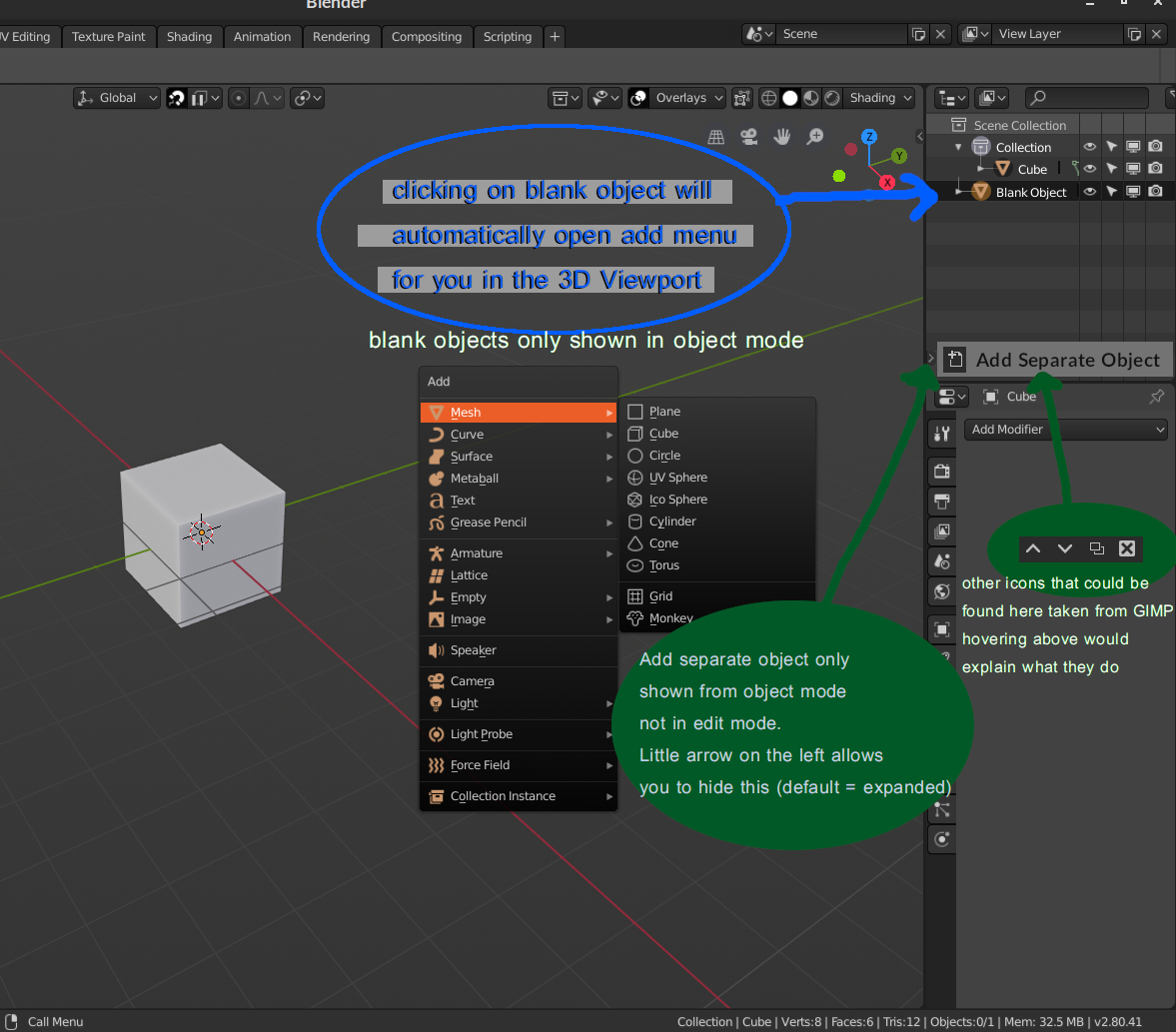
Object Mode separate object creation easier to get for new users
Picture sums everything up. the outline would look different based on what mode you're in. and so one will immediately notice a distinction/influence taking place. when people see that these icons are not in the outline panel while in edit mode, they will immediately understand this link. this will instant give new users a stronger sense of contrast between the modes.
the outline panel bottom tab could be hidden like the transform panel for people that get it.
also an icon that serves as the P key could be interesting. this icon would appear in edit mode only.
2 Comments
My personal opinion is that while the Outliner is important, I'd rather train users to stick to the 3D View as much as possible and not necessarily rely on the Outliner for everything.
@Jason van Gumster: I just want contrast/clarity built in at a glance mostly. right now the way it is, it's not an approach I've encountered in other software and while I was stubborn and didn't refer to the manual, I suspect others will do the same and get frustrated. what I showed above achieves this for newbies.