
Extrude along curve [proposal]
For any faces selection, * Extrude along curve * would create extrusion along normal of the face following the shape of the curve.
Shortcut could be included in Alt+E tool pop-up.
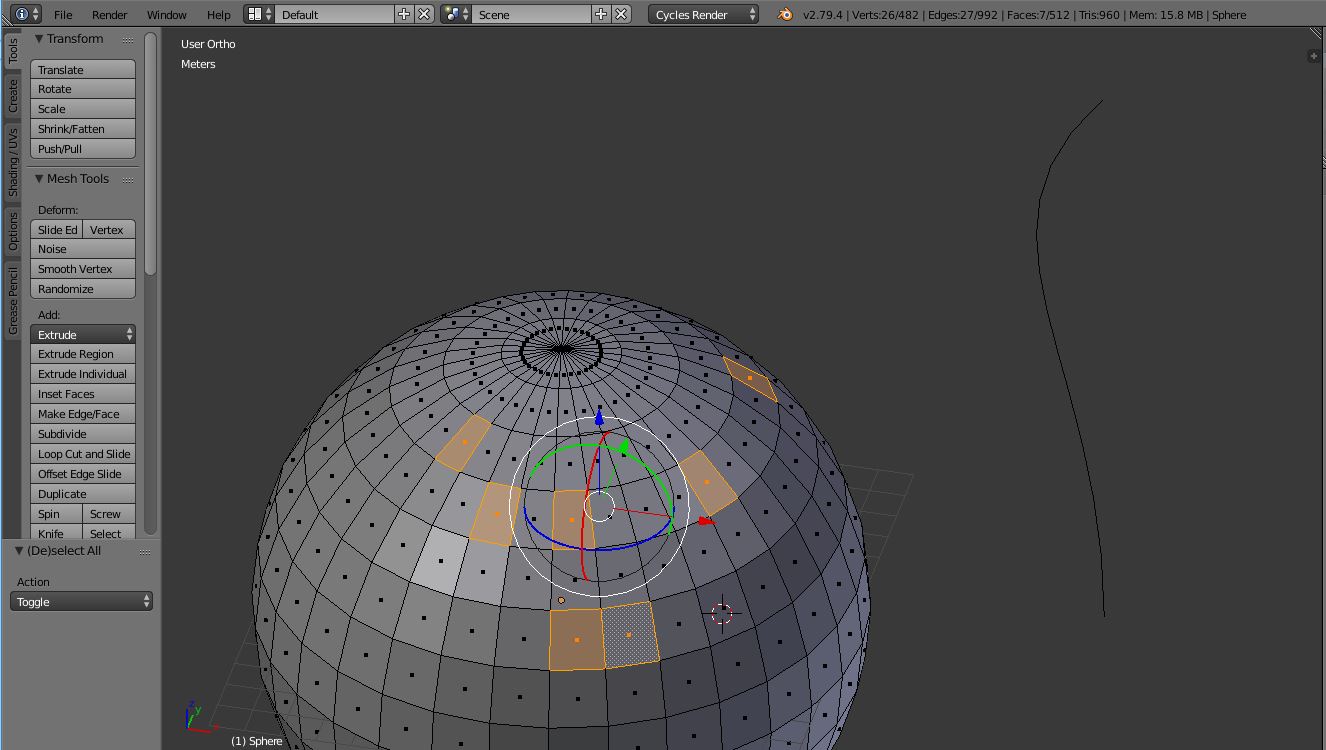
For any faces selection, * Extrude along curve * would create extrusion along normal of the face following the shape of the curve.
Shortcut could be included in Alt+E tool pop-up.
10 Comments
Here is how it works in Maya. You just select the face and the curve:
@zertux: Since Blender handles modes differently, that's not particularly helpful.
you can do that now, it is a native plugin.
@alberto3d.1984: I've enabled almost every plugin in Blender but couln't find this feature.
How does the user select the curve that the extrusion should follow?
@Jason van Gumster:
When pressed Alt+E -> Extrude along curve, user would have the option to select the curve maybe in side panel or just click the curve in viewport, or select the curve before going in edit mode of the object.
I don't know which option would be the best one,
@cyseal1: Why not a workflow similar to Hooks, where you can <kbd>CTRL</kbd>+Select a separate object (in this case a Curve) while you're in Edit mode? Then the Extrude along Curve operator could give you the option to use the selected curve?
@Jason van Gumster: Yes, sure. This would be the fastest way.
@Jason van Gumster:This workflow would definitely be best as users would already be familiar with it.
@Jason van Gumster:
I've found example how it's done in 3dsmax
Segments - Specifies the number of polygons into which each extruded side is subdivided
Taper Amount - Sets the extent to which the extrusion becomes smaller or larger along its length
Twist - Applies a twist along the length of the extrusion.