
Bug with VSE interface on 2.8
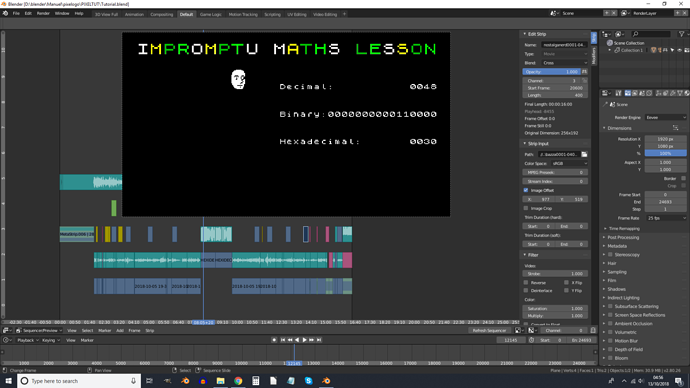
So I open up this video I was editing in 2.8 and… see image.
The top two lines on the sequencer are hidden behind the video preview. And I can’t zoom out any more.
I prefer this view to the VSE workspace as I use the render settings a lot while video editing, but not the curve editor, plus it allows more space for the panel on the right of the the VSE.
I’m sorry I didn’t think to open the VSE in 2.8 until now.
3 Comments
Done.
This website is not for posting bug reports. Please contact developers directly or wait until the 2.8 beta is released to report non-crashing bugs.
Have you tried the Ctrl+MMB shortcut? If you Ctrl+MMB+drag down, it will shrink the vertical size of the editor window and strips so you can see the top two lines. You can also MMB+drag on the preview or scroll the MMB over the preview to change its position and scale. Does that solve your problem?