
No motion blur on constant keyframes (Cycles)
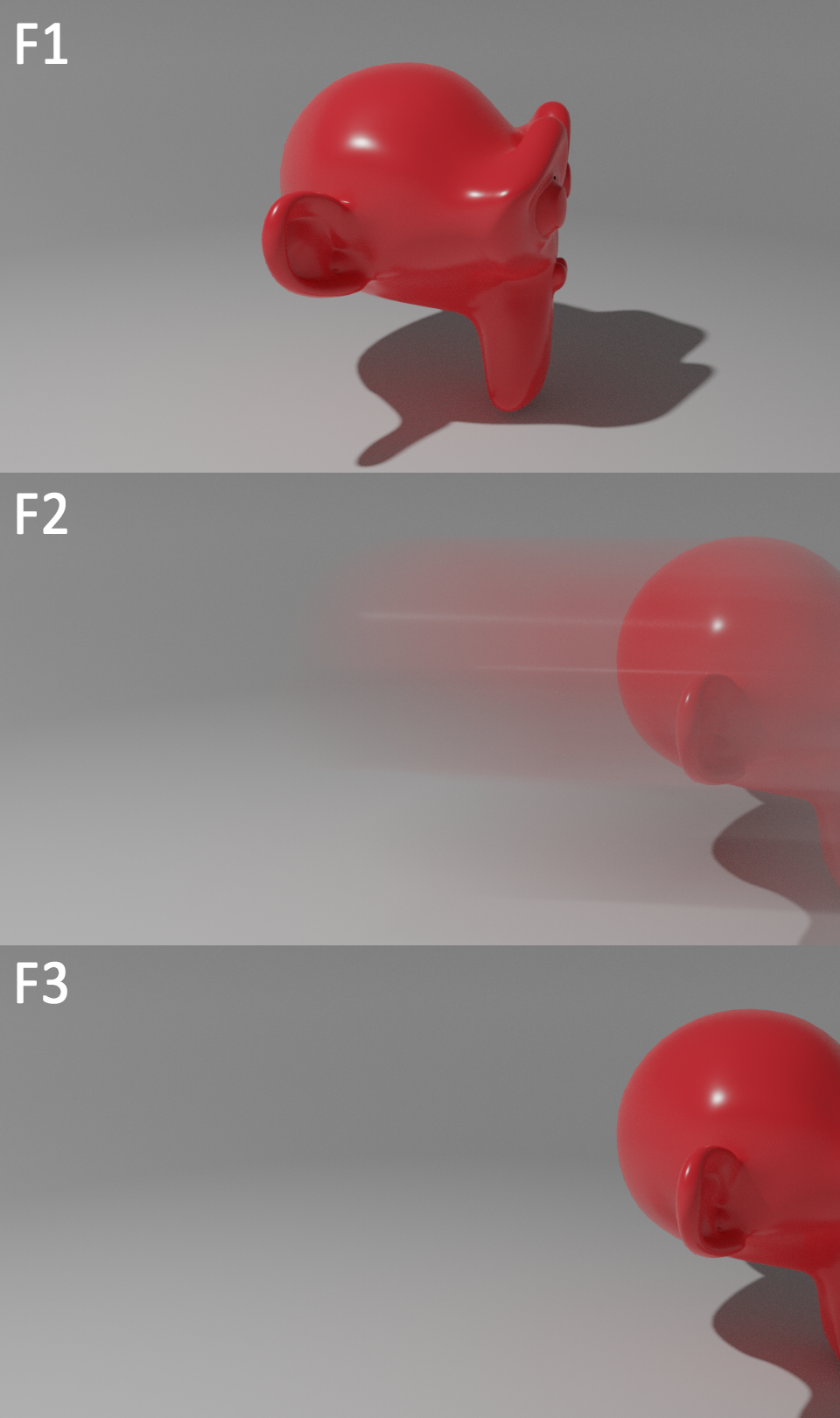
We've all been there. We need to move an object a little between camera cuts or something so that it's not blocking a camera, casting a shadow, etc. Problem is, currently if motion blur is enabled then even of the keyframe type is set to "constant," it will still produce a ton of motion blur for that one frame.
There is no reason for this. By changing the keyframe type to constant, we are specifically telling blender that we want there to be no in between movement.
In the example you can see that even though I use a constant keyframe to move between the two positions, it still adds a lot of motion blur to the image on the frame it moves.
EDIT: Apparently even the Captain himself knows the pain twitter.com/CDisillusion/status/1092554476005801985
2 Comments
this feels more like a bug to me.. is there anything over on the bug database about it? if not I would post it there: developer.blender.org/maniphest/
Running into this problem on a regular basis ... would be great to see a propper solution