
Clean-up modifer
Add clean-up modifier, operators what have in edit mode -> mesh -> clean-up . Add posobilty to control modifer with vertex group.
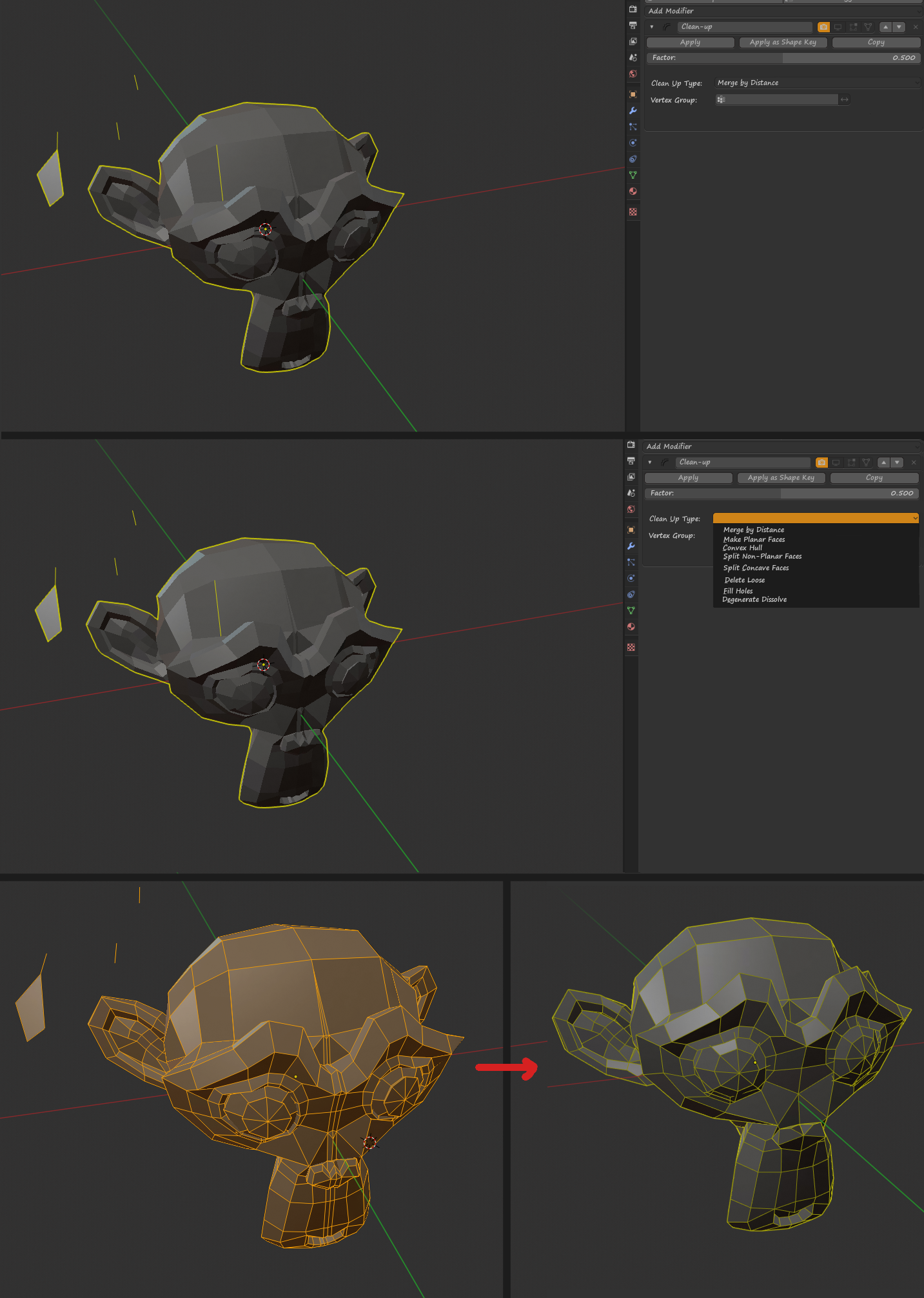
Add clean-up modifier, operators what have in edit mode -> mesh -> clean-up . Add posobilty to control modifer with vertex group.
10 Comments
I feel like it would be awesome as 2 separate modifiers: Remove disconnected geometry, and Merge By Distance.
I would definitely use Merge By Distance for nondestructive boolean workflow.
* @camplowell * IMHO its more handy to have a general "cleaning" modifier containing severals cleaning actions.
Like the simple deform modifier: it ads only one item in the modifier list and you can do several similar things with that. It makes things clear and remains easy to use.
What are the advantages of having this as a modifier as opposed to a normal operator? Why would you want to keep the original "messy" mesh?
* @Jason van Gumster * for cleaning high poly meshes, high poly meshes are hard to edit in edit mode and it gives more options for combining with other modifiers
* @sargast2 * If the operator is slow in edit mode, it's going to be slow as a modifier... and even slower when stacked with other modifiers. I'm still not seeing where there's an advantage to keeping those messy verts around.
* @Jason van Gumster * Because how awesome it is to work in a non-destructive workflow. If you can do everything with modifiers, then at any time you can change anything with no loss, you can easily make alternative versions, and make mind blowing videos of one vertice crazy modeling on youtube.
* @-L0Lock- * I may be mistaken, but the “non-destructive workflow” starts to sound like some kind of brand, without understanding the concept itself.
* @Sorda * Dunno why. 3ds max does this since years.
Looks like "removing double vertices".
* @Sorda * for me sounds like Remove floating vertex and polys around, what its not exactly Merge by Distance at high value, which is more unpredictable with UVed and baked objects.
If not many isolated parts in an object, like your example, I just put the cursor over the big element and select with L in edit mode, and two more for the eyes, and then Ctrl + I to select that floating things you show on that screencaps.