
Quicly assign custom pivot (Transform orientation)
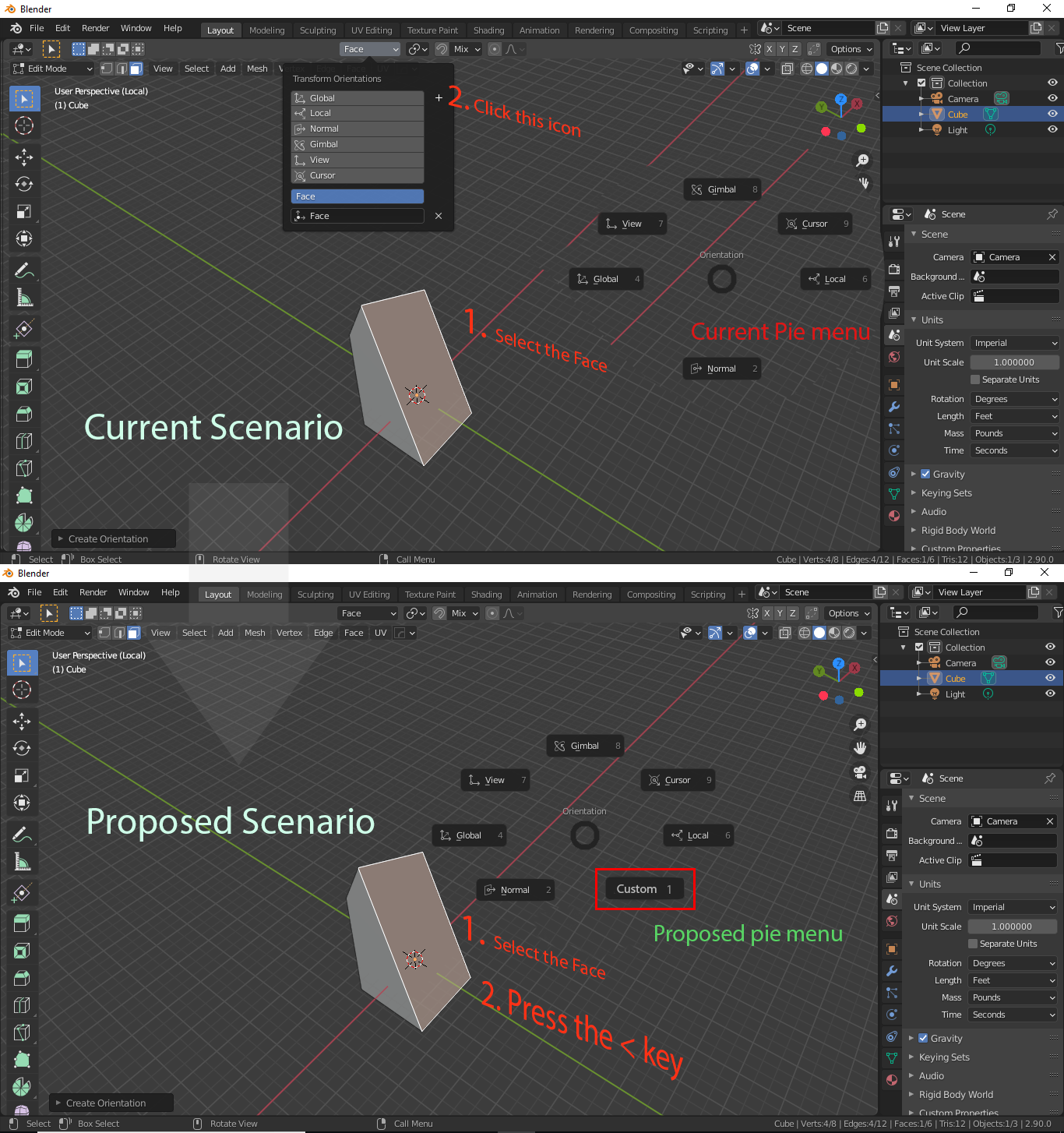
We can use "<" hotkey to quickly assign any face/edge as transform orientation. see the screenshot for better understanding.
In this way we can quickly assign any edge/face as transform orientation and move other edge in that direction. we can work in any rotated object very smoothly without having to worry about the rotation.
3 Comments
Only show the recent one. why store so much when it can assign them quickly
Although we are usually using only one custom orientation and rarely stacking many of them, how it would be displayed with multiple one in the pie menu?
* @Shimoon * Maybe you could choose the active custom orientation in a sub-menu?