
Array curve combo tweak
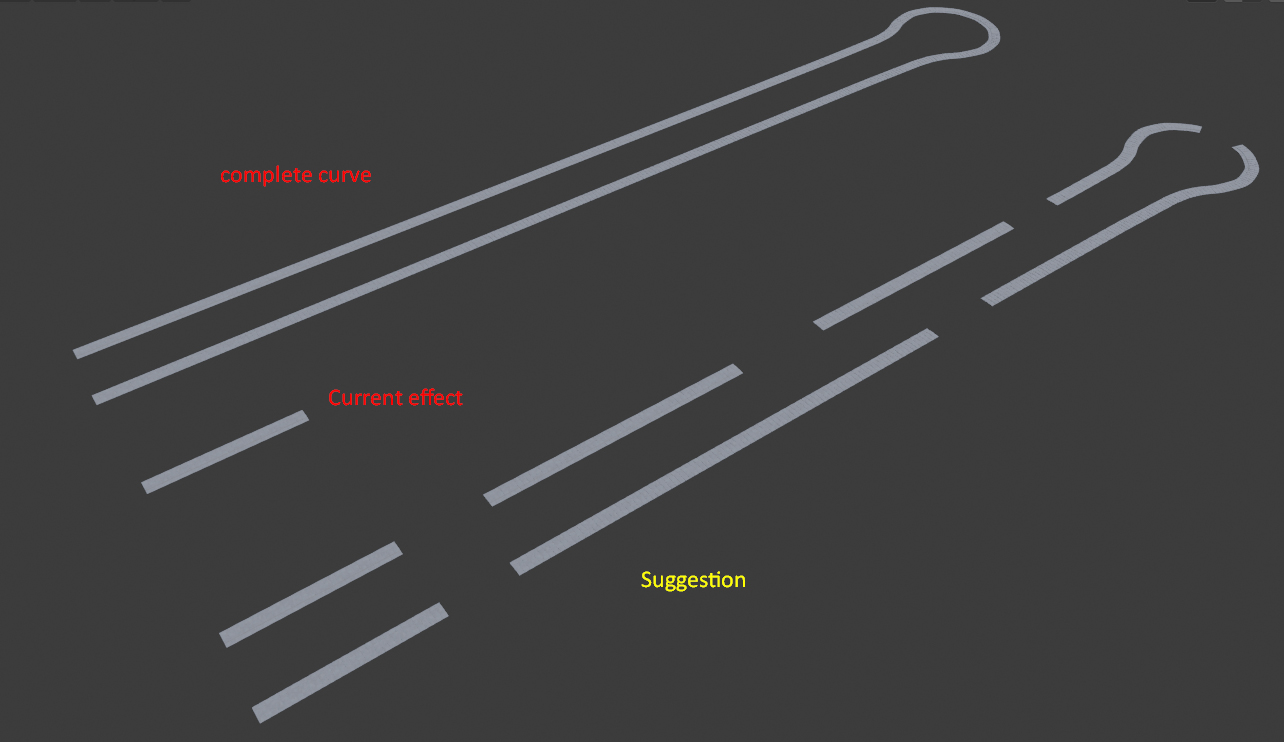
I have a project that I am working on that requires opening pavement as shown in picture as you can see it is a combination of curve and array modifiers , I suggest to have a new option for array fitting to take various lengths of all curves inside the curve object instead of just taking one of them like in the middle , and have an option to distribute objects on curve for each curve inside the curve object , or as happening in new Boolean we can have a collection of curves to distribute on instead of this lousy pick by pick rail creation
7 Comments
ibb.co/8mnLr0X
* @mrajendra2150 * i understand your point but nope , i did not mean to have them evenly distributed as this already achievable, i mean multiple curves with ends added to it
hmm. Perhaps GP strokes can have such modifier/effect.
* @ Vyacheslav * It is not any stroke but a mesh object
Steps for that thing:
* @mrajendra2150 * you didn't get my point about this post ... i mean if want to join bunch of curves and array them at once without the need to go curve by curve
* @bassem.adel * use bezier utilities addon, it join the two curves without even go to edit mode. Activate the addon, in the N panel you will find join curves option too, Blender should make this tool integrated for curve operation, it is fantastic.