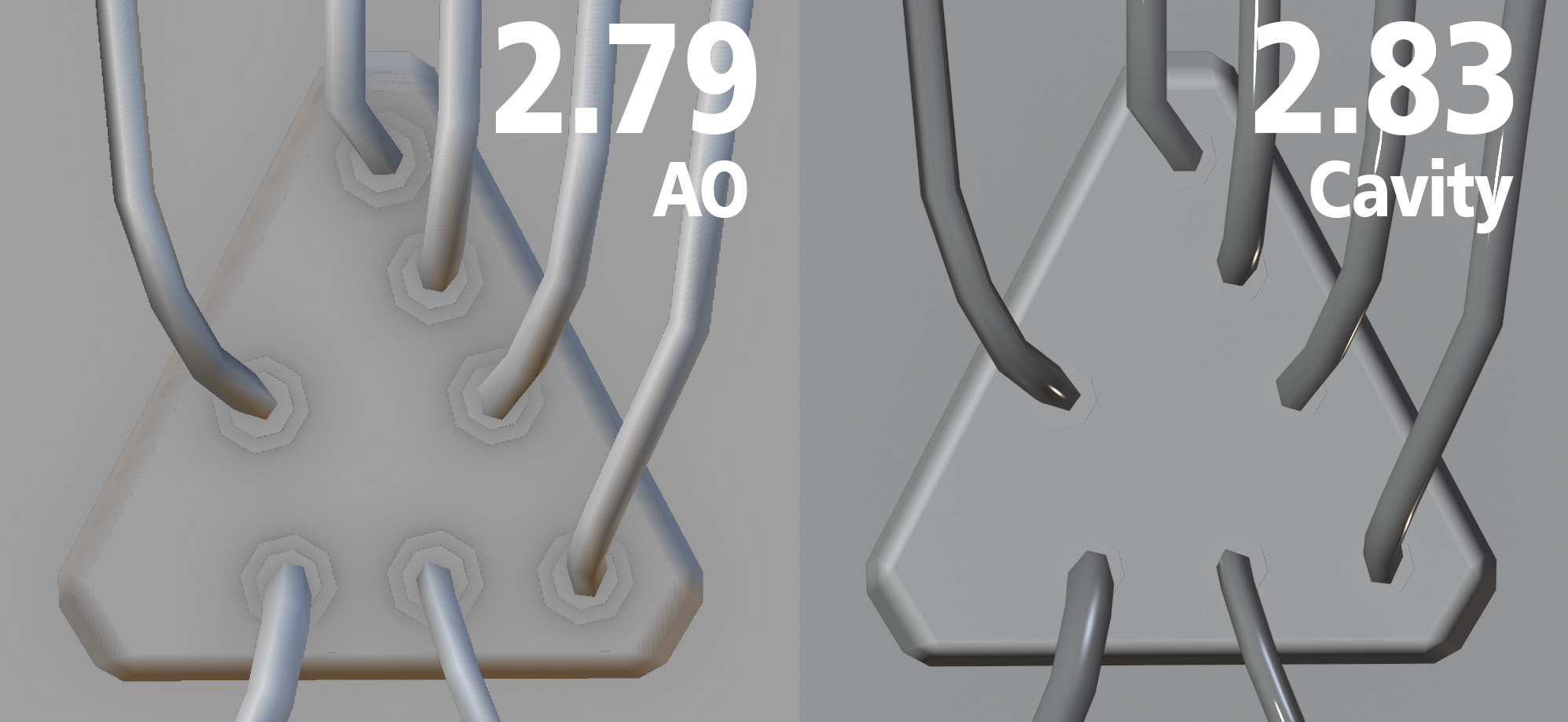
Currently blender has Cavity, but it is absolutely not the same. I miss AO so much!
60%
Development Status:
Open
Upvote3Downvote2
m
malefic.max
1 Dec 2020
6 Comments
z
zhixson.xbdi
Cavity > Type > World. Almost identical with the "ridge," and "valley," settings tweaked{attachment Screenshot_2020-12-01_091941png}
6
L
Lauloque
Cavity is set to "screen" type by default, which in your case doesn't work well thanks to coplanar effect. That's why there's the "World" type, as well as "both" type.
Using the world type with the ridge slider to zero should give a result similar to blender's old AO. Omitting of course you still have all the other settings to play with, but that's basically the same tool with different names.
{attachment blender_2020-12-01_17h31min47sjpg}
2
m
malefic.maxAuthor
*
@-L0Lock-
*
L
Lauloque
*
@malefic.max
* have you played with the settings in the gear icon?
k
koko_ze
It would help to see the difference if you picked the same matcaps in 2.79 and 2.83
1
E
EzyPoly
Was that real ao? Not the valley cavity uses for now?

6 Comments
Cavity > Type > World. Almost identical with the "ridge," and "valley," settings tweaked{attachment Screenshot_2020-12-01_091941png}
Cavity is set to "screen" type by default, which in your case doesn't work well thanks to coplanar effect. That's why there's the "World" type, as well as "both" type.
Using the world type with the ridge slider to zero should give a result similar to blender's old AO. Omitting of course you still have all the other settings to play with, but that's basically the same tool with different names.
{attachment blender_2020-12-01_17h31min47sjpg}
* @-L0Lock- *
* @malefic.max * have you played with the settings in the gear icon?
It would help to see the difference if you picked the same matcaps in 2.79 and 2.83
Was that real ao? Not the valley cavity uses for now?