
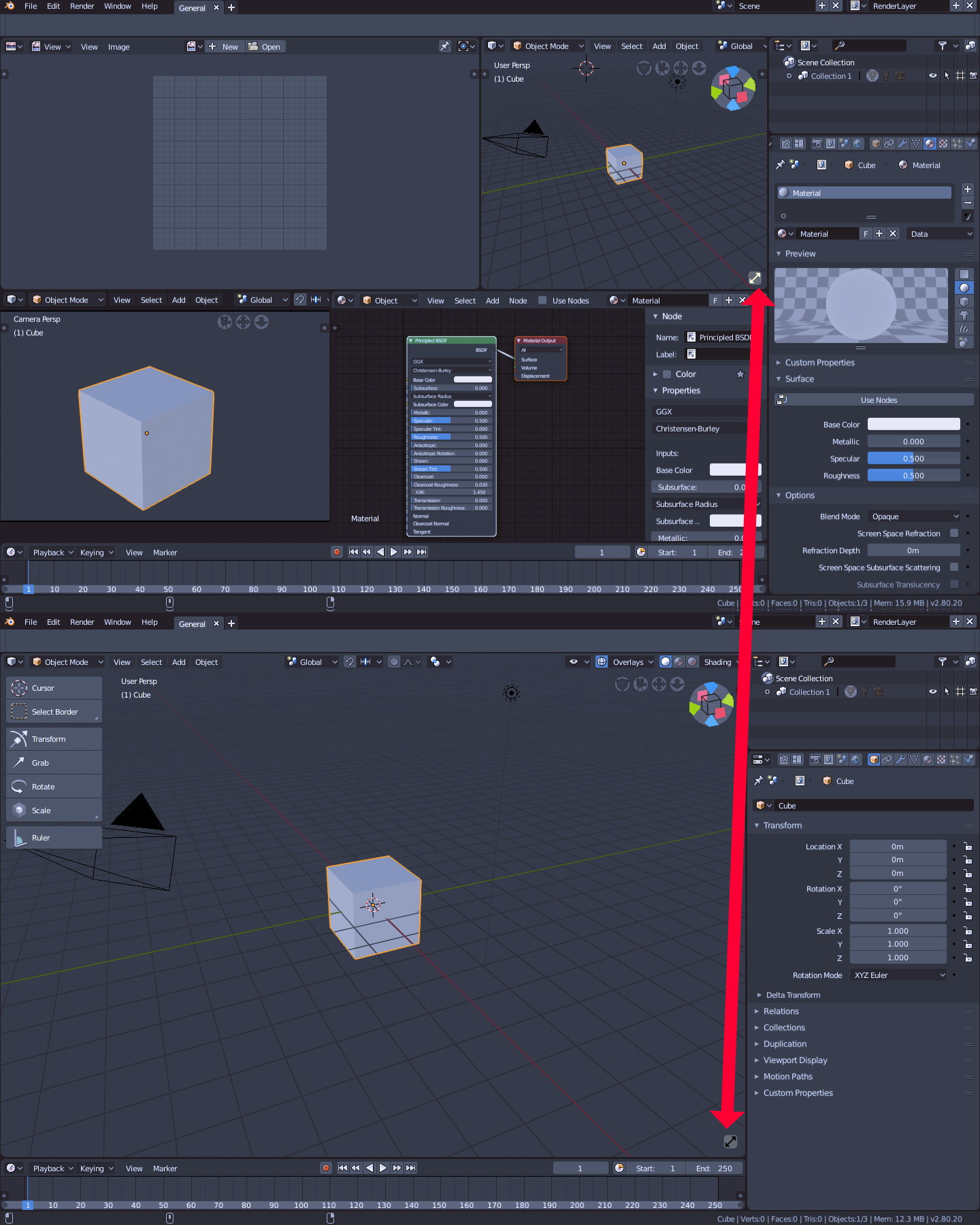
Maximize Window Button ( or shortcut )
I use Blender for architectural visualization. I constantly switch between Top view, 3d view, camera etc. But the full window mode lacks the properties panel on the right side ( with object properties, materials, modifiers ... ). To adjust the area light dimensions I have to exit full window mode and do it in a small space next to nodes, uv and camera window. The window is just too small to adjust the light with proper precision. Zooming in is not an option because area lights grow in width and height proportionally. Workspaces views are not linked so I have to adjust the view twice. So...maybe a little toggle button in 3d view can solve this problem. Click --> full window mode. Click again ---> go back to custom workspace. This would be a game changer for me.
1 Comment
This would be a great feature though, having a button you can toggle this for a specific area (eg. the properties panel) so it doesn't disappear when entering fullscreen would probably be the best way to implement this
A relatively easy work around is you could have the properties panel as a separate window next to the viewport window, this way you can go into fullscreen with the properties staying visible.
