
Node editors: Highlight wire while hovering over it
Hi.
When working with a lot of nodes it can get really hard to identify which wire connects which nodes and especially which out - and input-sockets with each other. While you get some wire highlighting of all the attached wires when selecting one node, it would still be great if you could please add some highlighting to a single whole wire (and maybe the respective connection sockets as well) while hovering over it.
Please find here examples from Fusion 9 and Cinema4D take on this as reference:
Fusion 9:
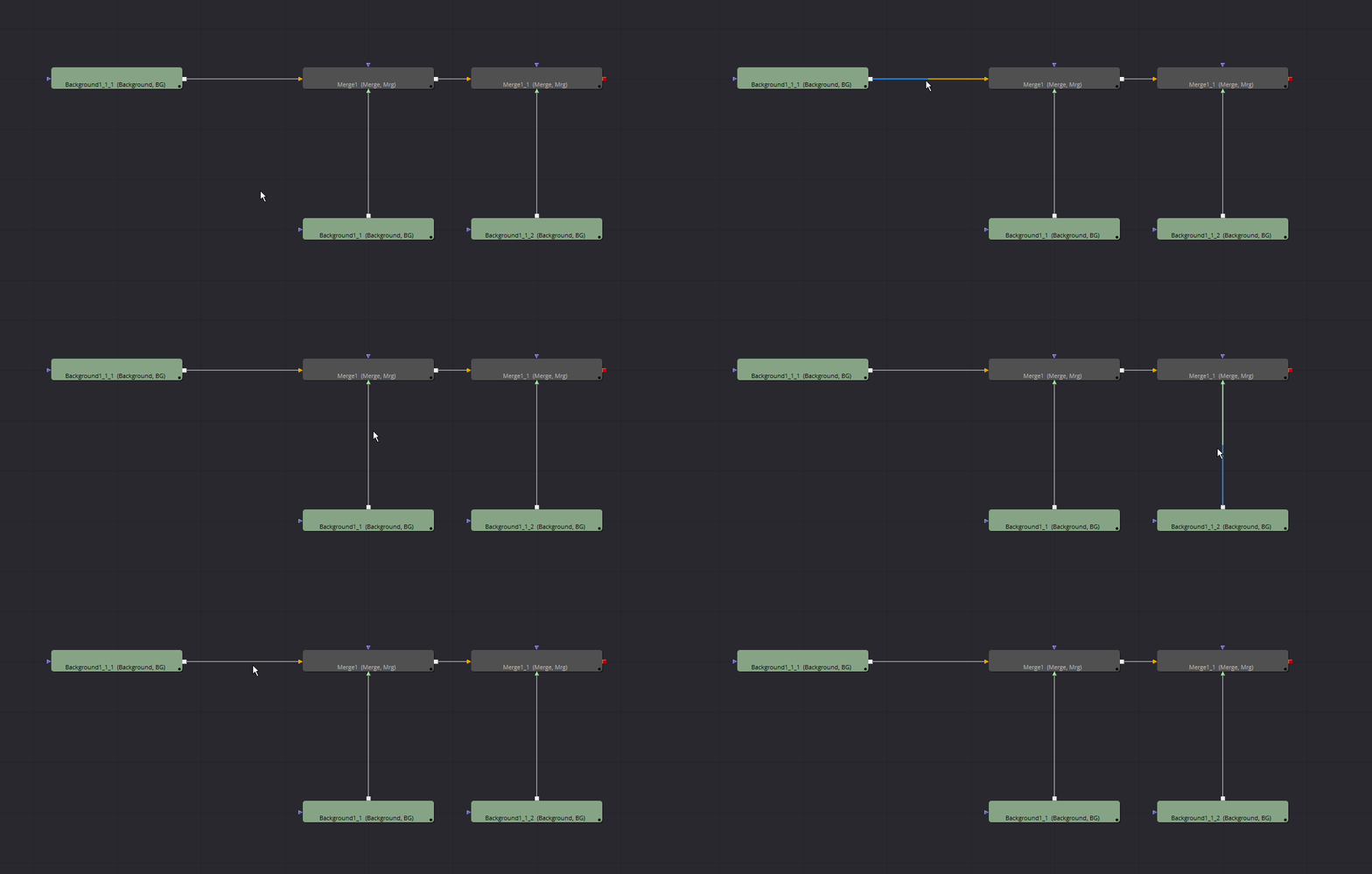
Cinema4D:

Thanks a lot.
P.S.: This is my first proposal here, so please let me know, if I did something wrong? ;-)
7 Comments
Blender already highlights noodles when you click a node. I can't think of a reason to highlight a noodle when you mouse over. It implies that clicking it will do something, but in Blender you click sockets, not noodles. It'd make more sense to highlight sockets on mouseover.
* @BlenderSplendor *
I gave you the reason in the description, please read. It would make it way easier to identify connected sockets. It's more about better readability than functionality (of course you could also combine this with an option to intercept the wire with a new node at this position). Just highlighting the single socket underneath the mouse cursor doesn't add any additional value unless you would then also highlight the wire and all the attached sockets on other nodes as well. This would also be a good approach if this makes more sense in terms of blenders ux logic.
* @BlenderSplendor * There are several things to tackle in your comment, so I'll go step by step:
No, it only highlights the node. The only time a noodle is highlighted is when you drag its end and disconnect it. Which is far from the current proposal goal.
Not necessarily, but either way it is not an issue: why not also implement something on click too?
In Fusion, clicking the noodle disconnects it. In UE4, you can select a noodle, and then decide to do something with it, like pressing DEL to delete it.
In RCS we propose stuff to make Blender better, that usually require some change. So if you want a better Blender, you need to accept to envision change, at least to be able to evaluate things in another light.
IMHO this would be complementary to highlighting noodles on mousehover. If by hovering a socket or a noodle, it highlights the entire link from socket A to socket B, it makes everything clear at a glance.
Hi.
This is an out-of-topic question.
Can you tell me how did you add Pictures and Gifs in your post? I have tried using the Markdown Cheatsheet but that didn't help.
* @eonneon *
When you write something on GitHub you can just drag and drop media into the writing field. The media gets uploaded there and it creates some code that is embedding the media in the post. I just copied this code and pasted it here. Don't know if this is the proper way to do this but it worked haha
* @eonneon * For GIFs, you have to host the gif somewhere yourself, as drag'n'dropping a gif on RCS will convert it as jpeg. I personally use imgur.com . Once you have your picture online, pick up the direct link (let's say this one , and write the markdown as follows:
Which gives:
Maybe also add more chaotic examples where the noodles overlap and such :)