
Make a different spectrum design in Hue Correct modifier. Video Sequencer.
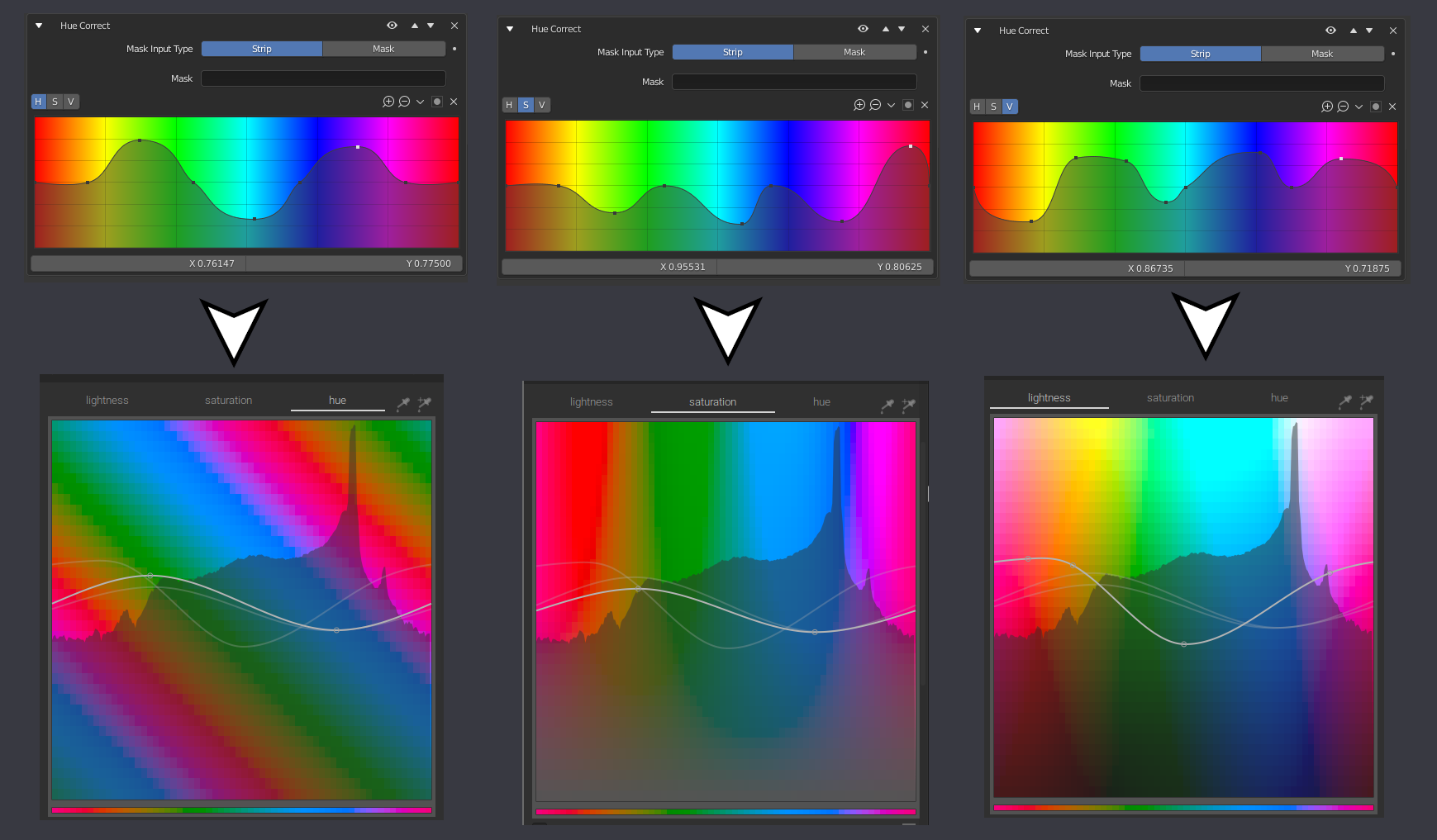
When the curve is adjusted in hue, It is not possible to see which color it will be replaced, other programs show you a different spectrum for each case, as in the case of the color balance module in Darktable, they show a spectrum rotated 45 degrees for the "hue", a spectrum desaturated from below for "saturation", and the spectrum with darker colors below for the "value". that way it would be much clearer and more graphic to understand what we are doing when editing the curves with the Hue Correct modifier node.
2 Comments
Wow this is genuis I love it
i need it