
Feature Request - 2 Improvements for the Compositor's Texture node: Rotate and Fit
I am using the compositor to displace an image using a texture that I generated in the Texture Properties Tab. This can then be animated to produce glitch effects and other motion graphics.
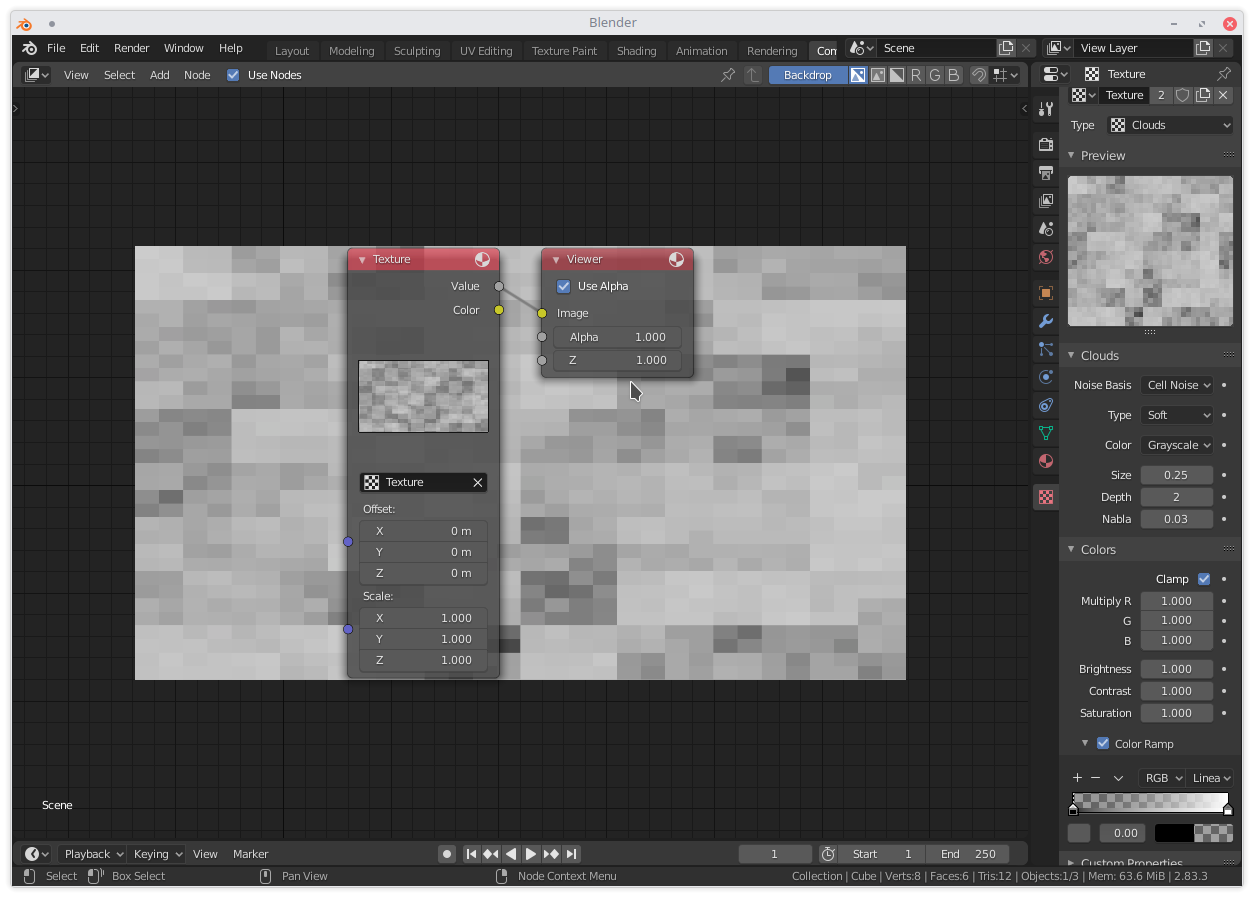
I ran into a significant issue that I can't solve, namely that I am not able to rotate the texture. When shading you can use the Mapping/Texture Coordinates nodes to do that, but in the compositor the option isn't there. I also can't find it in the Texture properties tab. If I try to use a rotate node, it will rotate my "canvas" so to speak, which is not the desired result. I need the "canvas" to stay the same, not rotated, but instead rotate the pattern itself. I would love if a rotation slider could be added to the Texture node.
The other minor issue I ran into is that when selecting your texture in the texture node it gets automatically stretched to fit the aspect ratio of your project. There is an easy way to fix this by dividing the height by the width of your project and type that into the Y Scale slider. It would be very nice if a "Fit" or "Stretch" checkbox could be added to the texture node, that is disabled by default, so that the normal behavior would be to import the texture unstretched.
1 Comment
i'd like to see these additions too.