
Better Numerical Approximation to reduce Floating Point Errors
I've noticed that Blender 2.8 (beta) gets floating point errors more frequently than I wanted to believe.
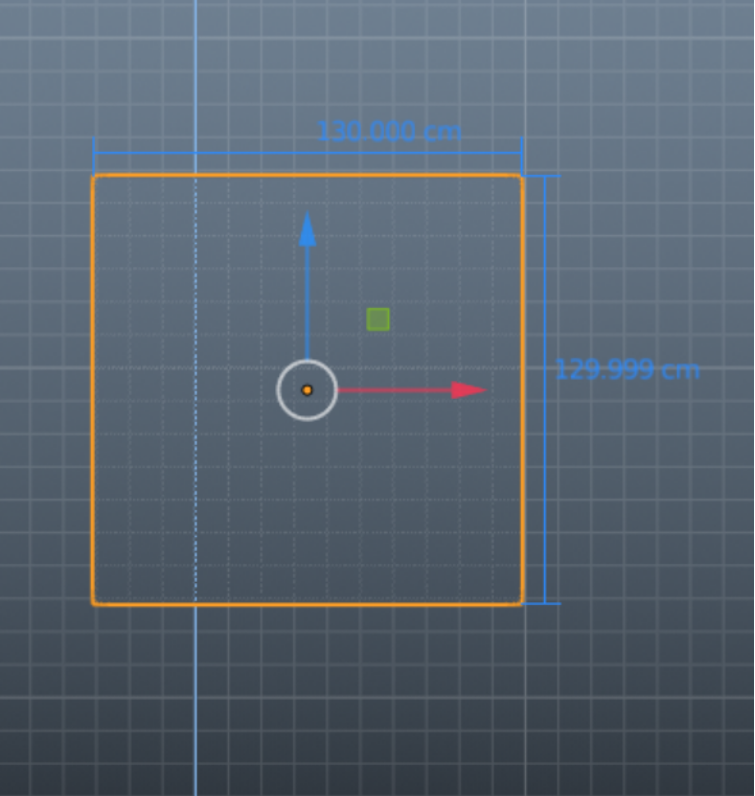
It seems to show up at random whether it be from an extrusion, (that I've entered a precise number value for) , moving faces along the grid with absolute grid snap on and so on. People usually have said that this is because it uses floating point, but I've modeled in Maya, and it doesn't happen in that program much (if even at all). When this error happens it usually always involves numbers, that should be even, being .0001 off or something of the sort. It creates numbers such as 29.99999cm instead of 30cm, or in some cases, even a bunch of random numbers like .131234 instead of just being .13 ( the number I would have entered in the dimension box).
When the error shows up, it's completely unreasonable to deal with (if you want perfect values) and will even show up if you have a number in the thousandth's place at times (.000). This is why I think that this could be worked on more. I do still love Blender by the way, this was just something I noticed.
4 Comments
Instead of trying to be super-precise and tidy during calculations, Blender could feature a snapping action on the selected vertex positions, edge lengths, or face surface areas to force them to the n-th digit? This snapping action could be added to the so-many snapping features that are already existing within Blender. I’ve heard of an architectural branch whose dev may be interested in this?
Maybe, in some cases, calculations could be executed with rational numbers instead of floating-point? This would at least prevent intermediate round-off errors that could occur even for double-precision-floats. Next-best thing would be to indeed use double-precision for the intermediate calculations and store the results as floats as required for the rest of blender and the libraries it uses.
In the past, I've looked into how difficult it would be to make Blender support double-precision floats. Turns out that it's not trivial to do at all. If it were just about doing it within Blender, it would be difficult, but not that bad. However, many of the supporting libraries that Blender uses only support single-precision floats. So I think you'd have to write a fairly extensive glue layer between Blender and all of those other libraries. That is a much bigger task.
* @Jason van Gumster * Possibly. My main issue is that, Maya seems to use floating point precision too, but somehow they managed to get results slightly more accurate, even to the point that I've noticed virtually no errors. Some people have said that this is all computer approximation and because of that, wanting this to be improved for Blender is irrelevant. However, I'm not necessarily asking for perfection by any means. Just some improvements of some kind. Like improvements when it comes to rounding. If the floating point errors didn't effect the thousandths place at times (.000) it wouldn't mean much to me, but since it does I think it's unfortunate. If Autodesk figured a way to get a work around I'm hopeful that the talented people working on Blender can improve it somehow (hopefully without as much difficulty.)