
Left Or Right Click Select ? no more debate with this idea
Hello,
right now in blender you have to choose a side:
-
the right click select side:
- the * RMB * is exclusive to selection
- the * LMB * is exclusive to the active tool
-
the left click select side:
- the * RMB * is * exclusive * to the * context menu *
- the * LMB * is selection if one click only
- the * LMB * is the active tool if you're draging the mouse after clicking and keep pressing (so its an keep-&drag click)
But here's the problem; right now: left click selectors have now the context menu (* old W key *) * forced * to occupy the * RMB *, if you choose to be a left click selector, you dont have an exclusive button for the active tool anymore because its been replaced with the context menu, * now the active tool and selection is now shared within one single LMB *
*
and this is problematic in many cases !
* take the extrude to cursor tool for example: lets compare how it work, first how it work with *
LEFT CLICK SELECTORS
*
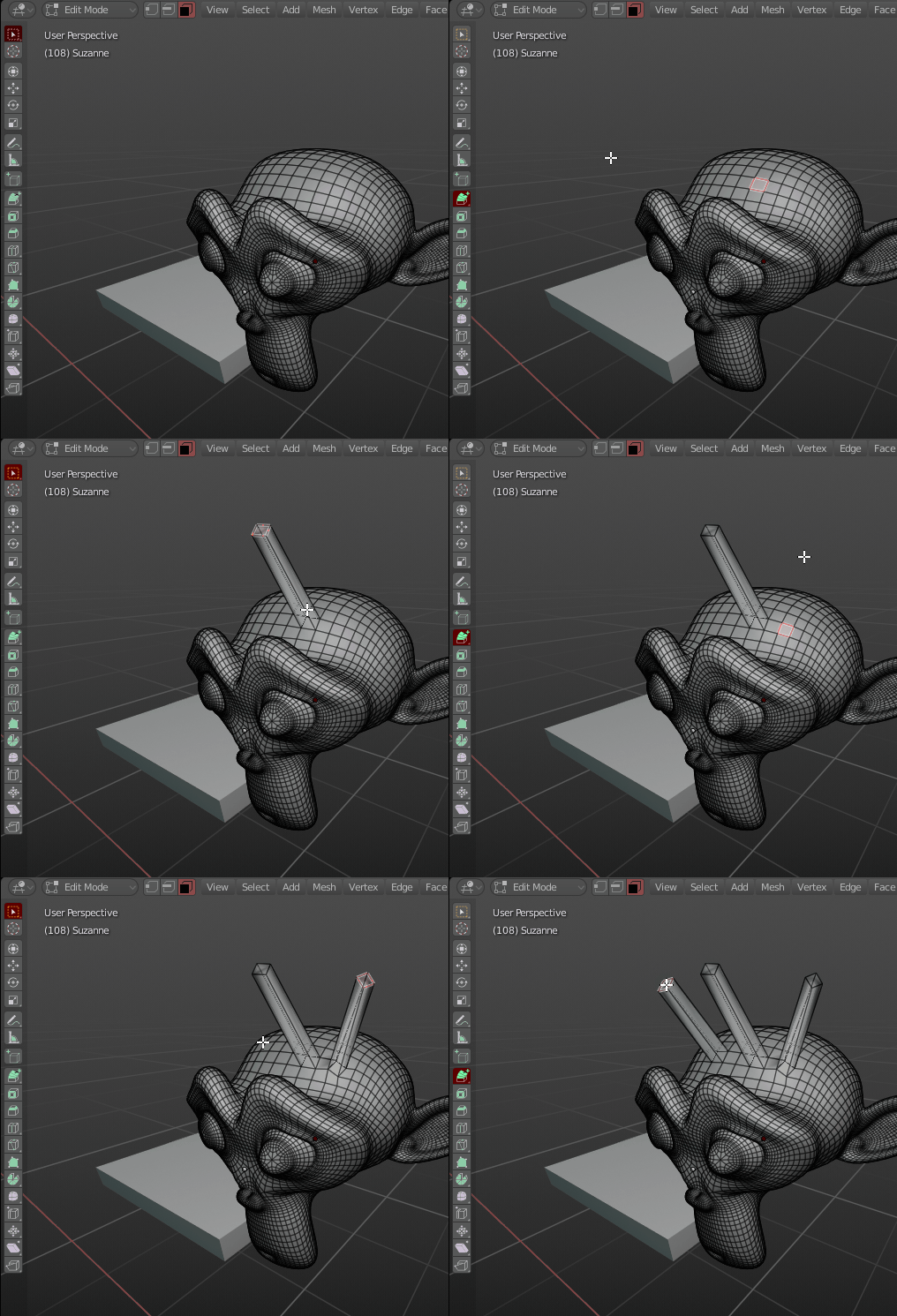 and now with for *
RIGHT CLICK SELECTOR
* but also for left click selectors from *
before
* the new *
beta
* update that forced this *
context menu to be at the place of the active tool function
* heres how its working
and now with for *
RIGHT CLICK SELECTOR
* but also for left click selectors from *
before
* the new *
beta
* update that forced this *
context menu to be at the place of the active tool function
* heres how its working
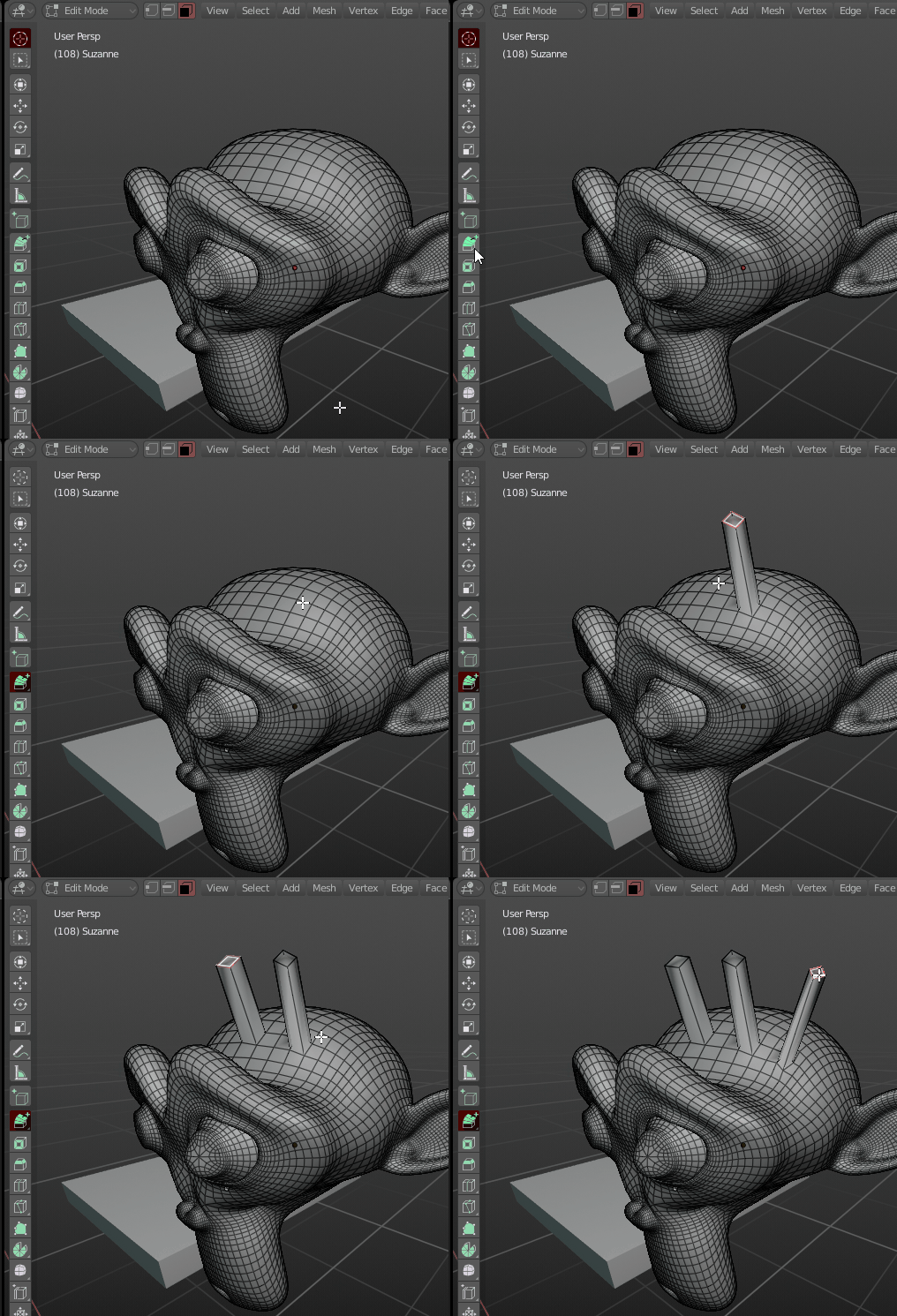
OBSERVATION: Its Drastically more hard and stupid to use this tool if you are a left click selector ! Why ? Because some tools just * cannot * be used with a keep &drag click, some tool need to access the one click only function, and if they do, * you cannot select at the same time anymore *! this is not future proof, both for future blender tools addition or add-ons that will use the toolbar! and this is also unfair, the battle is clearly win by right click selector
Why was this decision made? because you want to select with the LMB you dont want to have access to a dedicated RMB active tool anymore? why is this decision forced uppon left click users?
Some users really want a right click context menu, i get it! it have its advantages, and also its drawbacks, and its a matter of choice and preference if you want it or not!
but what about right click selectors? what if they also want to taste the advantages of an dedicated LMB context menu? ... you see that this problem is quite hard to tackle...
* so here is my proposal: *
Ladies and gentleman THIS is how to make EVERYONE happy, Right click selecters too !
a simple concept, you cant click on both left and right on the tool shelf this will determine if the tool you just clicked on is gonna be attributed to your left or right click
1-
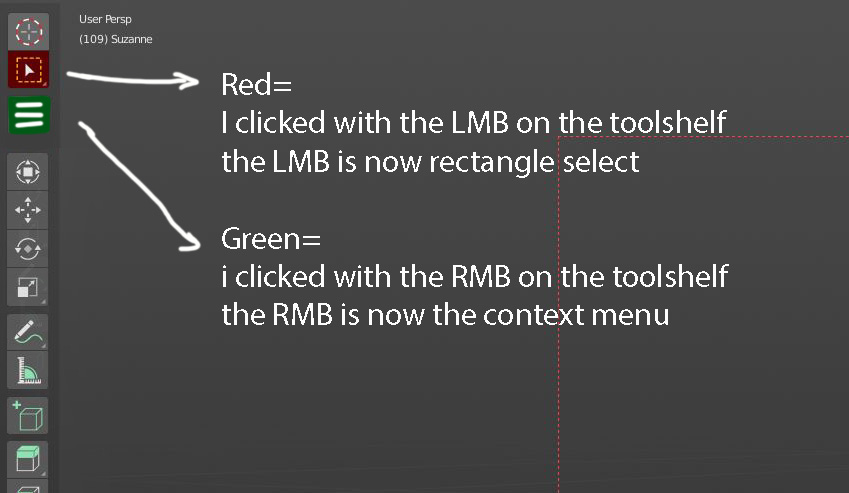
im a left click selector that want to use the right click as a context menu:
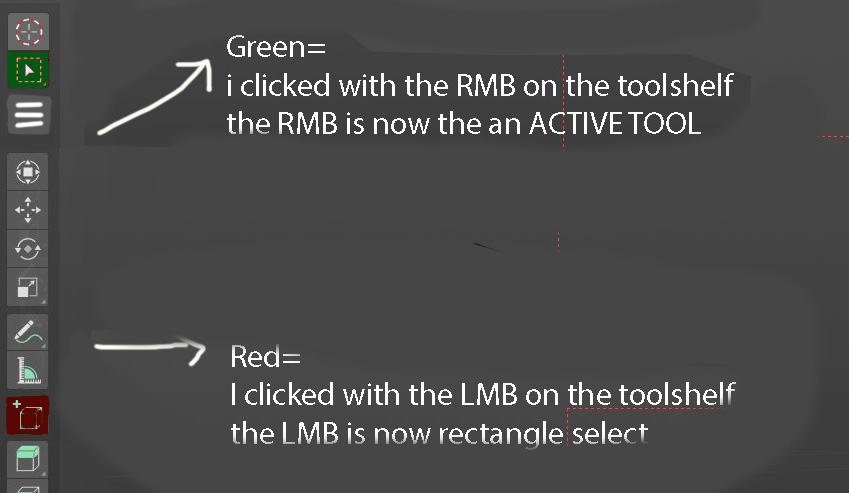
i click on the selection icon with my left click LMB is now in selection mode i click on the new context menu icon with my right click, RMB is now a context menu
if i click on the active tool with LMB (instead of selection) selection with one click and active tools with keep&drag click will both share the LMB because the context menu has been chosen as the other click
so its exactly what we hare right now
2-
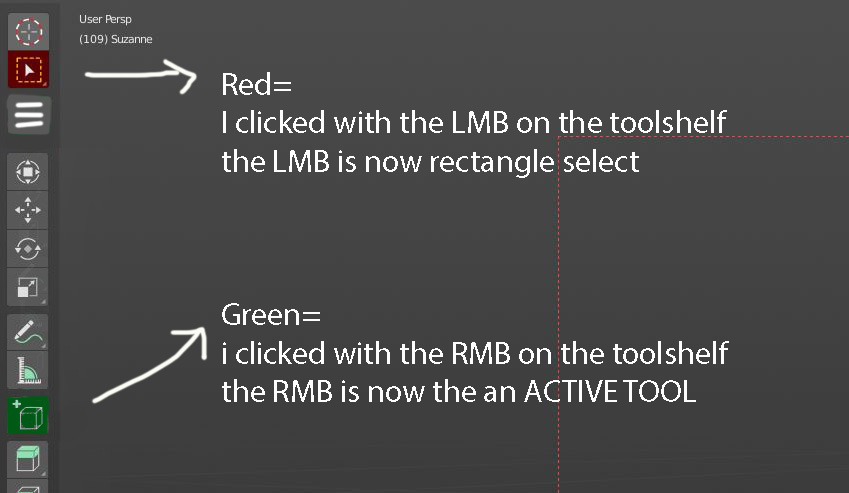
im a left click selector that want to use the right click as the active tool:
i click on the selection icon with my left click LMB is now in selection mode i click on an active tool with my right click, RMB is now a an dedicated button for my active tool
if i want to go to the context menu i just have to hit W on the keyboard
3-
im a right click selector, amazing its also working for me, no more of input tweeking, left and right click selector can live in peace and harmony
i click on the selection icon with my right click RMB is now in selection mode i click on an active tool with my left click, LMB is now a an dedicated button for my active tool
i just have to hit W to access the context menu
4-
im a right click selector that want to have a left click context menu
i click on the selection icon with my right click ,RMB is now in selection mode i click on the new context menu icon with my leftclick, LMBis now a context menu
if i click on the active tool with RMB (instead of selection) selection with one click and active tools with keep&drag click will both share the RMB because the context menu has been chosen as the other click so its exactly what we hare right now for Left click selectors but inverted
5-
this also have some bonus advantages that are quite a BIG bonus
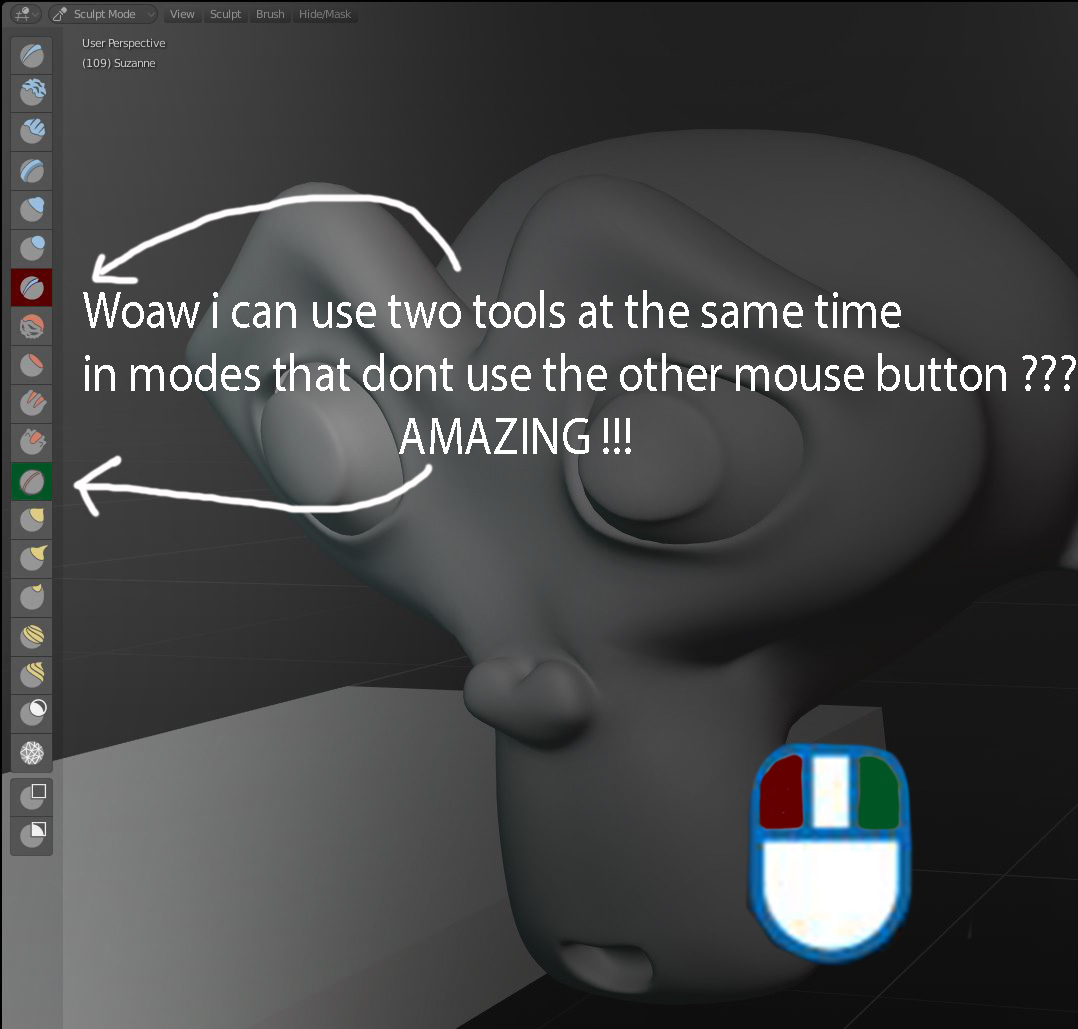
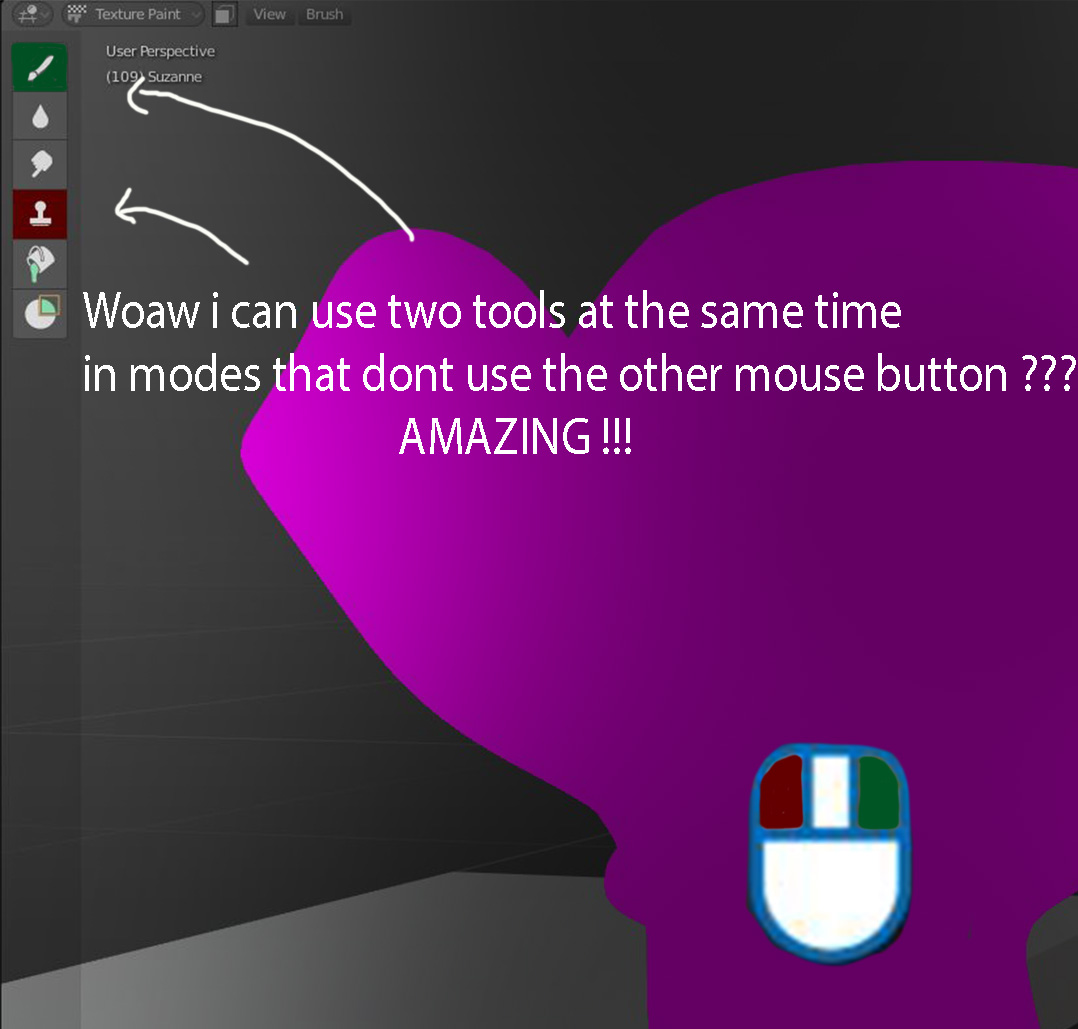
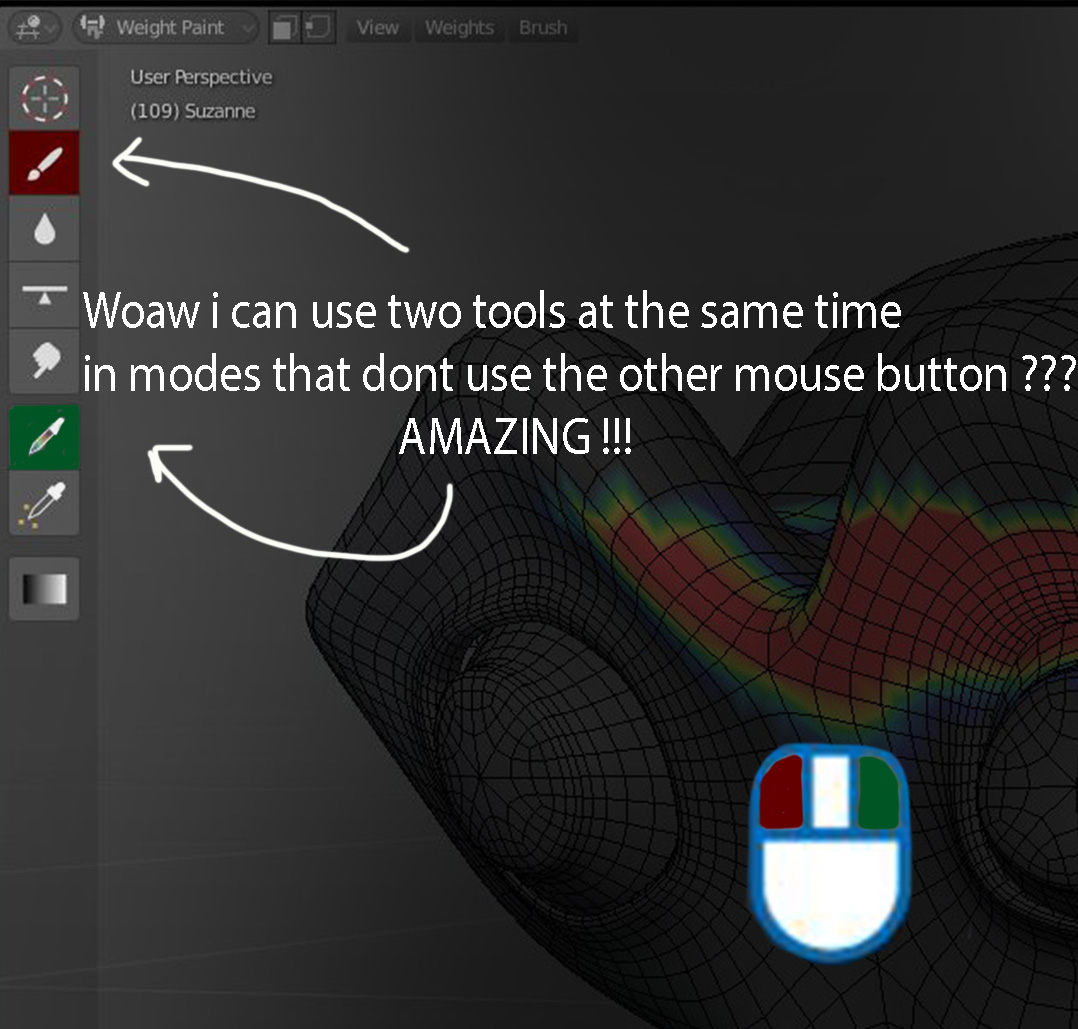
why not also doing this idea in edit mode? For example an active tools both one for RMB and another one for LMB while still retaining the ability of one click to select and keep&drag click to an active tool this way you could use two edit tools at the same time, drastically speeding up your workflow ?
voilà i hope my idea can bring some good to blender
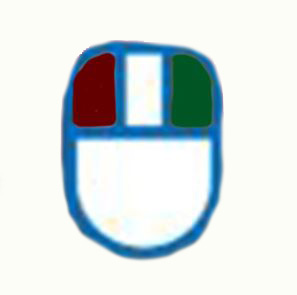
10 Comments
how to access the toolshelf context menu? long right click press should work, or ctrl right click, ctrl left cligk, ect ...
Great idea
Great proposal! Core Blender Devs who have done outstanding work already, please read!
It's "Voilà". The accent is important!
pizza!
Good work Dodododorian, I think that this can be a really interesting way to solve some of the issues, but I think that there is still something that must be improved, those are just some thoughts.
I don't like how tools "sticks" now. For instance Loop Cut, I rarely want to use it many times. Usually in other softwares you can use the right click to repeat the last command. In this way it's really simple to chose if you want to use a command just once, or many times. (this is of course different for painting) I though that maybe you can also chose if you want to use a tool just once, or keep using that. Think about how Shift works for smartphones: Press once -> Abcdef.... Keep pressed -> ABCDEF...
(you can hold it a bit more, or use ctrl+LMB and ctrl+RMB, or maybe a small toggle close to it if you don't like to wait...)
Let's see some examples:
New user:
The fixed tools can be "Select" on LMB and "Menù" on RMB can select normally with LMB, then use a tool just once. After that the LMB will continue to be just "Selection" (like Blender 2.79 with LMB selection). In this way you are not forced to do operations with the right click that is a bit unusual, especially for the newbie.
Old user: Fixed tool on LMB is "Cursor", fixed tool on RMB is "Selection". When you LMB click on a tool, then it is executed just once (like Blender 2.79). After that the LMB will always be the good old 3D Cursor
New pro user: Let's extrude! Set "Extrude" as active/fixed tool and use it many times. Maybe pressing Esc you can easily return to the default one ("Selection" for LMB Users or "Cursor" for RMB Users)
Too complicated, maybe yes, but without knowing all that, you can still work pretty easily... Just like Blender 2.79 and like everybody would expect :-D
Makes sense?
You only need the L click to have context sensitivity to what's under the cursor, to poll what's under the mouse. The tool needs to remain active, but also needs to be sensitive and smart to what you want to do - if you select, it will know that you are selecting, and when you click and extrude, it should be able to understand the context and still work the same. I would consider this feature in workflow still broken - so maybe the proposal a little irrelevant.
A simple fix is just the "sticky" feature of a tool and momentary context changing with mouse over elements in the viewport.
Your proposal sounds pretty cool, it should exist as an option too; but the real problem is that the selection tools are still working poorly. If you use the simple selection tool (instead of box selection), is perfectly possible to click and select without changing tools first. Only the extrude to cursor tool (of what I've tested so far) doesn't allow to make any kind of selection while it's active. Also, having RMB bound to the context menu is not a bad thing in itself, it could be very handy, and I think we could even have options for each tool on that context menu. The real problem is that selection and box selection are not in the same tool, and overall still feel pretty much "incomplete". Check my post about it, blender.community/c/rightclickselect/Dxcbbc/
It looks cool, but am I the only one who can't understand this post?
@1to3fall5: No I think that it's because it's a complex problem that people dont pay attention to or don't know yet because either they didn't try the beta yet or they don't know how the Active toolsystem work
Please ask me what you didn't understand, I'll try my best to give you a clear explanation