
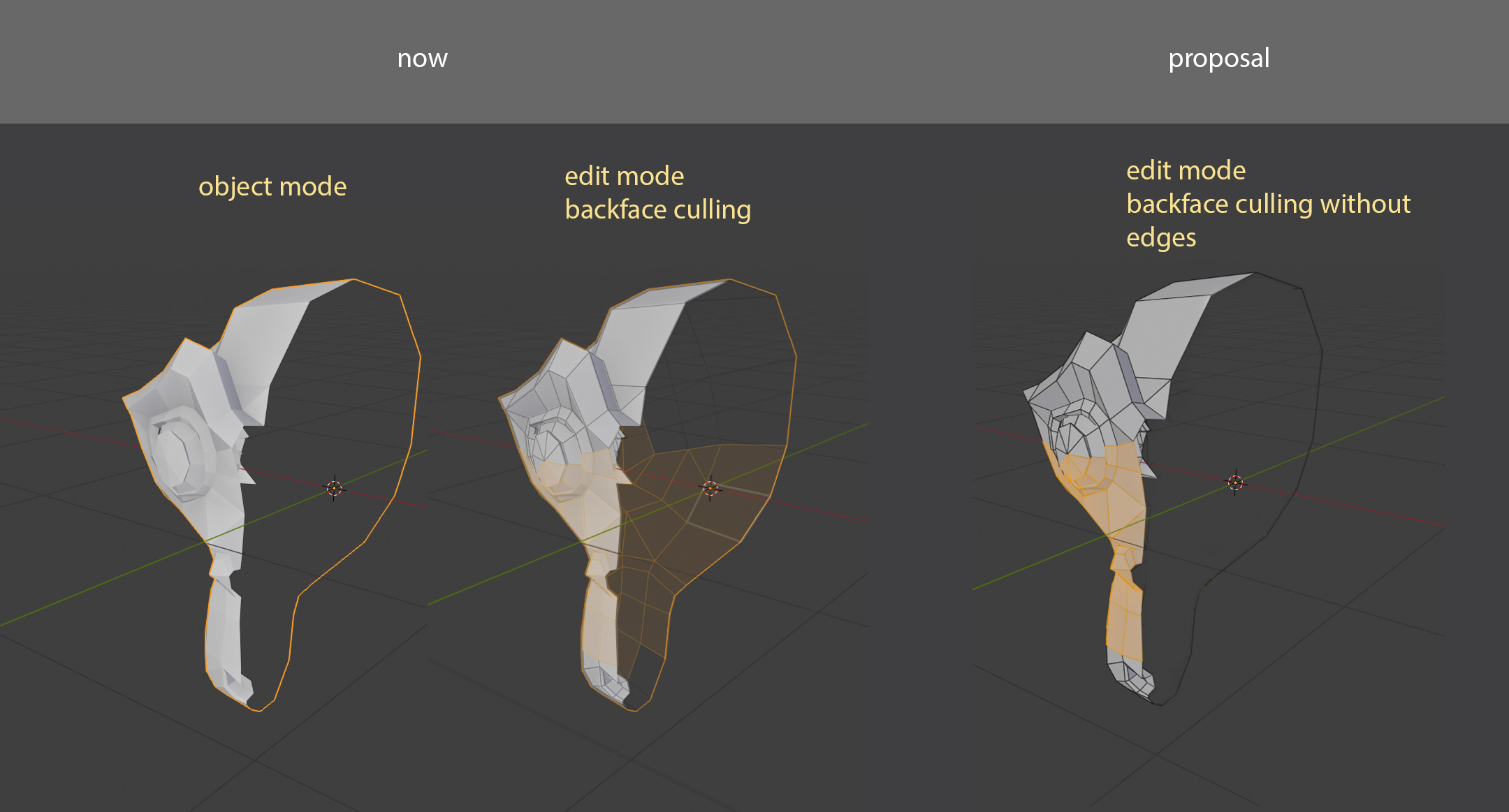
Backface culling wirhout edges
If you ever try making retopology in Blender you will have the same issue.
You create low poly on top of the high poly mesh model. Turn on X-ray on low poly and backface culling. Go to edit mode. And the problems are that "backface culling" still show the edges with the flipped normals. And your 3D viewport with retopology become messy. Too much information with unnecessary edges.
So I recommend erasing backEDGES like backFACES from the viewport. Even more, make it impossible to select backMesh(edges, faces) with border, circle, lasso select.
It mot always the problem, but what I want is a "Checkbox" option for on/off the "back edge" view.
4 Comments
Hi :) Solution Here I have prepared more techniques :)
blenderartists.org/t/retopology-in-blender/1408424
This is exactly what I wished when I did retopology manually of photogrammetry sculpture to get nice low poly count and flow, my eyes was bleeding while modeling over high resolution mesh + backface mesh.
There is already the same idea. So vote here blender.community/c/rightclickselect/sfcbbc/
* @Vasil Matsuk * It's not the same. A retopo shader does not hide back faces. It hides slightly overlapping meshes using a distance threshold. It's better for retopology but limited to that use case, whereas hiding backfaces can have other uses.
There are add-ons for both:
The second is one I made and is free and GPL. Draw Xray is "pay what you want".