
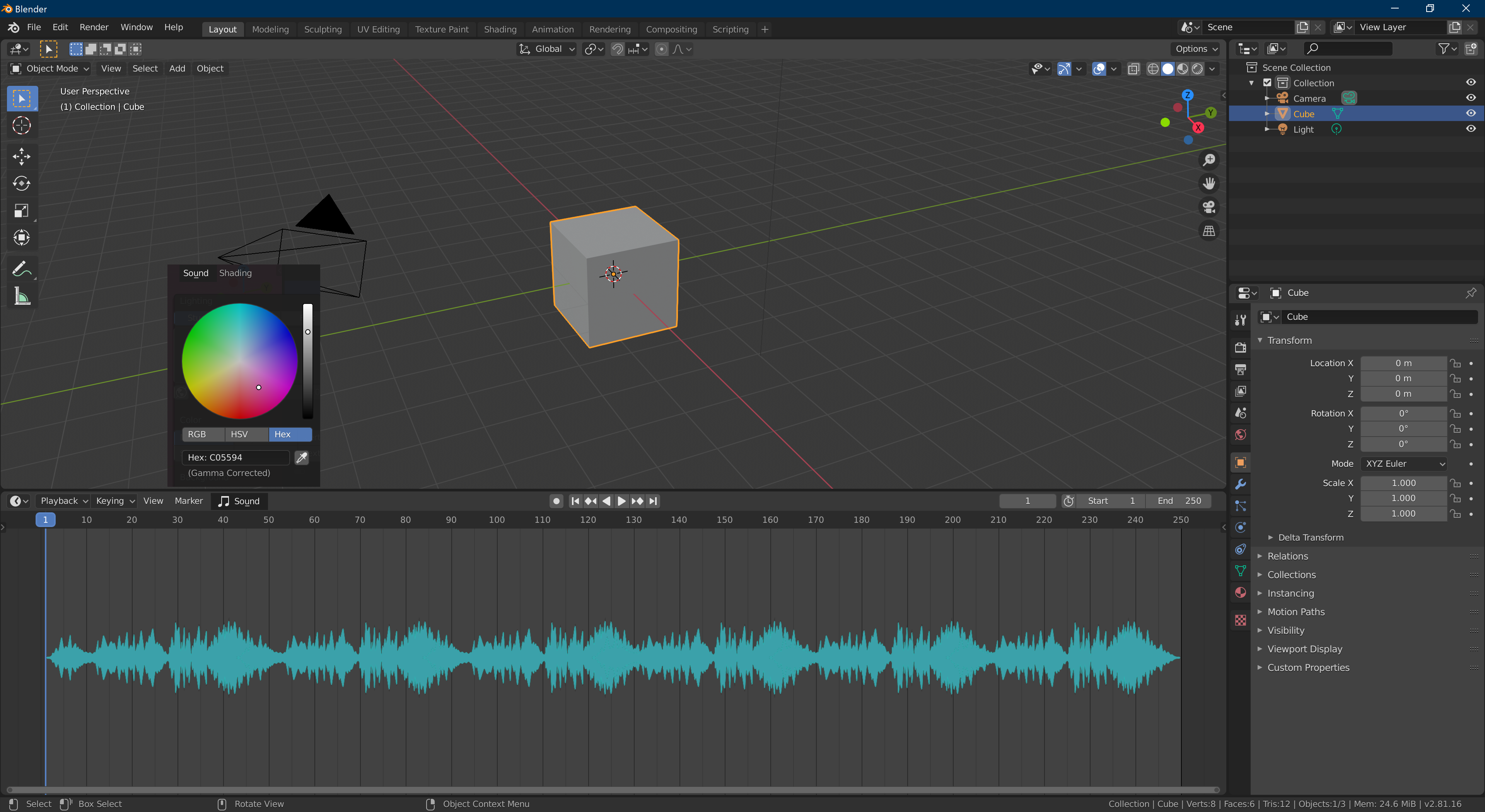
Please add audio waveform in Timeline and Dopesheet.(or maybe graph editor)
It would be useful if the audio waveform is displayed in the timeline and dopesheet and graph editor. because the timeline, dopesheet and graph editor can be navigated and scrolled.
The same functionality is available in the time slider in Maya 2020. This is similar to a timeline in Blender, but you can only slide it. The flexibility of Blender is better.
So if I can display the audio waveform in the timeline, the dopesheet and the graph editor, it really makes working with animation a lot easier.
This idea was marked as a duplicate of The Time Line need audio with waveform.
4 Comments
The VSE can show waveform, and if you check "Sync Visible Range" here and in the animation editor, you'll get the ranges to align: i.ibb.co/q9WLyV0/sync-editors2.gif
* @ tintwotin * The downside is then you have to open multiple editors & stack them up which makes you lose precious screen space where you have to add also (camera view, reference clip, GUI Picker...etc) also there is the issue of sound hitting the exact keyframe, i know you can use markers but then when you do any adjustment you have to move both which is an annoying workflow.
A nice addon does it:
Sound Waveform Display - Blender Market
Sound waveform display - Blender addon - YouTube
I'm surprised this isn't already a feature. For those doing lipsync, this would be a huge plus.