
Exclude unselectable from snapping targets
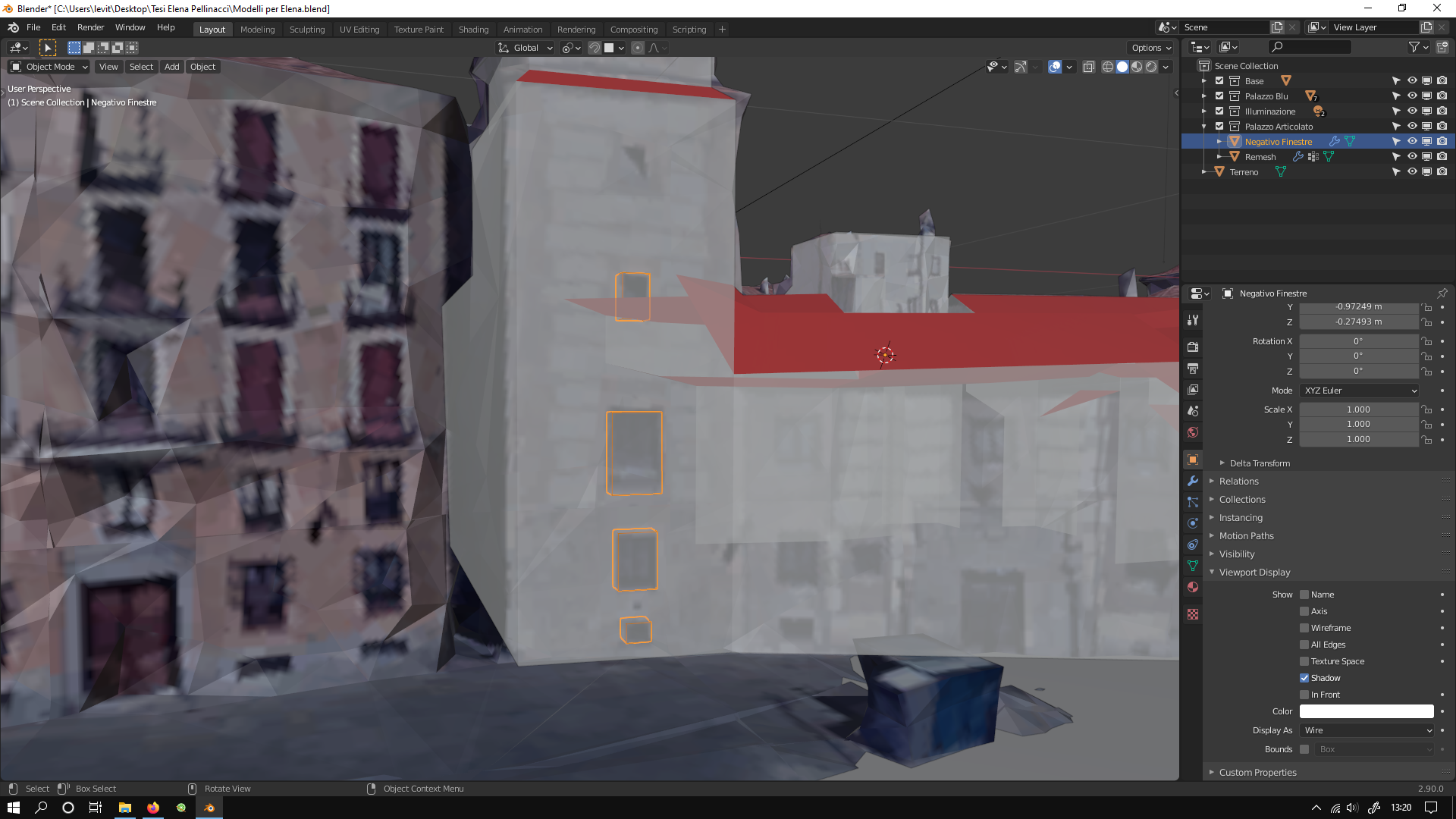
Well, I'm finding myself in a situation where I need some objects to be visible, but not suitable as snapping target. In the image I need to see the buildings from Maps which I have remeshed and now I need to put some windows on the remesh model. My idea was to use the projection features of snapping, but in certain points the remesh model is behind the original one and windows result in a wrong orientation, since they snap to the wrong mesh. What I'm asking thus is an option to excluse unselectable objects from snapping, just like there is a backface culling option, OR in the outliner, add a checkable icon close to any object/collection that prevents snapping on them, just like the visibility ones.
There's already been some thread on this here: developer.blender.org/T25998 , but it's gone invalid. Yet I think the feature would be very useful at times.
6 Comments
Have the same. Suggestion: if "Disable Selection" icon is toggled off then snapping ignore this object.
I agree, expected behavior for me is Disabled Selection = Disabled Snapping. There should be the option to disable snapping on referenced object as Scan or CAD with 10mega vertices. It's different when you snap on vertex (you want to disable it), or on surface (you want to enable it). But in both cases it's very slow.
Please do it! I often wish it was possible while working.
You can do that in a manner like following.
* @mrajendra2150 * This is not acceptable because in the case author describe, you need to see background object to make windows/doors etc, but not allow snapping on it...
* @mrajendra2150 * Unfortunately I need to see them all.