
Assign "Alt+A" to invert the selection.
In blender so many times, we need to invert the selection, like
delete unselected vertices first Select the vertices, invert the selection, now delete them. Hide the unselected objects.
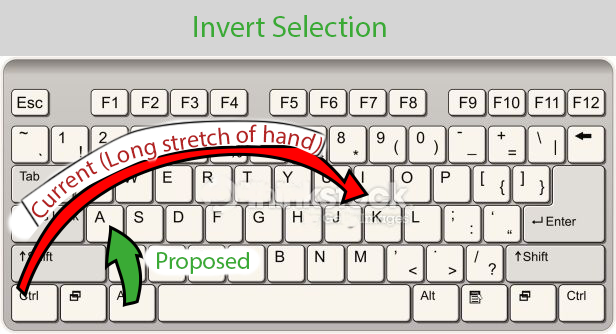
In blender so many times, we need to invert the selection, like
delete unselected vertices first Select the vertices, invert the selection, now delete them. Hide the unselected objects.
9 Comments
Lots of other programs use control + i to (i)nvert selection. It is the most natural choice for people who use multiple programs that all use ctrl+i.
Changing keyboard shortcuts in Blender is easier than almost any other program I have ever used. Just change it to what makes you happy.
* @thinsoldier * Lot of other program use "Ctrl+A" to select. then what you say. If something is traditional then why not we can change that (Evolution) id=f we find something better.
Try to use the right ctrl key
* @blef137 * it is also not that great. Alt+A is much more convenient
we can assign AA as select inverse too
Nope. Alt is for opposite function in Blender. It is general rule. As far A is for «select all» Alt+A is for «select none». And Ctrl+i is most common hotkey for inversion.
So make requested change for your own please. It is not for default.
Also, you can use double-buttons, as AA for inversion.
* @ Vyacheslav * Brother selecting none can be done by press AA or simply click on empty areas.
* @mrajendra2150 * I disabled deselection with «click on nothing» to avoid to ruin complex selections on dense meshes. AA can be unintentional instead A. Blender do not have time tuning for double clicks, isn`t it? Also AA selects all, then deselects all. It can be slow on dense meshes So A and Alt+A are most protected and canonical pair of hotkeys for select/deselect all.
On an Apple keyboard, command+I is only two keys apart, but I want the keymap to work for your keyboard too. I can see how that'd be annoying to have to stretch your hand so far whenever you want to invert a selection. Although, I is the first letter of invert, so it's an easy to remember shortcut. alt+a is harder to remember, but you could always make a custom keymap in the meantime.