
Store tracking settings in the object
When doing object solving in the Clip Editor you almost always need different solver settings than if you're doing the camera solve.
For instance, a typical scenario is you have a Tripod shot, where you wanna add something to the head of an actor.
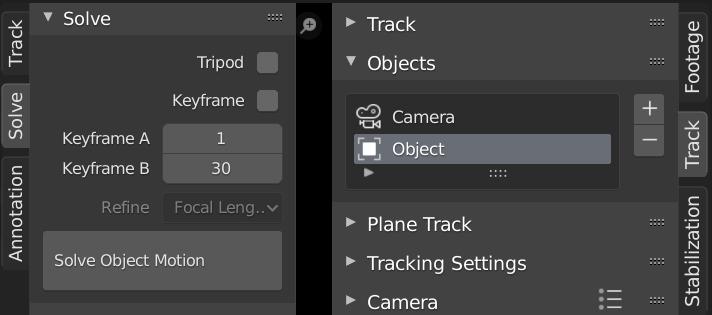
You would first solve the camera as a tripod shot, and then add another "object" in the Objects Panel in the clip editor sidebar. Then you have to disable "Tripod" in the Solve panel in order to correctly solve the object's motion, and almost always have to tweak the Keyframe A and B.
If you now decide to improve the camera's motion, you would switch back to the Camera object, maybe add track another marker and solve again. However, the solve will be completely off, because we didn't enable Tripod solving again. It's something you most likely overlook, because solving worked the first time.
I propose to store the tracking parameters per object:
Tripod, Keyframe A and B and whether or not to try to solve the Keyframes.
That way you can setup your solving settings per object without running the risk of messing things up when you re-solve.
0 Comments