
Vector Pen tool for texture painting both in 2D and 3D
In my texture painting workflow, I use a lot the pen tool from Photoshop. But there is one problem when using it in Photoshop, which is that when I get some smooth shapes with the pen tool, sometimes in 3D view there are some distortions caused by UV stretching.
I think it can be solved by implementing the pen tool in Blender, both within the 2D image editor, and the 3D texture painting view.
Here is how it could work:
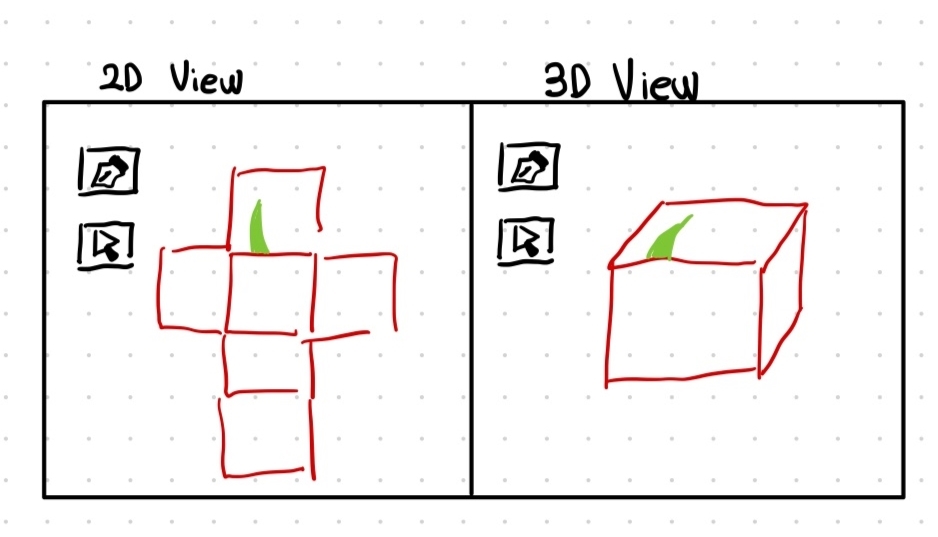 First, I will paint something in pixel-based brush to locate the shape I want to make.
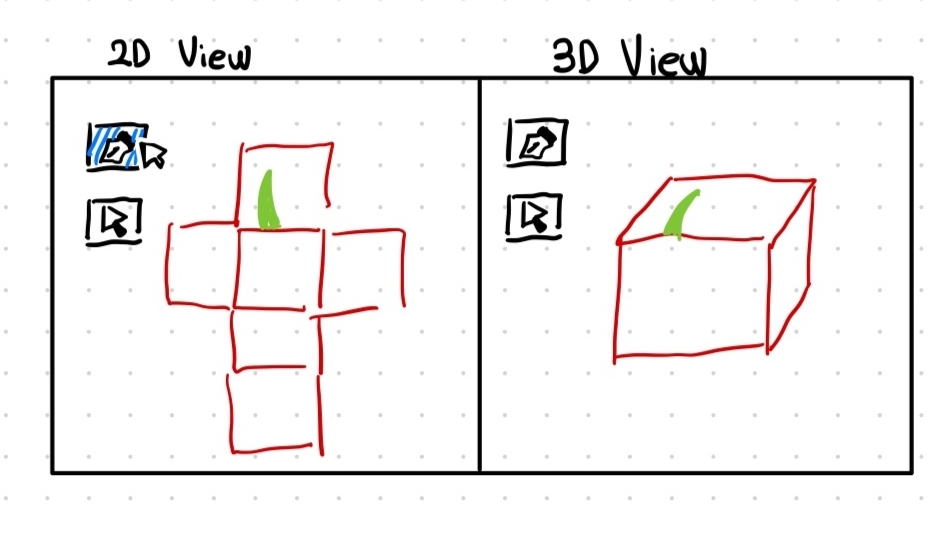 Then, I will have my pen tool over the 2D view, the one in 3D view will not work in the initial strokes.
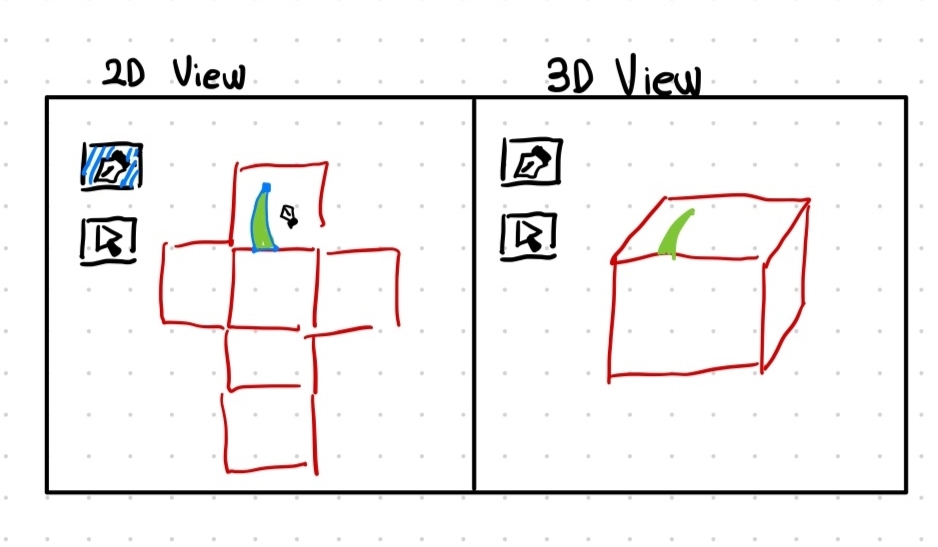 Now, using the pen tool, I have created a pen path in 2D view.
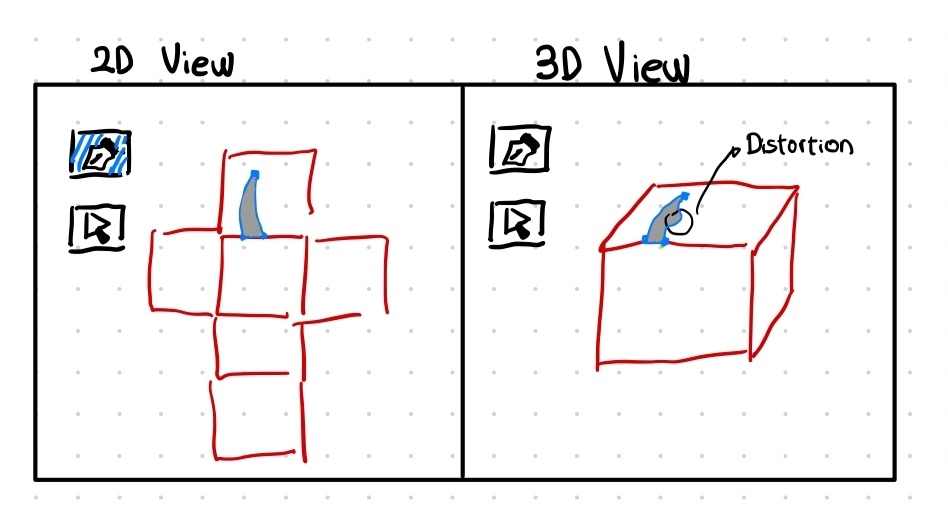 Then, I have made that pen path as a vector shape, so now the shape appears in both 2D view and 3D view. But because of UV stretching, the vector shape that was smooth in 2D view, is now distorted in the 3D view.
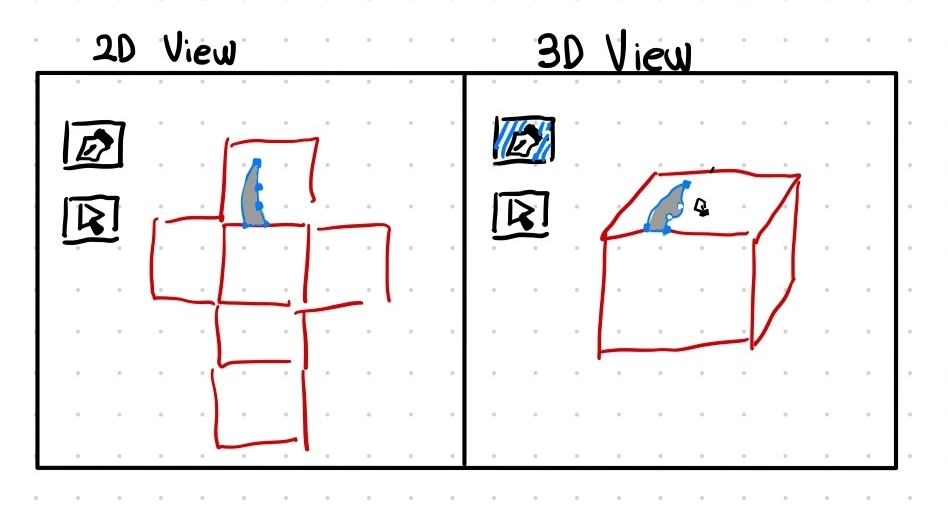 Thus, I will enable the pen tool over the 3D view, add some vertex points in the existing vector shape, and change its shape according to the 3D view.
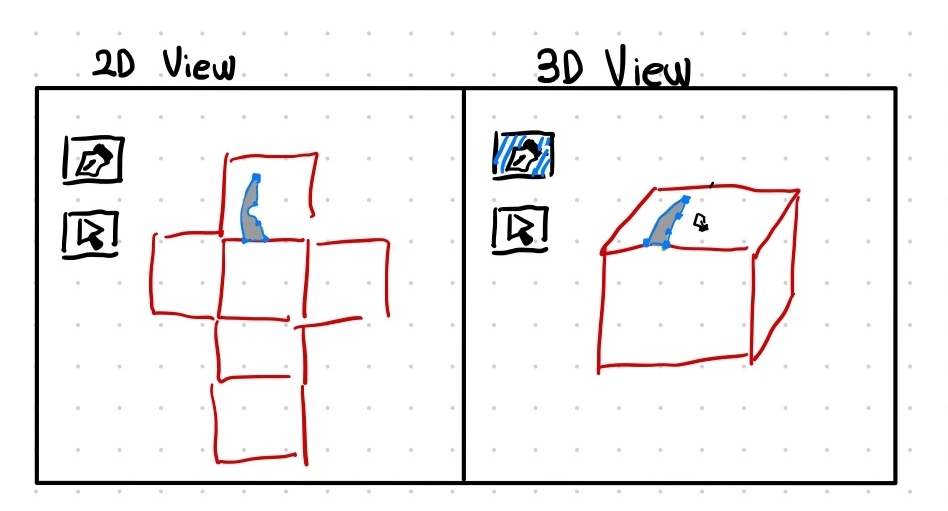 Finally, by changing the vector shape on the 3D view, I am getting a smooth shape, which makes it distorted in 2D view.
Now with this final vector shape, I can export this shape as psd file, so I can further modify it with layers and mask in photoshop. And it will be awesome as well if I can import the vector shapes that I made in photoshop and modify it.
Finally, by changing the vector shape on the 3D view, I am getting a smooth shape, which makes it distorted in 2D view.
Now with this final vector shape, I can export this shape as psd file, so I can further modify it with layers and mask in photoshop. And it will be awesome as well if I can import the vector shapes that I made in photoshop and modify it.
0 Comments