
Feature: "Go to in Outliner"
Affinity Designer has this handy feature.
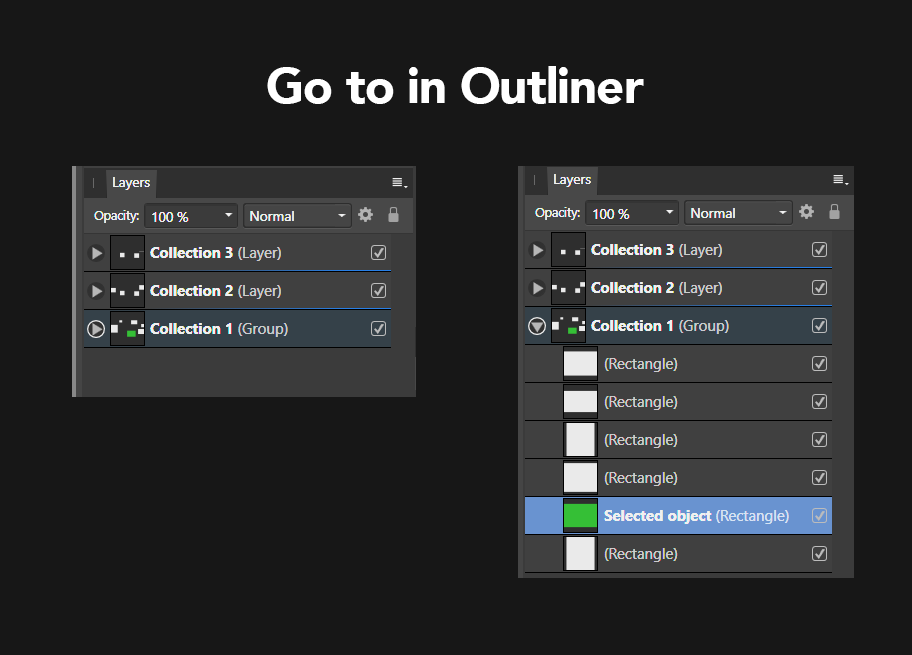
If you select an object in the viewport and press CTRL + K it will open the collection and scroll to the selected object.
This makes it way easier to find the object you are looking for.
To clarify how it would look I have attached an image.
3 Comments
if you select an object in the 3D view, then go in the Outliner and press the "." key, it will give the same result. I guess the only difference is that you need to have the mouse cursor on the Outliner?
* @moonboots * There are so many hidden shortcuts. Thank you
* @attehdisko * That's not "hidden". Right click in outliner, view, show active.