
linear smooth option for better weight paint
I was doing some rigging and trying to make weight-painting stuff, but I hit a roadblock while working. It's when I try the linear weight-paint gradient tool, but it's bad for some complex shapes and it's not linear at all.
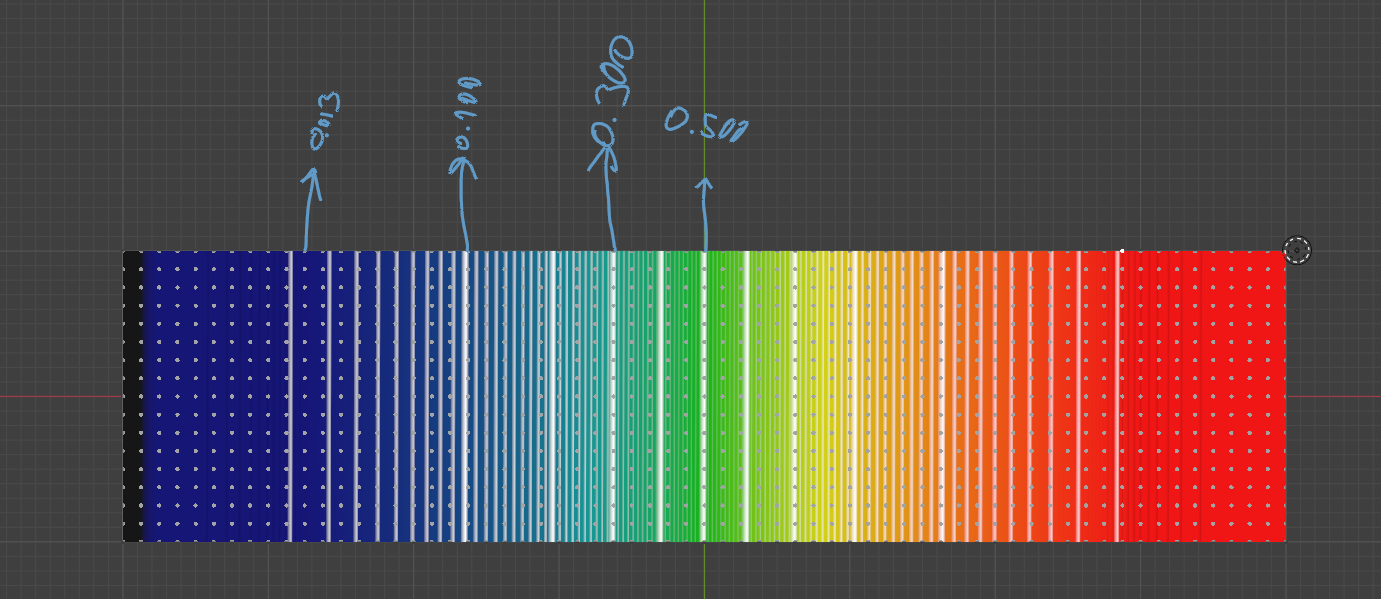 I think I can use the smooth tool, but it was broken
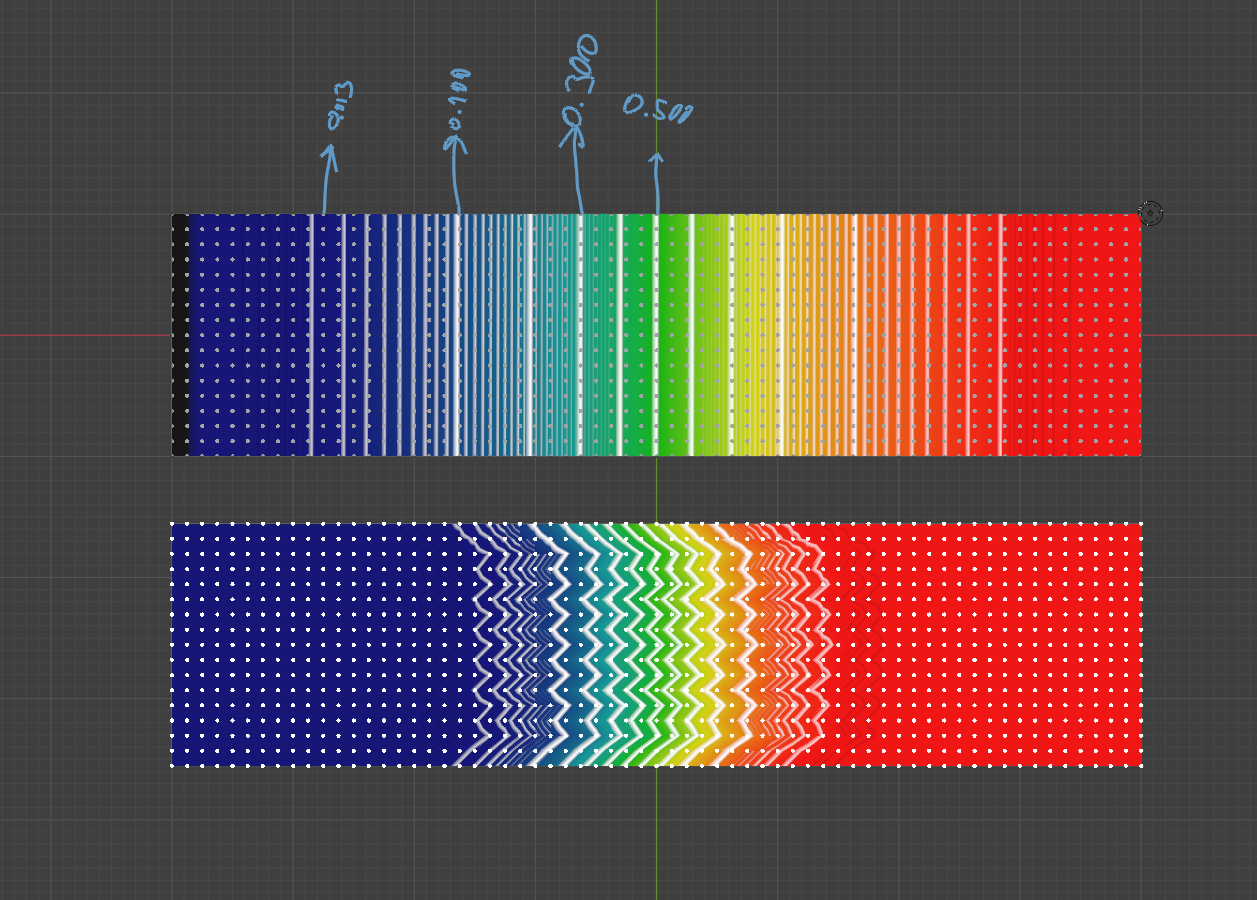
We need a tool for this, I think.
2 Comments
Hello! Are you sure this isn't just a purposeful localized graph stretching? As this sort of technique is sometimes used in scientific data; I just don't know its name atm. If that's the case, it would then still be "Linear", just visually distorted.
Also, I do not understand the Smooth element: why would that zigzag be an unexpected pattern for Smoothing? It sure looks weird... but, in practice, the Smooth Operator, and the Smooth Tool on Weight Paint Mode, they don't seem broken? (I just don't like that sometimes Smooth Tool stops 'Blurring' certain areas, in spite of applying the maximum Strength; also, the Smooth Operator could be easier to use or more responsive/Performative, and perhaps have more Options; sometimes, it's very difficult to get a very basic, good Smooth result out of it, when it should be super-easy to get spontaneously good results).
If you suspect something is broken, maybe this would be the case for a Bug Report!!
projects.blender.org/blender/blender/issues/149158 yes, I actually reported this six months ago. maybe video give better explanation