
Show Vertex Normals and Face Strength in Object Mode
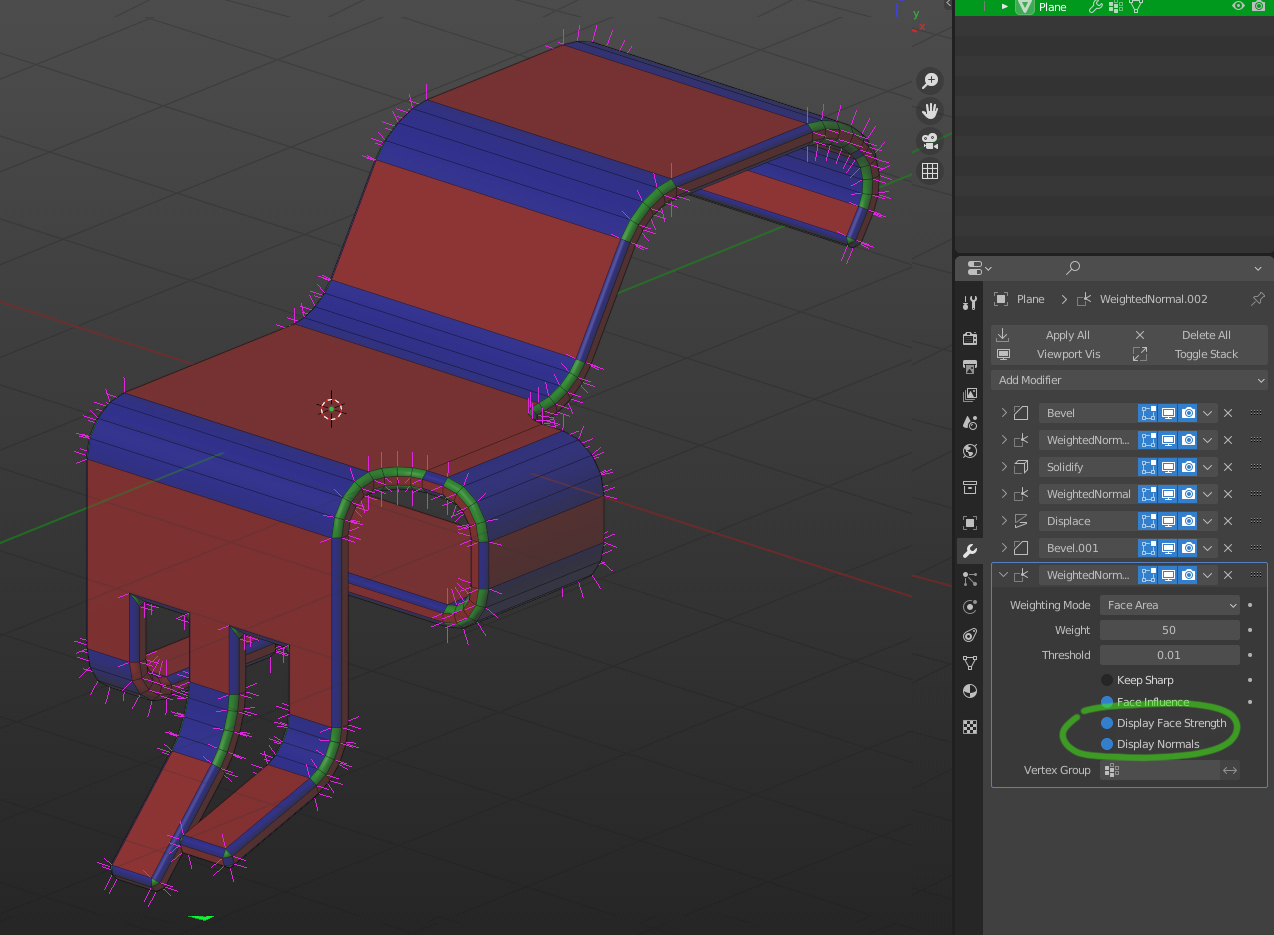
It is crucial for some workflows to be able to preview what vertex normals will look like on the final result without applying the modifier stack.
Currently, you can view your final normals in edit mode by pressing the "On Cage" button in the WeightedNormal modifier. But you lose that ability if you add some generative modifier (bevel, boolean, etc.).
Another big one is the concept of Face Strength which I think is very powerful and I use it often. I haven't found a way to display Face Strength which could make editing complex models much easier. Also some generative modifiers can assign face strengths (bevel for example) which is hard to manage and keep in your head.
So my idea is to add the toggles for showing vertex normals and face strength in Object Mode.
Note: I put it in the WeightedNormal modifier just for example. It probably belongs to the Overlays section with an option to show only on active/selected/all.
5 Comments
Seems like it would be good as additional checkboxes in the Object Properties/Viewport Display/Show settings
yeah just adding an option in object view will solve everything. its hard to deal with normals in edit mode only.
out of curiosity- could you give an example? I can't think of a time where I would ever need to preview the effect of a weighted normal (outside of just looking at the model and seeing the normals, that is)
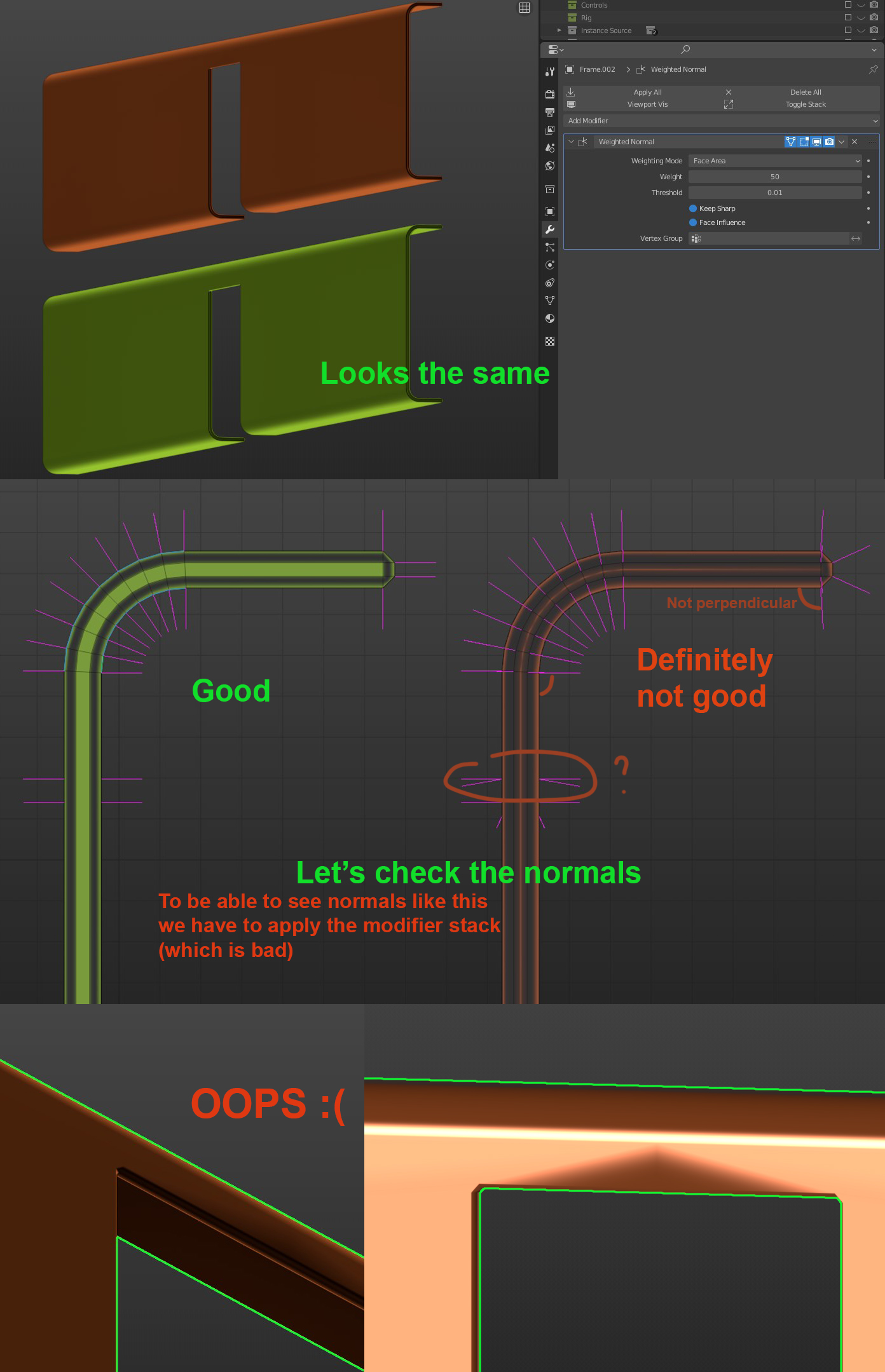
Updated main post with an image. This is actually a real example from my personal project. I work as vehicle artist in a studio and we fix these things all the time (if you have big flat area next to the bevel or bend it must be FLAT, with perfectly perpendicular normals, otherwise you'll get shading errors due to triangulation). Would have been much easier to see and fix potential problems on a earlier stage, when the modifier stack is still live. I hope it's clear enough
eg. models for gamedev