
Spin Modifier: single object editing
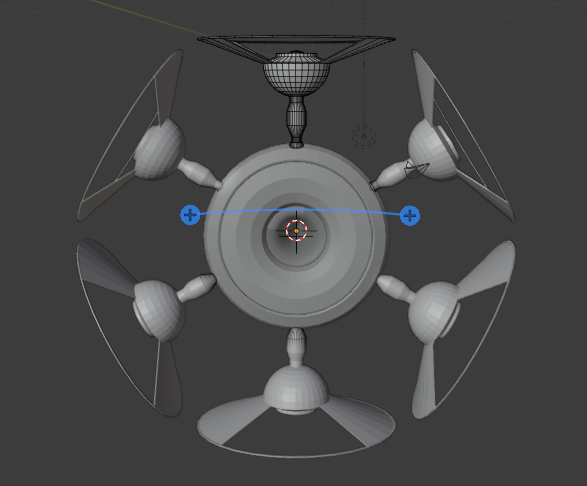
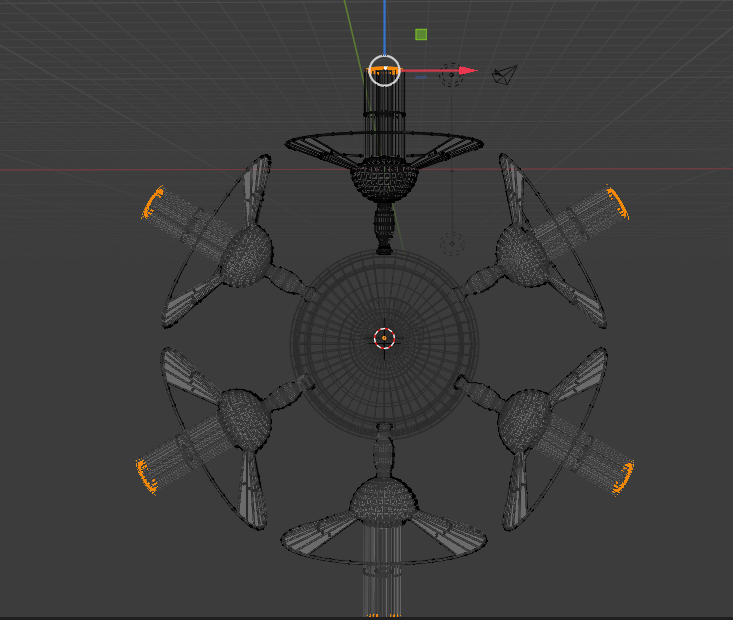
While making my object spin around a pivot point, the only option I had was to use "duplicates" for the spin to have the affect I wanted. Then, to make any minor adjustments, I had to change each newly created object separately. How about an option to use mirrored objects in the spin so all objects can be edited by altering only the first item in the spin. Perhaps a spin modifier?
Here are some images of what it might look like.
7 Comments
There's like 8 different ways to do this already but none are as simple as a "circular array" however it's not like they're actually difficult.
Great! I would love to know how to do all 8 ways. Do you have links to share to demos? I am particularly interested in a method which allows you to edit all objects in the circle with one instance.
Put an object (usually an Empty) where you want the center of your circle to be. Call this Pivot.
Put your Subject model over where you want the perimiter of the circle of duplicates to be.
Snap 3d cursor to Pivot. Set Subject origin to location of 3d cursor. Apply rotation and scale of Subject.
Add array modifier to Subject and use Object Offset set to the Pivot object. Increase array count.
Rotate the Pivot object. 360/number of objects in array or any value that meets your needs.
Geometry Nodes blenderartists.org/t/geometry-nodes/1264425/1922 which you don't have to make from scratch if someone can give you a node network that already does what you need.
I'll try to send you proper links to videos as soon as I can find the time.
Until then google the difference between Object Data and Mesh Data in Blender and how to reuse mesh data.
Then learn about collections and collection instances.
Then wait a month for the latest version of Blender to be released and then learn about instancing with Geometry Nodes but only from extremely recent videos using the latest Blender version.
so you want circular array?
yes, one in which you could manipulate all objects in the array using the original object. Perhaps during the length of your project and finalize it into separate objects before baking. I tried doing this with the mirror and I tried with the screw, but neither seemed to place the objects into a circle as I have shown in the images above (images made with the spin tool).
you can do it with an array modifier + 2 empties Fist empty is for object offset (in array modifier) Second empty you should place at the center of you radial stuff and then parent first parent to another Rotation will be manipulated with empty in center