
Highlight/Select Indices Node
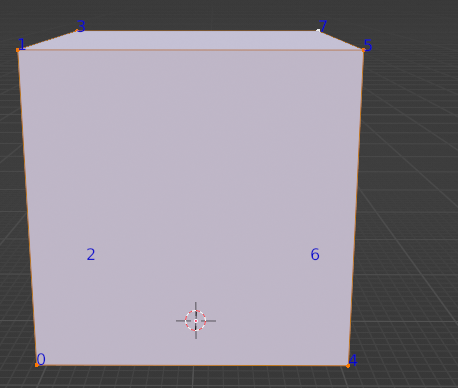
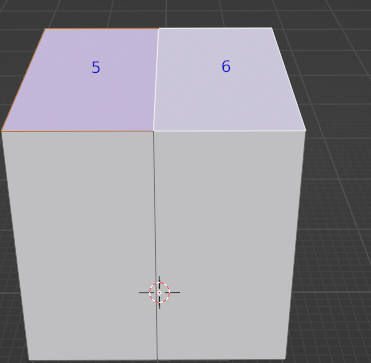
If you enable Developer Extras in the Preferences menu, and then in Edit Mode, go to your Viewport Overlays drop-down, you'll see a new option under the Developer tab called Indices. When enabled, it allows you to see the index number of the vertice, edge, or face that you have selected, which is useful when trying to manipulate certain verts, edges, and faces with Python.
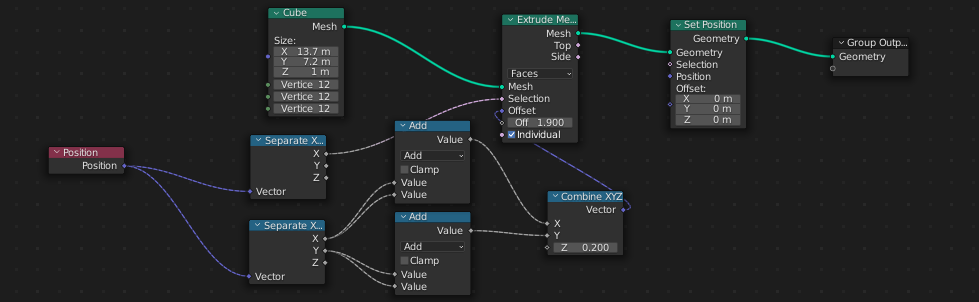
Another area where I feel indices would be really helpful is Geometry Nodes, as trying to manipulate a certain face with the Math Node set to Greater Than or Less Than, then plugging that into the Selection input of a Set Position Node... isn't all that helpful.
How the Indicie node could work is it would be under either Mesh, or Input, I'm not sure which would be better for it, and the node would have these sockets:
Input:
Geometry would be your standard mesh input that you would plug your mesh primitive (Or curve using a curve to mesh node) into.
Properties:
Single integer value.
This is where you would use the slider, or enter the value manually for the face you want to select. If your mesh doesn't yet have that verticie/edge/face, the value is kept in memory until you have the verticie/edge/face via adding more loop cuts with the vertice slider on your mesh primitive.
Mode:
Vertices - Highlights and selects the vertice that corresponds to the Integer value.
Edges - Highlights and selects the edge that corresponds to the Integer value.
Faces - Highlights and selects the face that corresponds to the Integer value.
These would, of course, be the options for the mode drop-down menu.
Outputs:
There would be a selection output that you can plug into a Set Position Node (or maybe a Transform node?) to highlight, and select that verticie/edge/face as if you were selecting it in Edit Mode. You can then do your normal manipulation by plugging the Set Position into a Transform node.
I have hope that with this node, it will be even easier to do procedural modeling with geometry nodes.
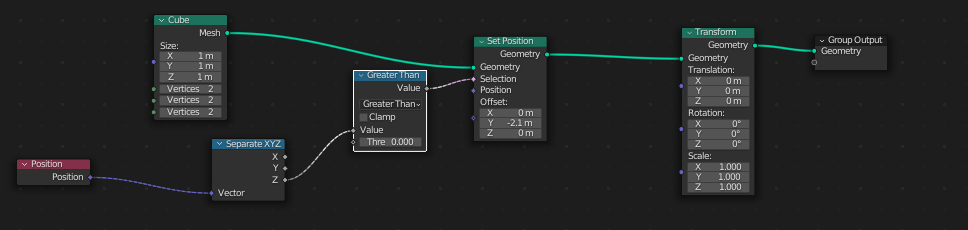
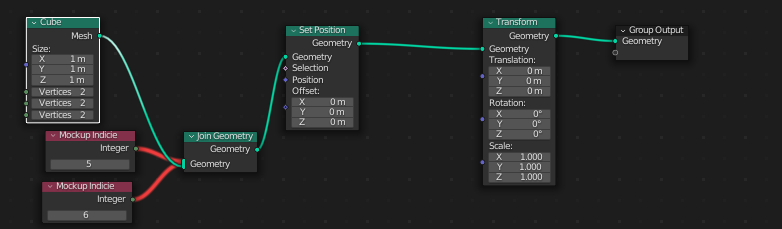
The images attached should hopefully give you a better idea of my node idea. I created the mockup in Geometry Nodes using a cube and two Interger nodes connected to a join geometry connected to set position connected to transform, and the selection output of set position, as well as threw together how you'd attempt to select a certain face with a workaround, but I'm happy to hear other ideas for a mockup on how it would work.
I have a few other geometry node ideas to really improve geometry nodes, but I'll put them in separate posts.
Images 5 and 6 are my attempt at trying to recreate how you could ATTEMPT to select a group of verts/faces/edges in the past, while the last image is a mockup of how the indicie node could work. Images 3 and 4 are of a normally spawned cube so I could demonstrate what Indices actually does.


1 Comment
I'd like to close this....but don't know how