
Shrinkwrap - additive mode
I would find very useful if Shrinkwrap modifier offers an Additive Mode , which would wrap by offsetting the original vertices position, instead of replacing it.
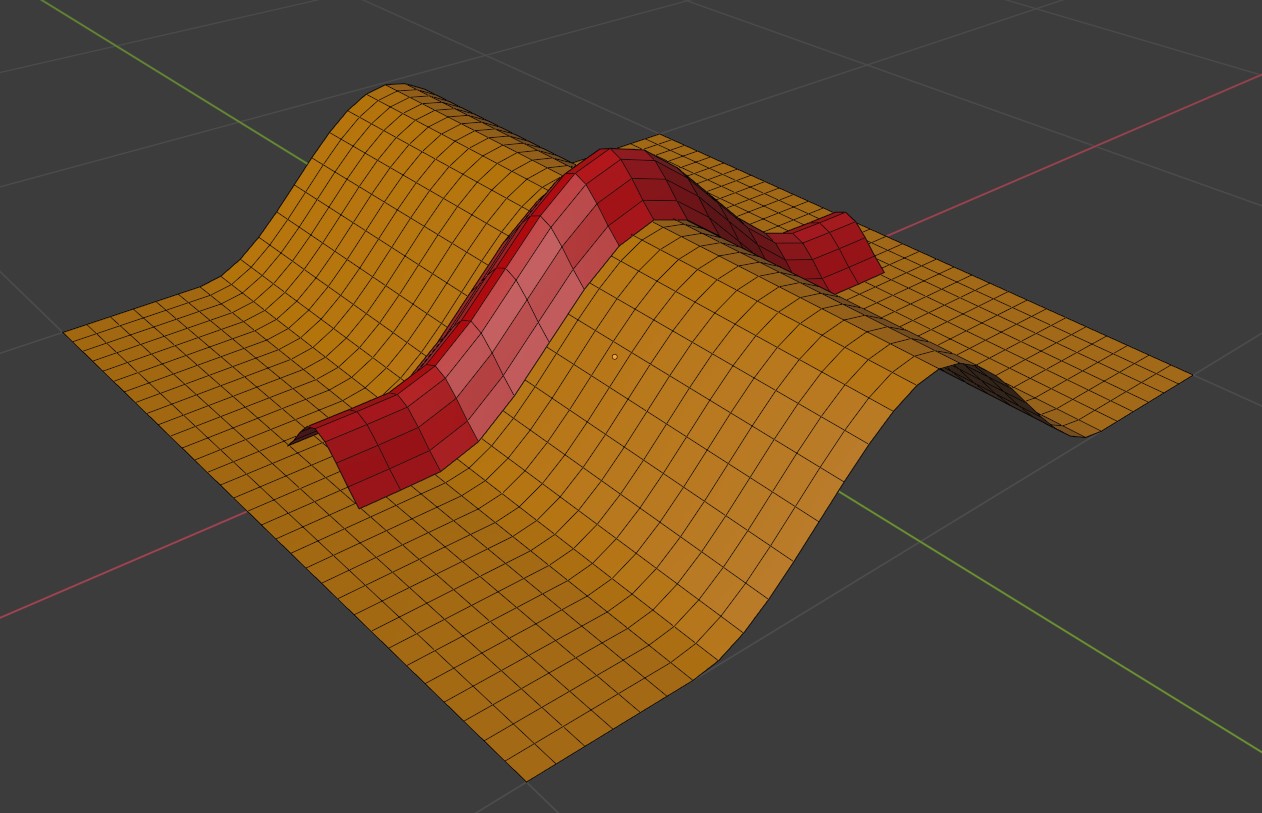
As the result the mesh would still wrap on a target object surface, but with it's original shape prevented.
This would also allow editing the result, while still having the Shrinkwrap effective.
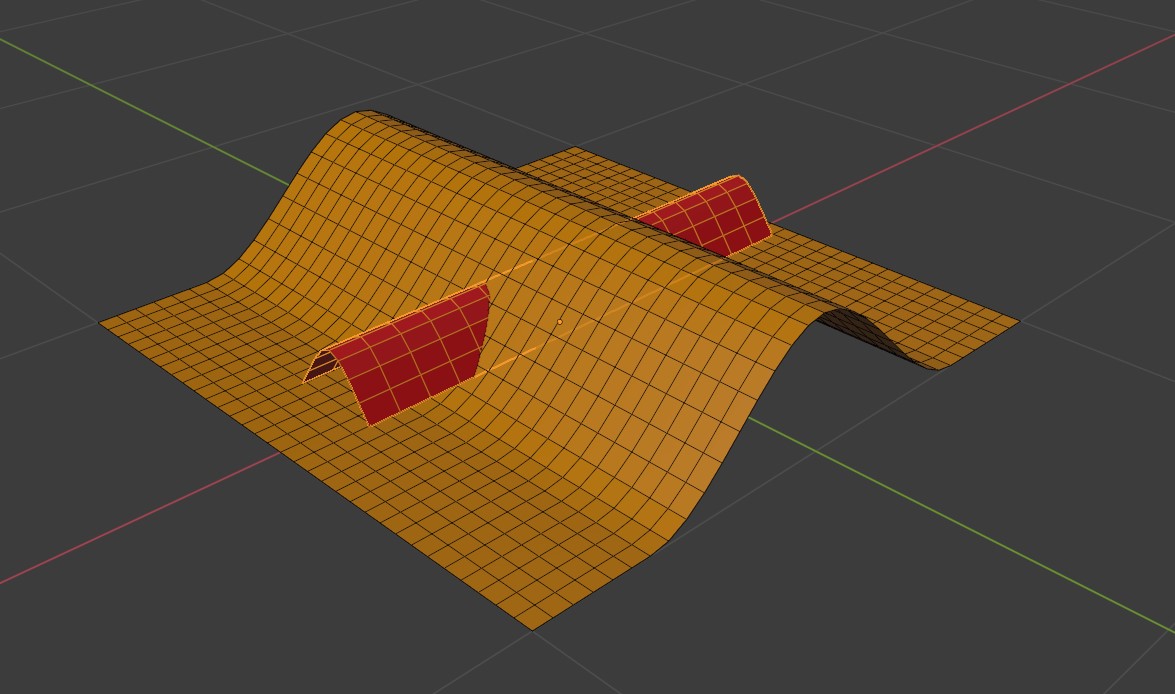
Example scene , without Shrinkwrap:
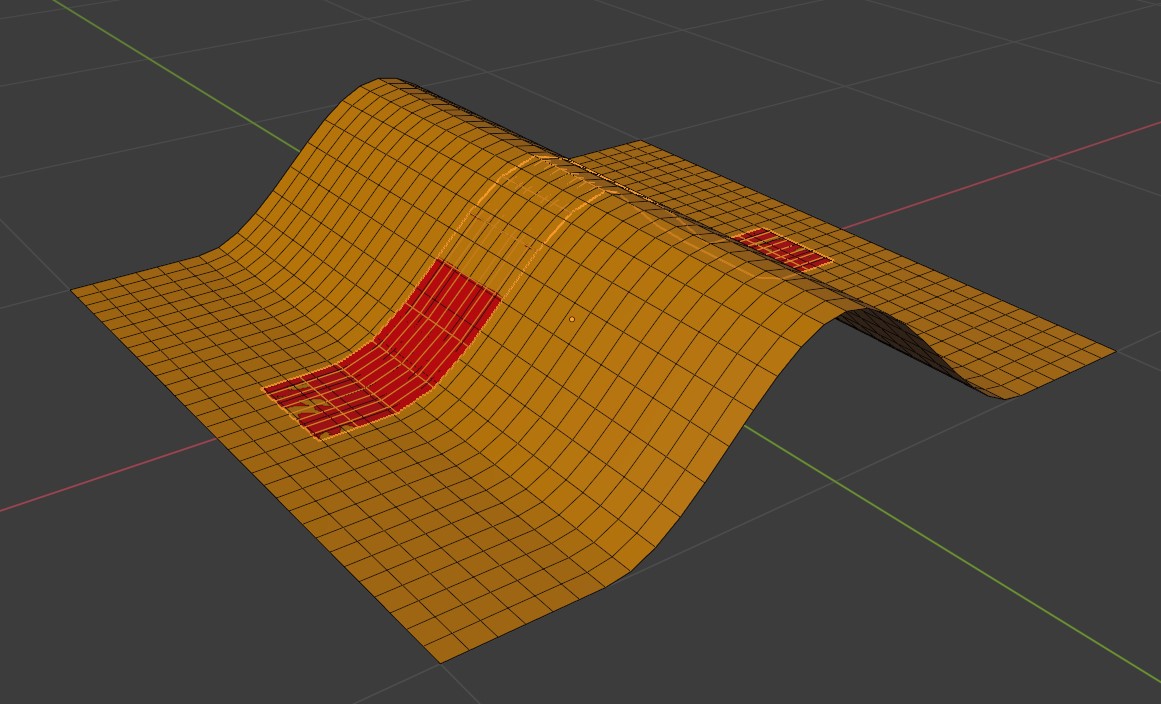
Shrinkwrap - normal mode :
Shrinkwrap - suggested Additive Mode :
6 Comments
I don't see this happening trivially. You have to first define a base plane that serves at reference for the displacement. The way to do it currently is a bit convoluted but it ensures Blender knows what geometry to displace and how much. Using a 1D lattice : imgur.com/SLNulwQ
This is a dream! Should also have a Factor from 0-1 with the amount you want to be wrapped.
You can already kind of do that. Shrinkwrap a mesh onto another, but use that flat mesh to mesh deform another mesh.... Pretty sure that's possible..
Offset by what vector?
Well, I didn't get my response, but, what you actually want is probably decently more complex than just "offset the position" - you probably want to shrinkwrap without factoring in the Z, and then offset using that Z component as a vector. Also, something you haven't noted in your picture, is that you probably also want to be able to reproject that Z component as the normal instead, so that your object deforms in a more sane way on curved surfaces.
All possible thanks to geometry nodes of course. Here's an actual blend file and not just a low rez image of the nodetree: link
definitely