
CAD friendly modelling transformation
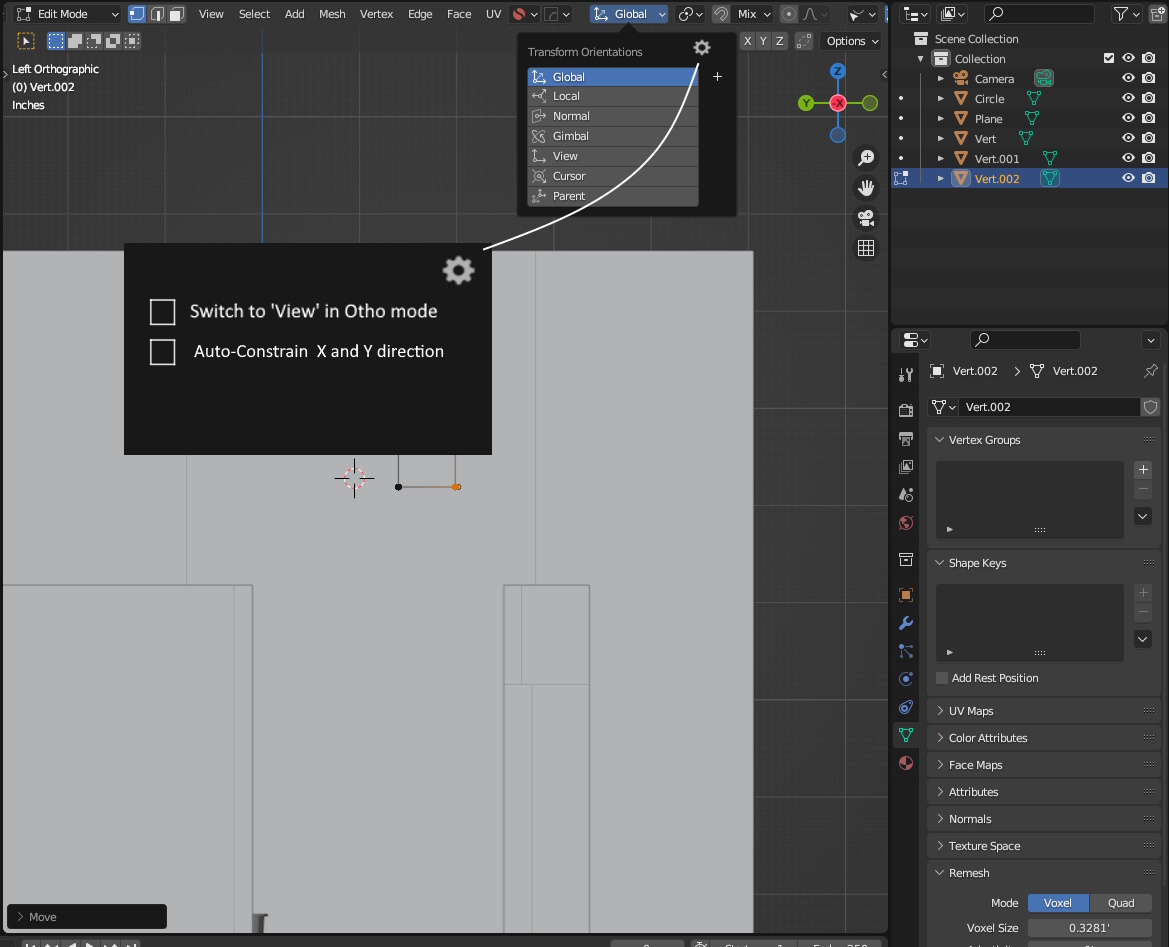
In cad, working in ortho views needs to be fast to quickly draft details. Blender developed as a 3d software but we also have to prepare some details in planar ortho views so i have suggested two settings which are optional to enable. These will help Archviz and Precision workers to save time.
-
Switch transformation to 'View' mode when user choose ortho views like top front etc. so user dont have to remember direction while moving. otherwise we have to press try X, -X , Y, -Y, Z,-Z to see which way is working which waste lot of time.
-
In CAD we have ortho mode which allow to constrain move in horizontal and vertical direction only. Blender also has similar thing but for that we have to press MMB each time which is unnecessary repetitive. i think with this option enable we can achieve same thing.
2 Comments
Try num 5, this is the point where should be as ortho as shift + num 5 I think..
You can do this via camera I think. But sure.. outside camera can be more comfy.