
Consistency Feature or otherwise deemed "Intended Behavior"
As per bug report #110407
This has been deemed intended behavior.
So here it is..
Edges in Face mode? But not vertices... Sorcery? Bug? Nope This is Intended Behavior !???
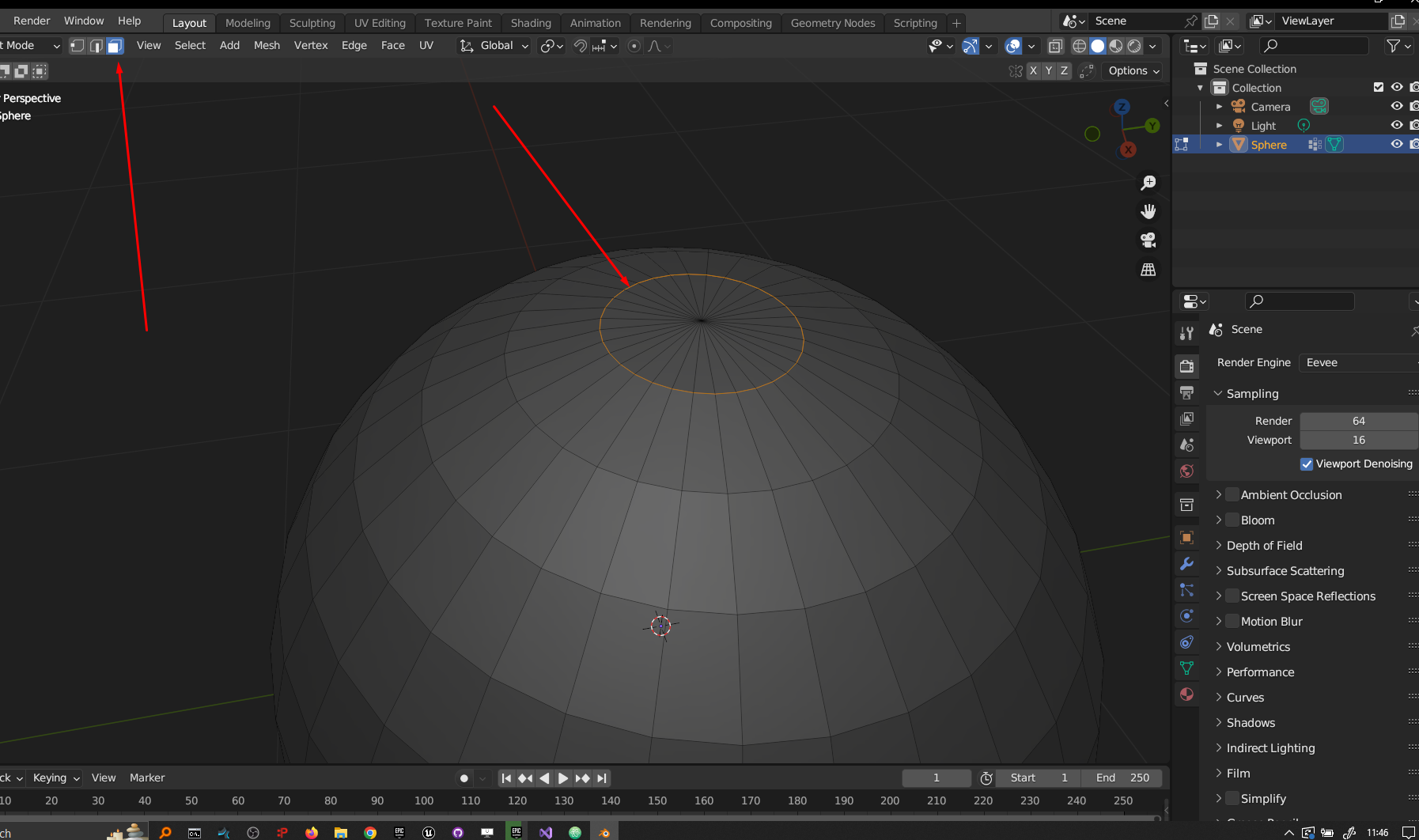 When Assigning Vertices to a Vertex Group and Switching in and out of modes:
Edges that are assigned to a vertex are able to be selected and rendered in the 3D view port while in Face mode and verts are not.
When all verts and edges in a vertex group are selected in a mode other than face mode, Verts or Edges become unselected when Face mode is entered. You must click the select button again to reselect edges. Verts that are assigned are not selectable.
Proposition:
A. I propose a constency feature so Verts, Edges and faces are Shown (or not shown) consistently when each mode is entered.
B. I also propose that all vertices are to remain selected whether or not they will be shown while in a respective mode other than there respective mode and no vertice should be unselected when exiting a mode or they should be reselected automatically if vertex mode is re-entered. and the same goes for edges.
7 Comments
I'd also suggest edge selection to be propagated from vert->face->edge. This is indeed a bit confusing sometimes. However considering that you can enable both edge and face selection in the viewport, it might not be a "bug" but still confusing. Since the status of that is stored in
mesh, the operator should be able to read this and select/deselect properly.This is regarding projects.blender.org/blender/blender/issues/110407 .
I agree, Verts and Edges that are assigned to VG become unselected when toggling off vertex and edge mode. I think maybe they should be reselected automatically when toggleing each mode back on and vertex selection is active other wise it wouldnt matter. I just hate toggleing on each mode and having to reselect vertices that I have already selected, toggled off vert mode so I can add some edges then toggle on vert mode to just have had all my verts deselected. The whole point is to build up a selection of Verts to add to a Group.
Bit of wording picking:
I think It's a bit confusing to use the term "mode" alone for components' "selection modes". As "mode" alone in Blender is most frequently used for "interaction modes" in my experience (sculpt, object, edit, etc).
Anyway: you don't enter/exit selection modes, you toggle them on/off, either one or multiple at a time. They don't change the selection, they change how the components are displayed and what you can then select.
In that regard, it's understandable why this happens. Much like you can select continuous vertices, switch to edge selection and see edges selected with no vertex dots. Of a face's vertices then switch to face selection and have your face selected still without vertex dots.
I don't think it helps not to show what is selected as you propose in B. Basically makes your viewport lie. As for A, if I remember correctly, it conserves selection only when it makes sense. I.E. if you select some non-continuous vertices and switch to edge selection, you will get nothing.
The problem is when you "Toggle face mode on" and have your vertex group selected Edges will show but not vertices. yet both are in your selection. So it come to question Why woud Edges show and not Vertices? like I said its a consistency thing and not really a major issue. I think it should be looked at by the devs. Its what ever though. I got bigger fish to fry lol
We show the wires when in face selection anyway, it's quite useful to see a face's limit. But you don't need to see a face's vertex dots.
Showing vertex dots while vertex selection is disabled would confuse people into thinking they can select vertices.
If you want to see them, just keep vertex selection ON.
vertex grouping as it stands allows for you to select a group of vertices. You can select edges in face mode but not vertices. And your answer is Because you should just keep vetex selection on? Im not following?
If you consider that being able to click something in the viewport to select it is different from being able to click somewhere else in the UI to select it, yes.
Much like when in edit mode inside an object, you can't select another object from the viewport. But you can select if from the outliner.
It's not that "You can select edges in face mode but not vertices", it's that, you can click select only the comonents you chose in the comonent selection modes. But that doesn't prevent you from using other way to select.
Displaying the vertex dots is a visual indicator of being able to click select vertices, exactly like face dots for faces. If you were in either edge or vertex selection modes, you could also select a face by selecting its vertices or eges, either by click selecting or using a vertex group. Yet you don't see the face dots. Because face selection is disabled in the viewport: you can click faces to select them.