
Set edge length parameters in edit mode (Not the same with ratio functionality/Easier way to assign dimensions in edit mode).
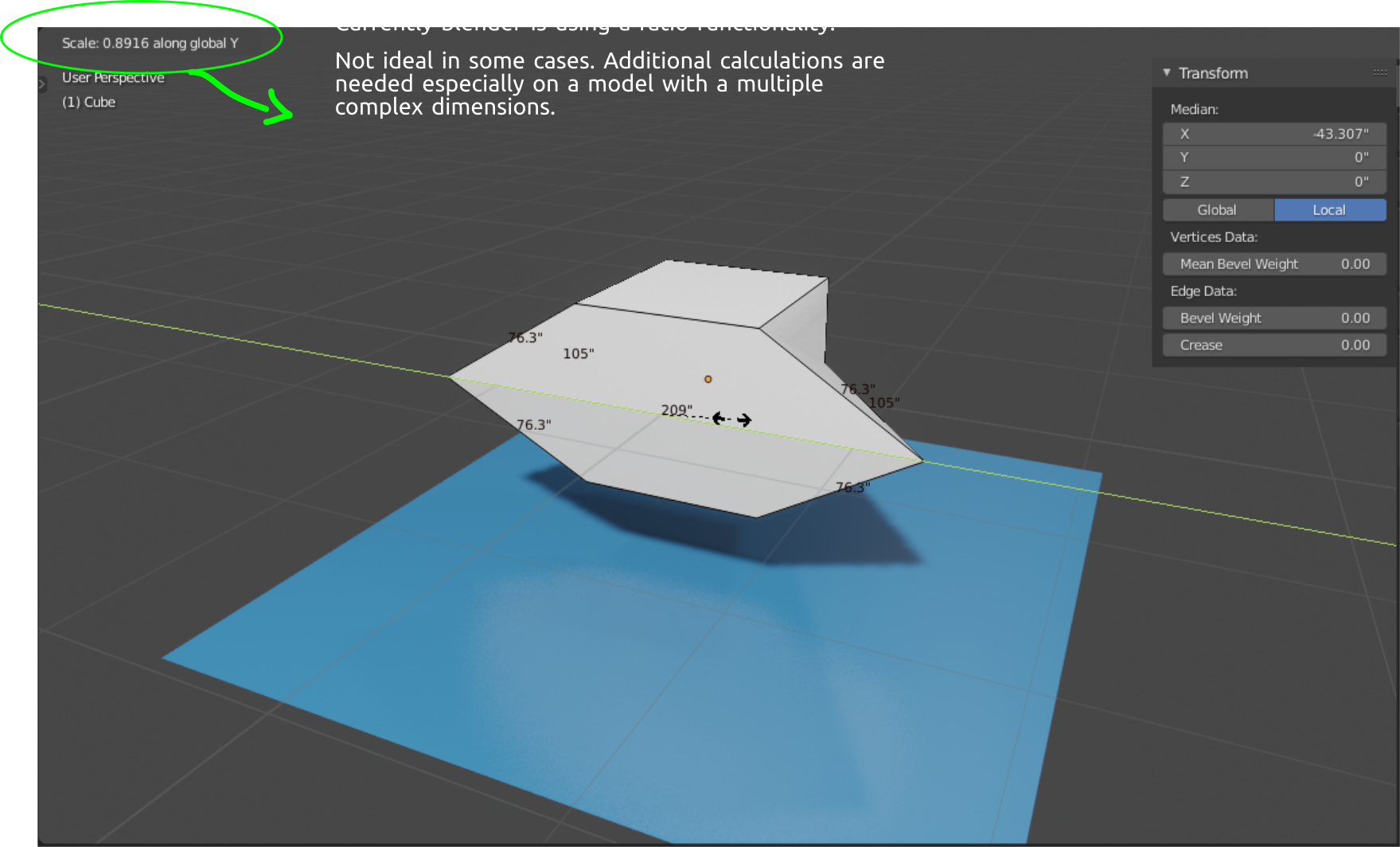
Hello guys. I would like to propose a parametric functionality in edit mode that is not based on ratios but just the actual values.
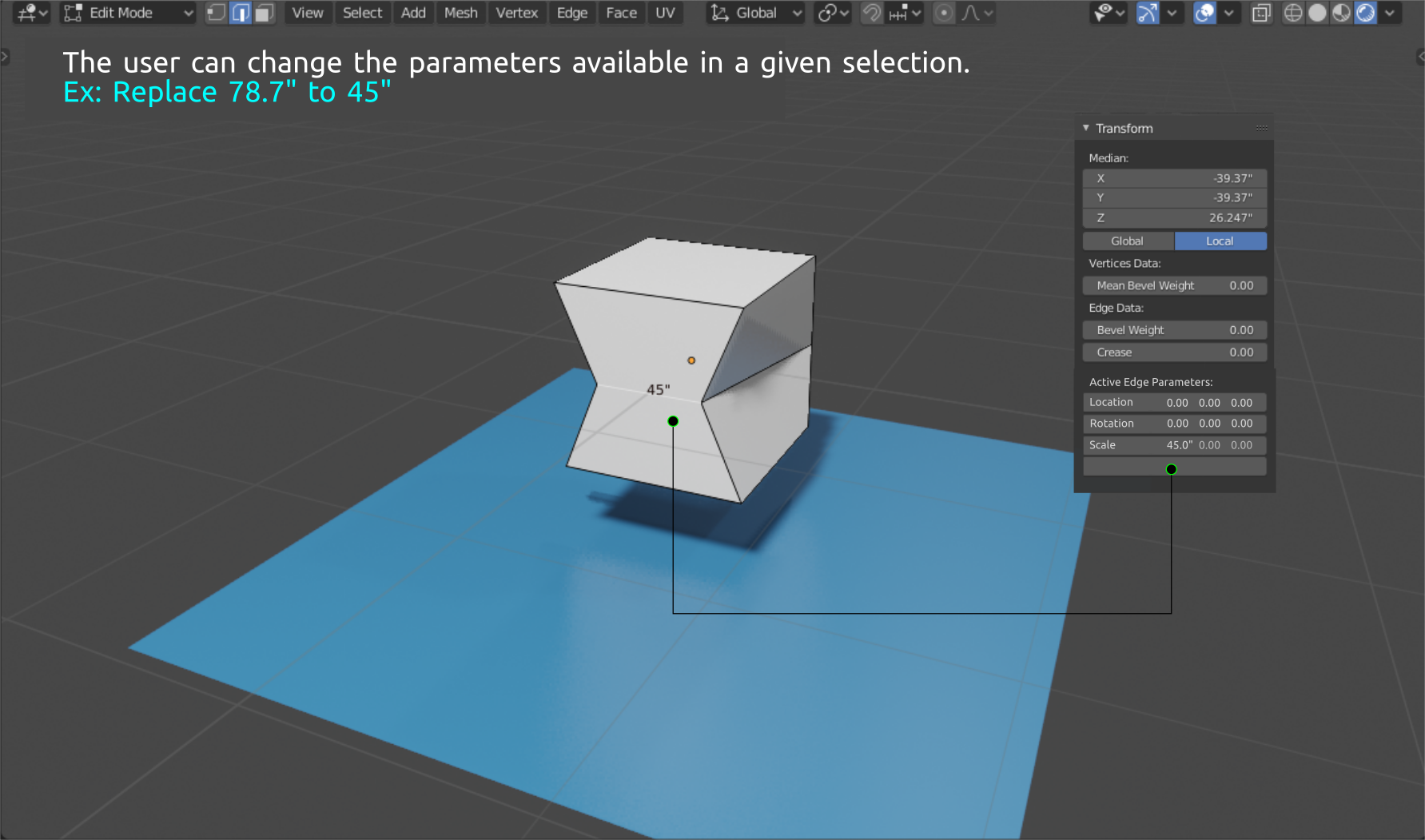
The main purpose of this feature is for the user to be able to replace and assign dimensions on selected edges/objects in edit mode.
As I was thinking of a proposal about how to easily assign edge length I accidentally found this add-on called edge resize :
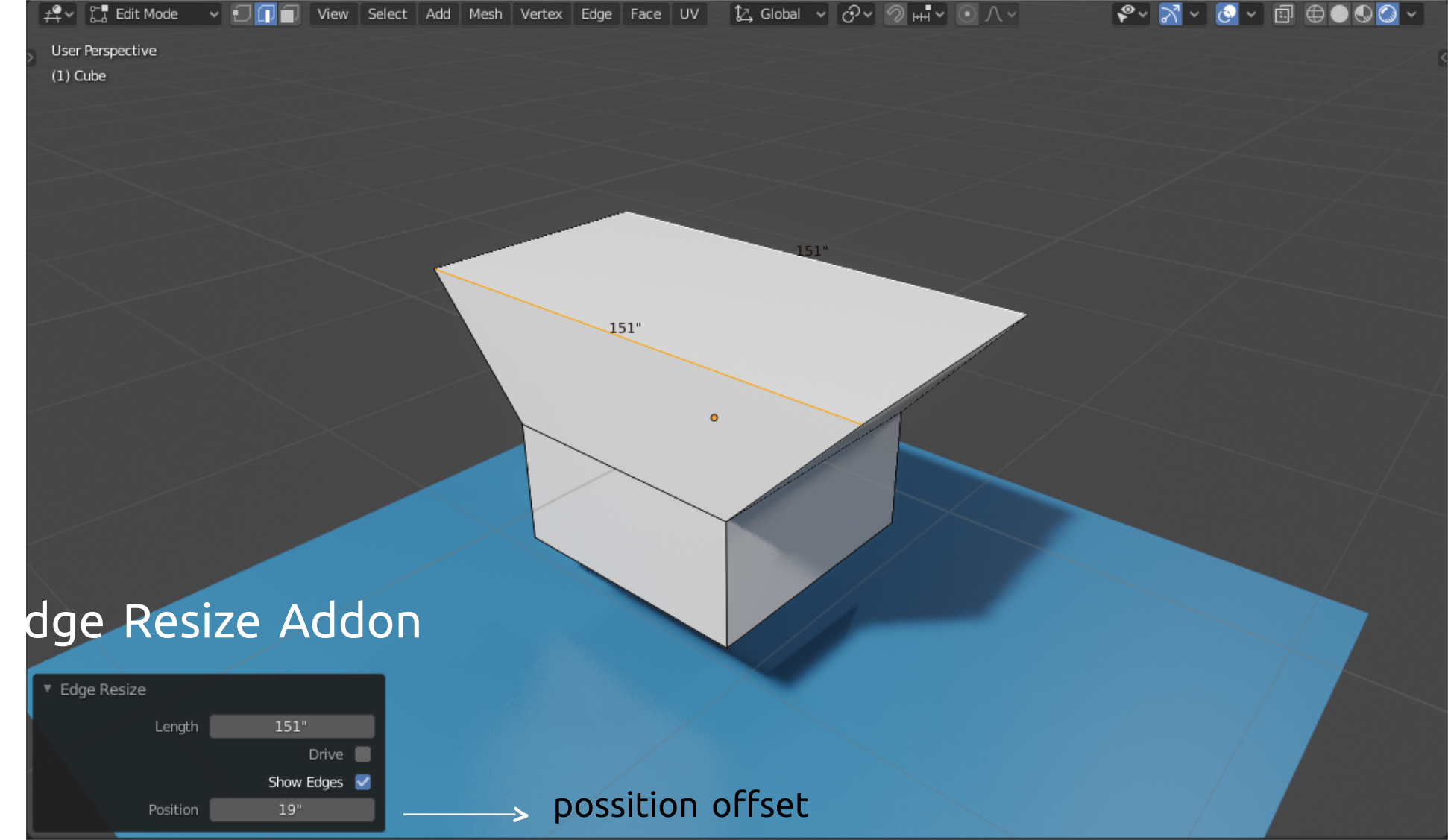 I find this add-on very useful. The only thing that might be missing would be a parametric option where you can see the current dimensions of selected edges/object. This addition would make dimension adjustments easier.
\
I find this add-on very useful. The only thing that might be missing would be a parametric option where you can see the current dimensions of selected edges/object. This addition would make dimension adjustments easier.
\
 \
\
Mockup:
\
1.) The parameters will display the selected edge/object dimension.
\
\
Mockup:
\
1.) The parameters will display the selected edge/object dimension.
 \
2.) step 1: Select the target edge to assign dimension.
\
2.) step 1: Select the target edge to assign dimension.
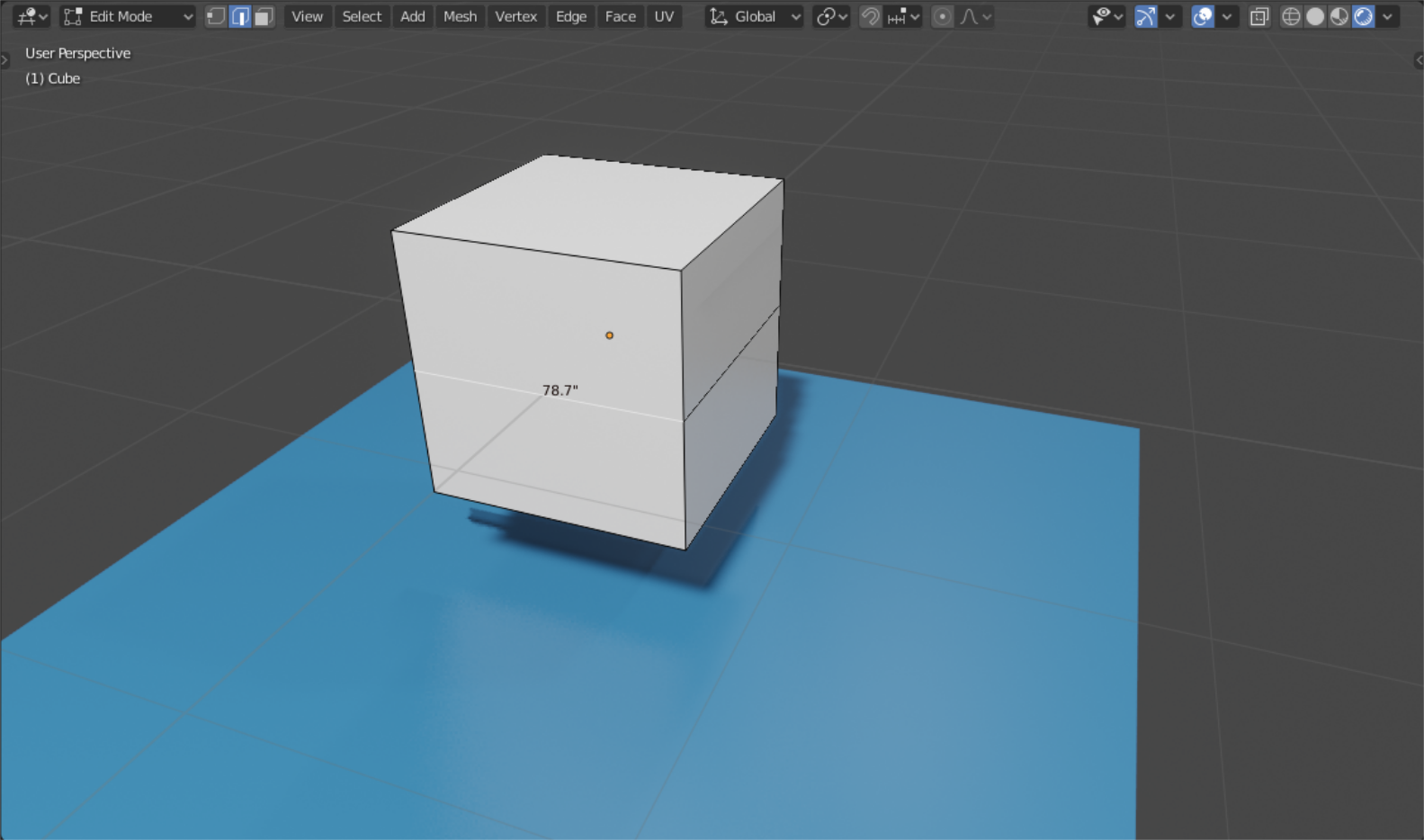 step 2: Just replace the parameters in x,y,z if available.
 Thanks.
5 Comments
just to tell mesh tools addon integrated to blender is doing this even if it is not the quickest way...will be better directly in the scale ops as an option
{attachment Bjpg}
Yup. will be very useful for strict modeling. ATM it is possible but tricky.
Looks like the job of a Measure tool... 🤔
* @TheRedWaxPolice * As far as I know this is quite different from the measure tool you are referring to. I already conceded about that feature. This one probably might come out much simpler and faster for the task that this proposal was supposedly designed for. No need to use the ruler functionalities. The proposal specifically works more on active edges/objects dimension transformation using basic parameters. Some missing functionalities will be handled by the measurit add-on quite easily.
The main focus of this tool would be the active edges but this can also work out for the entire selection of mesh if the developers would consider adding it as an option similar to how the Edge Resize add-on operates.