
Ctrl+scroll in properties area only working on tabs
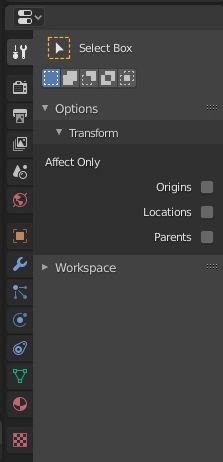
In properties area now you can Ctrl+mousewheelscroll to change through tabs. This is nice and handy, but I spot two issues:
- it's not consistent with other areas of the software. For example in the sidebars the same behaviour is achieved also scrolling while hovering on the tabs' labels.
- it is potentially dangerous because it conflicts with another handy behaviour: Ctrl+scroll on dropdown-menus and numeric fields and sliders. So it can easily happen that you want to change a sensible value, and you only get to scroll through different panels if you miss the right spot. Frustrating! Or it can happen that you want to scroll the panels and you accidentally hover on a sensible data and change it!. Or both the situations: you want to change the panel, and in the next panel (during the scroll) your mouse happens to be hovering on a menu/slider/value, and then instead of continuing the tabs scroll, it starts to change that value. This is potentially very annoying since you can accidentally change something that is either difficult to restore (each scroll on a value is an history status) or that even can freeze Blender! Think if you accidentally scroll up on remesh octree value, or ocean resolution, subdivision...
I think that the solution is as easy as you can imagine: let's limit the Ctrl+mousewheelscroll to the tabs area. Both in the Properties panel
and
in the sidebars.
It also makes more sense to me: you are making something
ON
those tabs, meaning you want to change something there.
0 Comments