
Asset Browser: asset replacement by one click, double click, or mouse hovering.
I submitted the same title beforehand but when I tried to upload a video clip explaining the idea the title disappeared so I'm submitting for the second time, and excuse me if it will be a duplicate.
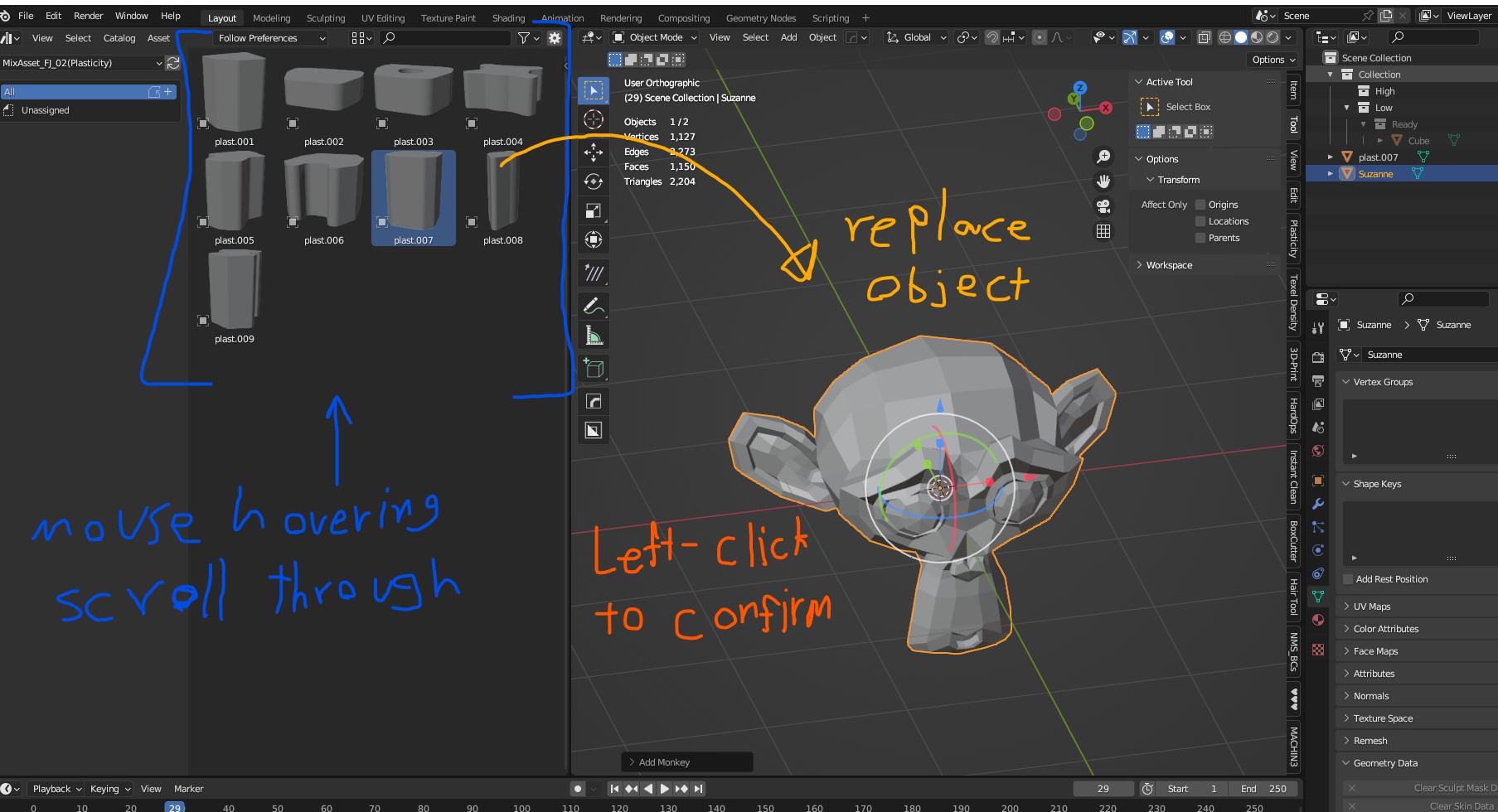
We know that we can drag and drop an asset from Asset Browser into the scene but what we can't do is replacing the already existing asset in the scene with another one from Asset Browser.
So the idea is by hovering the mouse cursor above the assets that in Asset Browser while one of the assets in scene is selected (Cube, Sphere, Monkey Head, or whatever) we can scroll through the assets that in Asset Browser, then by one left-click to confirm the replacement of the selected asset. That way we can keep the same position, rotation, and scale of the previous replaced asset.
I hope the idea is clear.
0 Comments