
Add Subdiv With Catmull Clark to Edit Mode
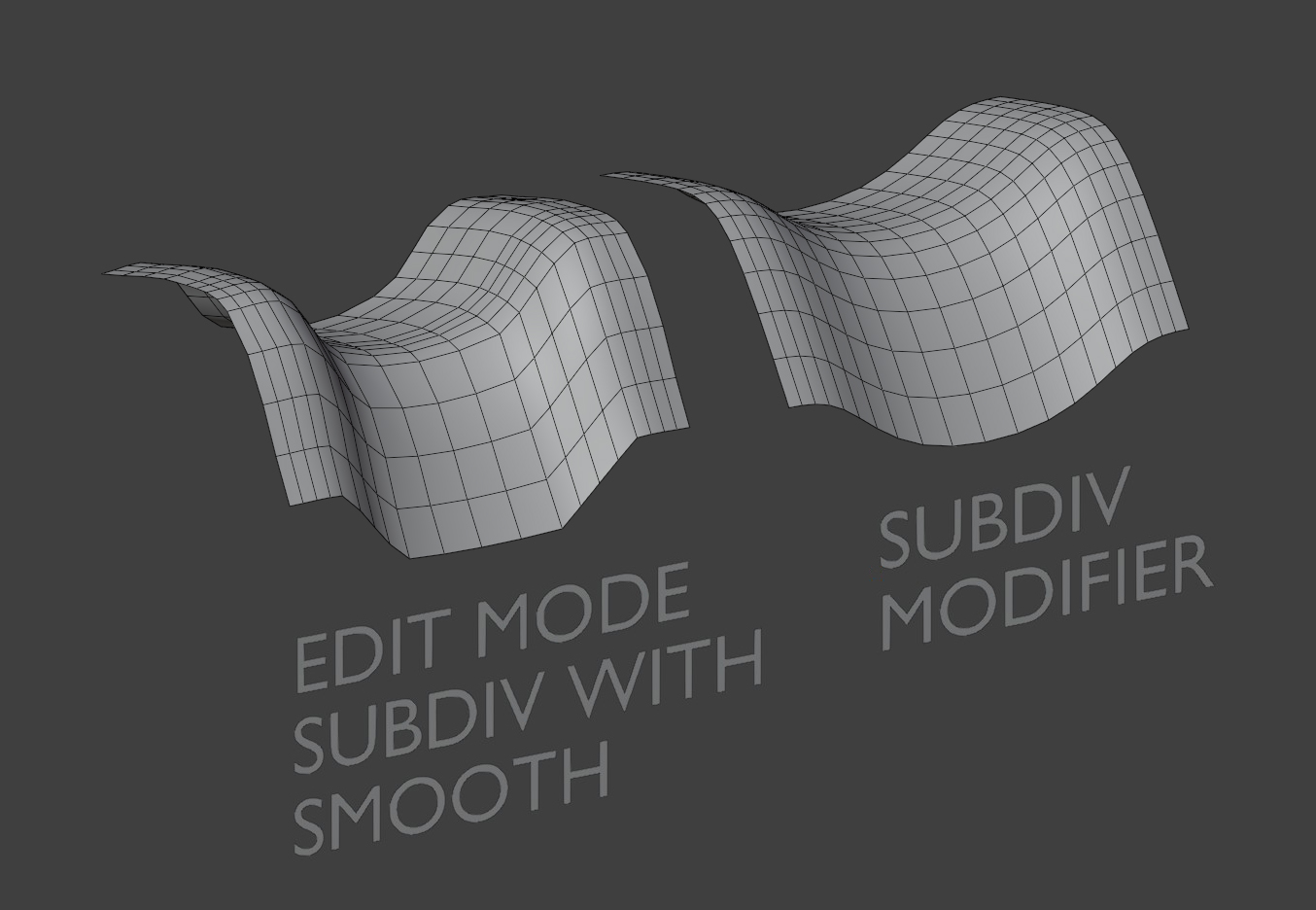
There are two commonly used ways to subdivide a mesh: via the Subdivide tool in Edit Mode or via a Subdivision Modifier. The Subdivide Tool can be smoothed in the options but the end result differs from the Subdivision Modifier, since the modifier is using the Catmull Clark algorithm.
3DS Max has an Edit Poly tool called MSmooth, which immediately applies a set number of subdivs with CC algorithm to a selection. This is a very quick way to smooth and subdiv a mesh destructively while modeling when you need more geo. To my understanding other industry-standard packages have a similar convenience feature.
The Subdivide Tool and its style of smoothing is likely there for a good reason but it would still be extremely useful to be able to quickly apply CC subdiv in edit mode to a specific selection. This is an often-used tool in some workflows and using a modifier slows things down drastically when you need a quick destructive subdiv in the early stages of modeling.
I propose a "Subdivide CC" or more appropriately-named tool is added to the right-click menu in Edit Mode.
3 Comments
You can to that with node tools already, save node tool in asset library and you will have it in available in all files.
That's not the same as having it as an easy-access option available in the right click menu by default. I don't agree that we should make users build very common tooling themselves with nodes rather than simply include them upfront.
I have it under Ctrl d, so it is that easy. And I agree that it should have been as simple as optional checkbox when you use subdivide in edit mode, we should just be able to check catmull Clark and be done, but it is what it is.
When Blender foundation will rollout online assets I expect everyone to be able to download node tools like subd in edit mode.