
Organising Custom Properties
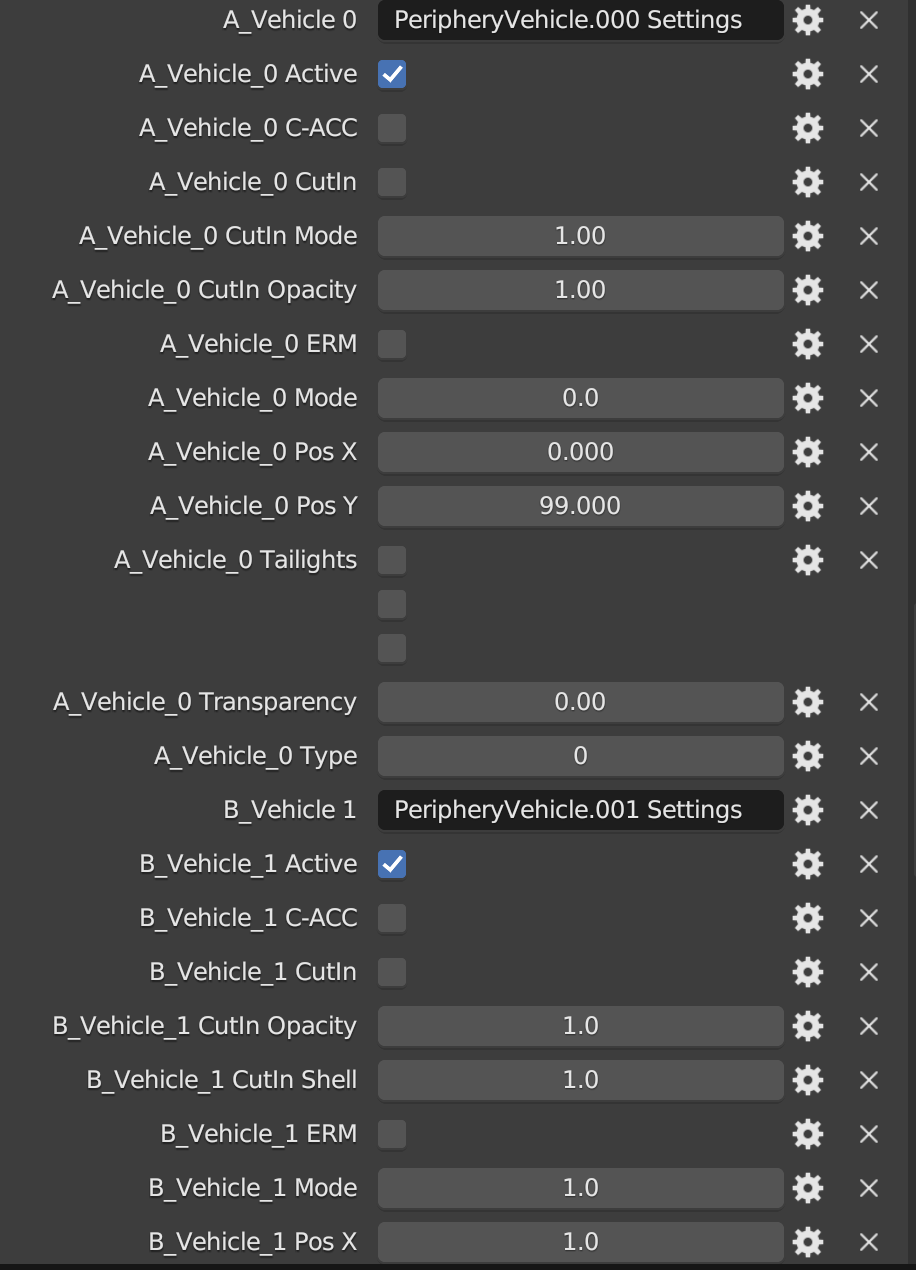
I've been working on a project file and unfortunately it was the only way I could have all the different settings linked in one location without having to learn how to code. An annoyance is that it sorts the list alphabetically and there is no way for you to sort it, like in with Geometry Nodes (however the method used in this is also problematic).
So I've resorted to naming the custom properties as 1_XXXX, 2_XXXX 3_XXXX just so that they are grouped together. A custom divider property will be a great help as well. Then a big problem with this method is when you rename the custom property, any drivers or animation keys linked to that property will be broken.
Something I suggest (like in other 3D software) is that when you've renamed something, bring up a popup that will ask whether blender should rename any linked assets on your behalf.
The only way I know of right now is to use Python to create a plugin, however this is an additional time consuming method if you don't know how to code or how to make a blender
plugin.
1 Comment
Not only that, but sometimes you have a bunch of crap in the custom properties determined by some random add-ons which are influencing the object somehow, you can't get rid of them, it's sooo anoying! There should be a better visual interface for OUR custom properties only.