
Interactive Pivot
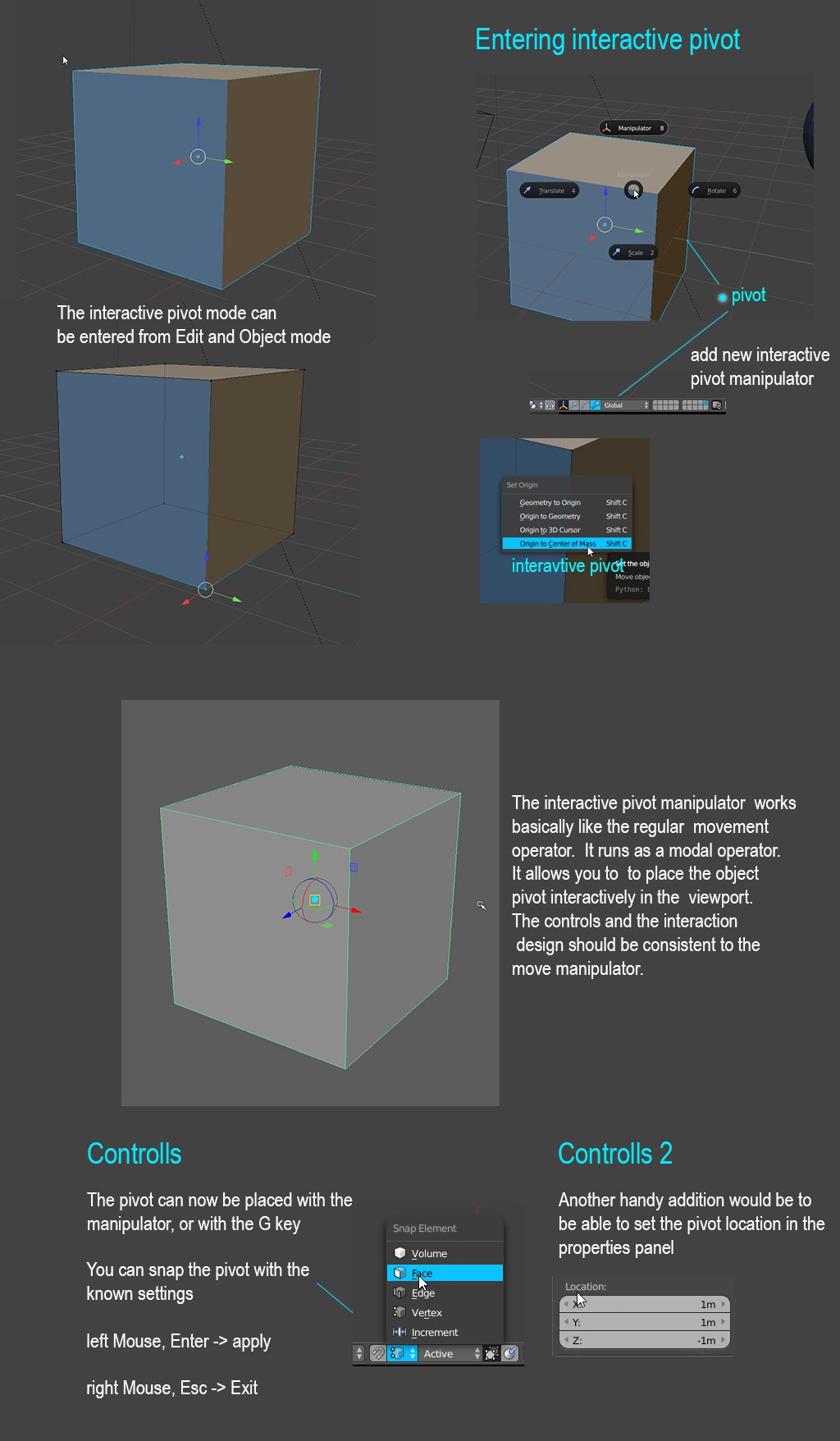
The way to change the pivot of an object with the 3D cursor works fine. The problem with it is, that it takes more clicks that are necessary. For example, you want to set the Origin to a vertex. The steps you have to go are: Select vertex -> Shift S -> Cursor to selected -> Tab (change to Object mode) -> Shift C -> Origin to 3D Cursor -> Tab (re-enter Edit Mode) The current workflow doesn’t feel natural for people coming from other software. In all other 3d packages I know, there is some way to place the pivot interactively. My proposal to make it easier, faster and more consistent to other 3d packages is to introduce an interactive Manipulator to Move the Pivot. I am thinking of a system like in Maya. In the picture below is described how I am imagining it.
3 Comments
+1! I would recommend to incorporate something like this: github.com/dairin0d/enhanced-3d-cursor .
I also really like the Maya's pivot managment.
Yes, something like this, and also this: developer.blender.org/T45734
Just imagine a mess with instances. Origin in Blender is not the same thing, like pivot in maya.