
Rotate Elements Node
As of Blender 3.1, we got couple of very useful nodes: The Extrude Mesh node, and the Scale Elements node.
These nodes allow you to extrude and scale faces and edges respectively in Geometry Nodes, and, something I just found out recently, you can extrude and scale selected edges and faces by using an Index and Compare node set to Integer as the Input type, and Equal as the Operation to replicate selecting edges or faces in Edit Mode.
These two nodes make it possible to do things such as procedural plates, bowls, and glasses.
With all these nodes allowing us to manipulate certain edges and faces, Geo Nodes only needs a couple more nodes to have all the base things from Edit Mode.
One such node would be a Rotate Elements node.
Summary:
The Rotate Elements node would rotate the entire mesh. similar to if you were using the Scale Elements node with the Scale mode set to Uniform, or on a single axis, similar to selecting an axis for rotation in the Transform node.
The Rotate Elements node would also have a Selection input, where you can then use the Index and Comparre nodes to select a specific Edge, or Face to rotate.
I can already see a lot of practical uses for this node, such as opening a door, box, or a can procedurally.
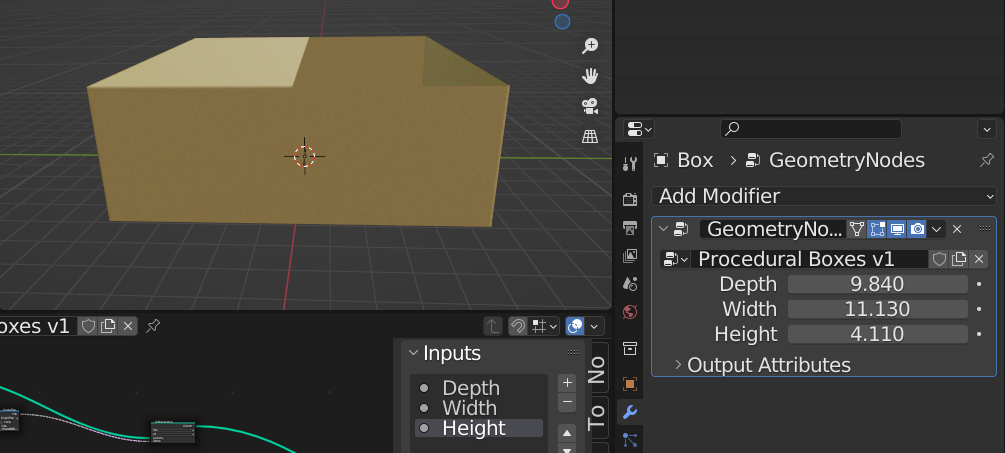
I am aware that you can do rotation with the Transform node, however, the problem with using the Transform node is that it rotates the ENTIRRE mesh, meaning that if you are making a procedural box, you can't rotate the box flaps, because you can't select the edges.
With a Rotate Elements node, however, you could plug the index + compare setup into the Selection input, set your compare node to the desired edge, and then use the Rotate float slider to rotate two specific edges that correspond with the spreadsheet.
Inputs:
Mesh would be your standard mesh input where you plug in things like the set position, transform, join/delete geometry nodes, etc.
Edge Mode inputs:
Start Selection (Pink diamond with dot) would be where you plug your Index + Compare node setup to select the Edge to rotate (Only available when Edges mode is selected)
Start Rotation (Float, diamond with dot) would be your rotation slider for the edges that you want to rotate. This is affected by the Start Selection input. (Only available when Edges mode is selected)
End Selection (pink diamond with dot)
End Selection would leave the connecting edge selection alone. This input corresponds with the Start Selection input, meaning the Start Selection will rotate the two selected edges, while End Selection would leave the end edges that would correspond. (Only available when Edges mode is selected)
Going back to making a procedural box, to rotate the left flap, After doing some setup with the box itself and then getting to the flap, you would connect Index and Compare nodes to the Start Selection of Rotate Elements. You would then set the B input of Compare node to 2, causing it to only rotate indexes 2 and 3 (Which should really be 3 and 4, but I'm not going to get into that whole fiasco.), which would be the edge flaps you would expect to rotate. You can then slide the rotation slider to the right, and it will rotate the selected edge.
End Selection would mean the selected edge from this connection socket are not rotated. For example, setting the same Compare node to this socket means that when you rotate edges 3 and 4 with the Start Selection connection, edges 1 and 2- er.... 0 and 1 would not be affected by the rotation.
End Offset (Float, blue diamond with dot)
End Offset offsets the rotation affecting the two edges on the end of the rotation. End Offset is not affected by End Selection. (Only available when Edges mode is selected)
Face Mode Inputs:
Selection is your typical Selection Input.
Rotate (Float, blue diamond with dot)
The Rotate slider will rotate the entire mesh, or a Face if the Index + Compare setup is plugged into the Selection socket.
Domain:
Edge, Face
Rotate Mode:
Unifom - Uniform rotates on all 3 axis at once, or two at once if plugging an Index + Compare node setup into the Start Selection socket.
Single Axis - Rotates on one axis.
Outputs:
Mesh is your standard output that outputs the mesh into the next node.
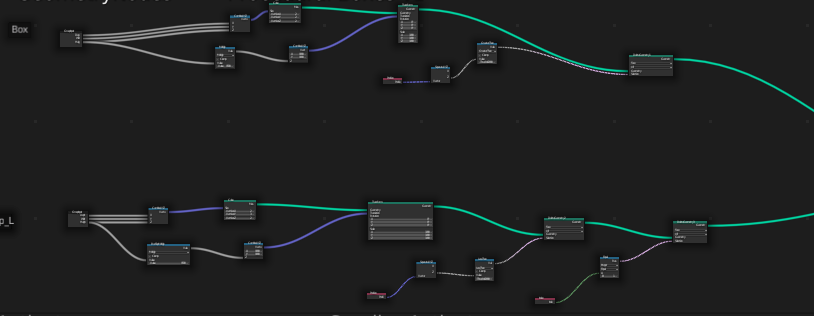
The images below are of an example where a Rotate Elements node would come in handy. After the second Delete Geometry Node for Box_Flap_L, I would plug it into a Rotate Elements node, and then take the result from the Compare Node, and plug it into the Start Selection input when Rotate Elements is set to Edge. I would then be able to open and close thee flap by sliding the Rotate float for the X axis.
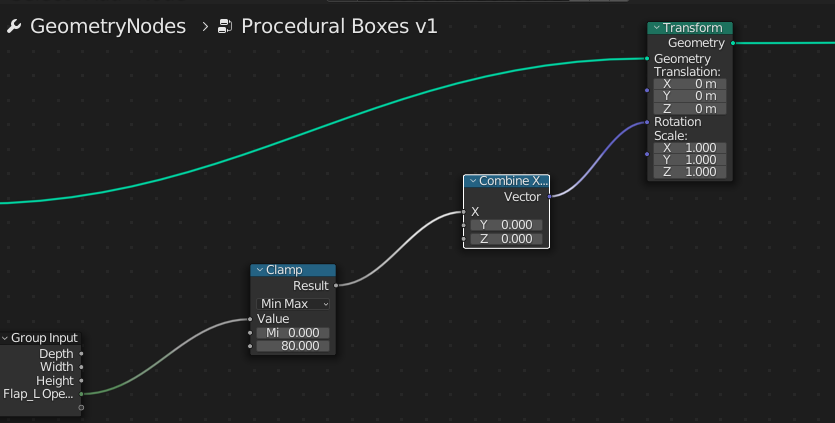
The third image is the node setup for what I was trying to do before I realized Transform affects the entire mesh no matter what.
Group Input new socket sent into the Value of a Clamp node with max at 80, plugged into the X input of Combine XYZ, then plugged into the Rotation value of Transform.
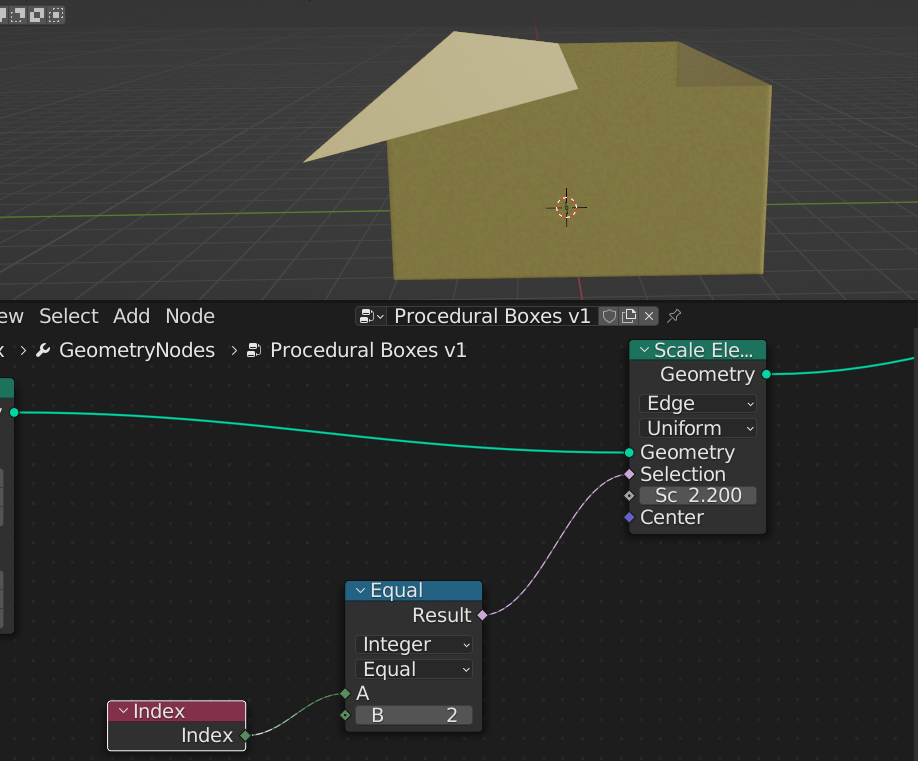
The final image is sort of a mockup of how it would work. Notice how with the compare node set to 2, only the edges on the edge (pun not intended) of the box are being scaled. Imagine Scale Elements was replaced with Rotate Elements, and that's how the Rotate Elements node would rotate the two edges.
I hope that I've been able to explain this node proposal fully. I'd love to hear feedback or further discussion about my proposal.
1 Comment
I would like to have this functionality in Blender. This is similar to the one we had in Lightwave by Dpont: Part Move. Part Move enabled the user to manipulate the mesh on an island basis.