
Constraints need better visuals for Limits/Axes
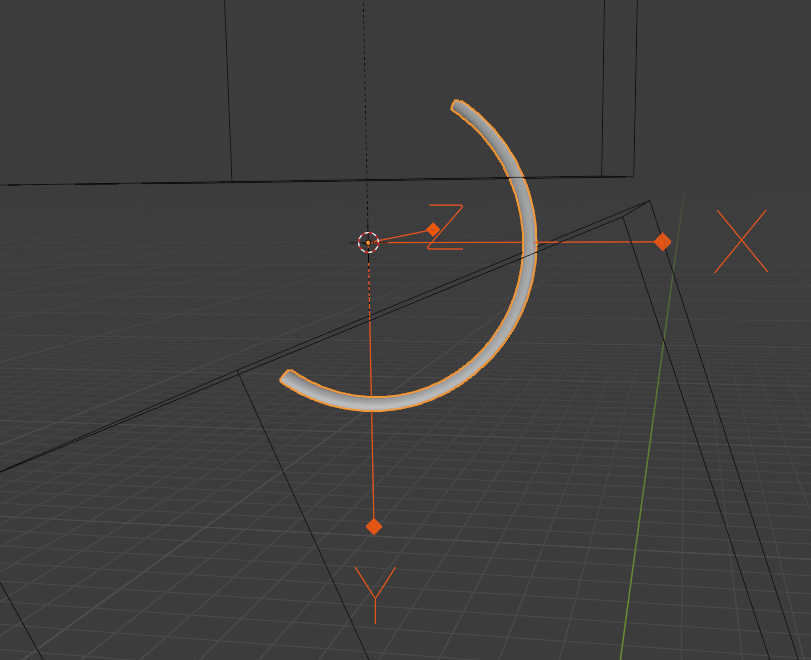
When using Constraints (object and rigid body), it can be difficult to understand which axes are being limited and by how much. This could be solved with some toggleable widgets. I'm simulating what one such constraint might look like, in this case, a Hinge Constraint where I'm setting the Min/Max Angles: gyazo.com/beb15cab8274fe13f26cf125aa9396cb
Seeing an annotation of the angles in the 3d view would be nice too, but not a must.
When dealing with multiple axes, like on a Generic constraint, I envision multiple arcs that are color-coded to the affected axis.
3 Comments
Something like this? i.imgur.com/NwhabI6.png Ik limits have visual representation and could be reused for limit rotation constrains.
this is a cool idea if somebody can figure out how to pull it off- but i think the trick will be figuring out some intuitive representation for each type of constraint.. some of them are hard enough to explain to people, let alone create a gizmo that describes what they do at a glance
I could probably manage a thing or two... like, a cone that visualizes the maximum movements. Of course, it would be better if there was something that quickly tested if a grid of locations was valid or not, and combined them all into a single display. it'd be heavy though and definitely disabled by default.