
Better control of ROTATIONS and ORIENTATIONS
I often run into difficulties with shortcomings in Blender concerning orientations. Blender has the ability to perform complex operations, but leaves the user with limited options when it comes to dealing with transforming rotations.
One such problem is best illustrated by example. It's about setting and Object's Origin to the Cursor's position and ORIENTATION. This seems very basic and should have a simple solution, but I'm not aware of any simple way of doing it, aside from a few tedious workarounds. Neither the align tools nor Transform -> Align to Transform Orientation solves it, because there is a difference between ALIGNING an origin to something else and SETTING an origin (discarding the old one.)
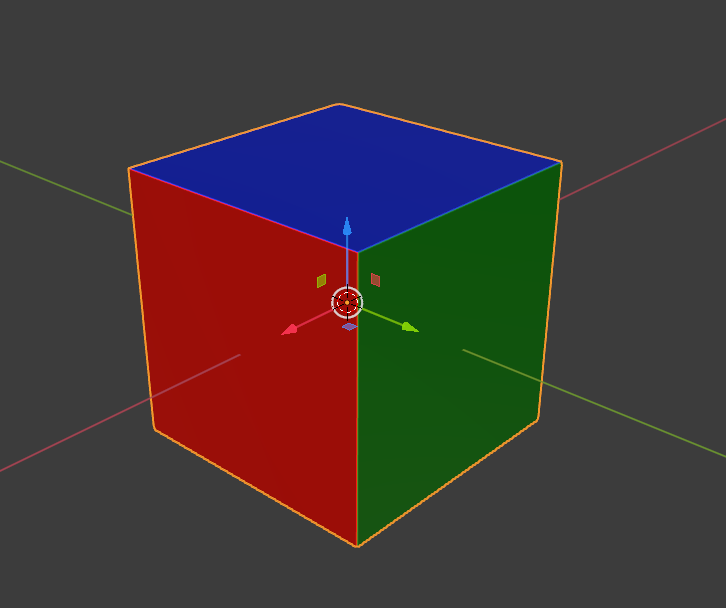 In the first picture I drew a simple cube with some colors that match those of the default axis to face normals.
Let's now grab an edge and drag it along the x-axis to create a slanted face as in the 2nd figure.
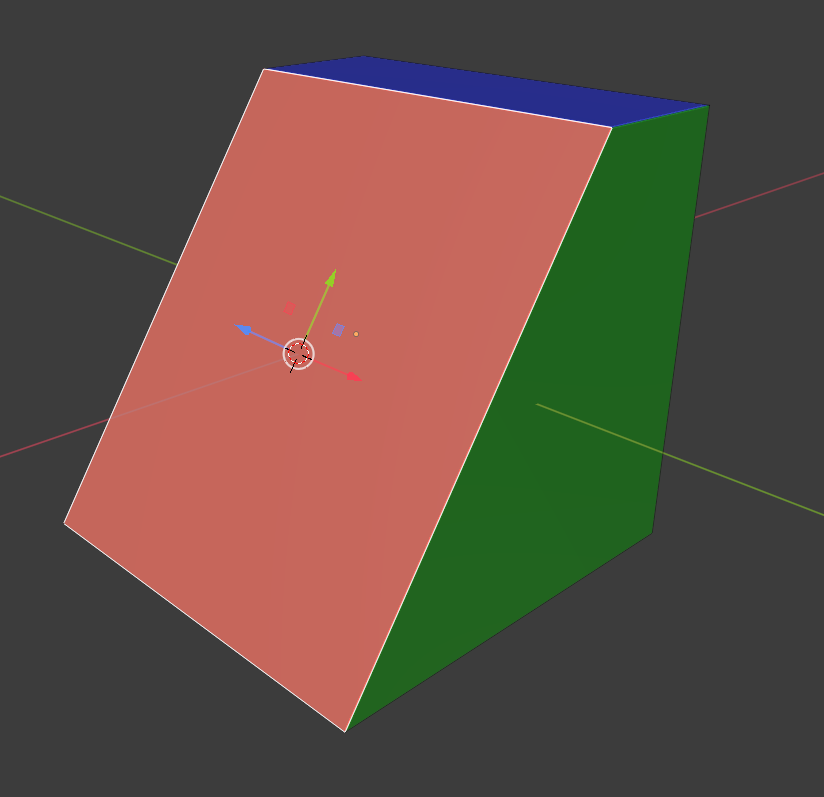
I've also placed my cursor on the red slanted face and used the cursor tool in the noob menu on the left (which I think is unfortunately the only way to do this quickly) to orient the cursor Z-axis to the face normal and center it using Shift-S.
* What steps would you now use to set the object's transform origin to the cursor position and orientation? *
(Shift-c and "Selection to cursor" in Global coordinates would then allow one to place the object so that the face is oriented on the X-Y plane as in the 3rd figure.)
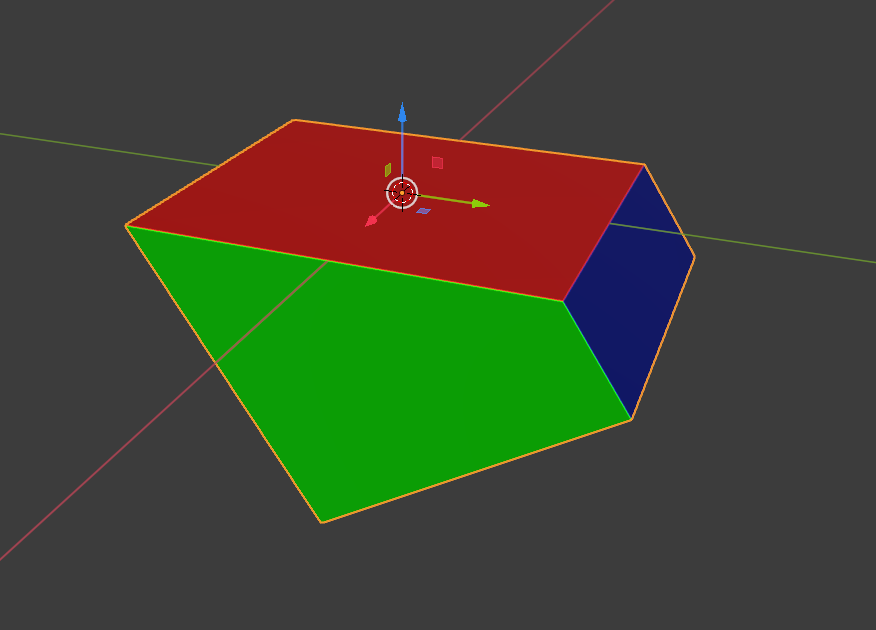 As far as I know there is no easy way to do this in Blender, aside from tedious workarounds because "Set Origin to 3D Cursor" doesn't respect the cursor rotation(The align toolbox addon isn't much help here either.) This type of misbehavior appears to be an oversight, and I've been trying it in the alpha versions as well hoping it's been fixed. But if I missed something, I'd love to know of good ways to deal with this issue, which pops up fairly often, not just with complex objects, but also when dealing with curves and modifiers in basic modeling workflow.
Links to other posts about the same issue: devtalk.blender.org/t/set-origin-to-3d-cursor-should-set-also-the-orientation-of-the-center/2606 blenderartists.org/t/is-there-a-way-to-orient-an-object-to-3d-cursor/1145570 developer.blender.org/T63470
Here are a few other examples of poor handling of transform orientations:
- When choosing a transform orientation in 3D viewport, it would be helpful if the object and cursor rotations (in the sidebar using 'n'-shortcut) would update to show the new relative rotation, instead of being permanently stuck in rotation with respect to Global coordinates. This feedback of current orientation with respect to the chosen coordinate system would be useful along with the new geometry nodes and when wanting to perform custom vector computations.
- When choosing a transform orientation in 3D viewport and adding a new object, the default orientation of the object doesn't update to the selected coordinate system. It defaults to "World" or global.
- When setting the cursor to an objects origin, it doesn't inherit the object's rotation. (This one is illustrated above.)
- When aligning the cursor with a surface, it is unfortunate that the gizmo from the noob menu on the left is the only option, because it disables the select feature and we're doing an operation that requires selecting both in object and in edit mode.
10 Comments
I don't know if any "set origin" addons exist, didn't google it, but ,while reading your post yesterday, I thought that it would be interesting goal to make my own (for personal purposes).
I work right now on box mapping addon and already done lot of vector math code for it. I used parts of this code, modified it a bit, and here we are. ( GIt account required) . I didn't spend too much time on testing it (it all took me about 8 hours) so it can have bugs, but in general it seems that all work properly.
Also I don't recommend you to use 3D Cursor with "Orientation: Geometry" as the target for orientation.After mesh normals start look too much along Z axis cursor start aligning with trying to blend geometry normal and object normal (or something like this)... shortly - you may think it aligned how you need when it actually not. Now I have own origin setup tool and hope it help you too ))
Thank you! I will give your code a try.
If you decided to use, I had updated ita bit. Fixed error when maximizing area while anabled axis draw and changed those rotate buttons behavior (now they rotate orientation around current axis vector, not world).
blenderartists.org/t/kekit-for-blender-2-8/1200740
Have an option align cursor to selection and then align origin to cursor with cursor rotation angles. Selection can be any, it try to align perfectly to their normal
Video Example
you can even chose what to change in origin: position, rotation. or both imgur.com/bXviPdh
Thank you!
blendermarket.com/products/pivot-transform that's why there is this)
Nice one. I don't like a bit design. Align to face is OK but what if I need align to edge or vertex... what the point of "pivot drop" feature with creating temporary empty and snapping it if we can now just transform pivot in object mode.
Then damn - 16 $ for functionality that has to exist by default.
Thank you!
I made different operators, and then users choose what is more convenient for them)
@pupa1 since you downvoted this post, then please state why and show how you go about changing the object transform origin to match the cursor position and orientation.. And please attempt the exercise before anything else.