
Path Animation -> Frames: Float instead of Int
Happy Future Idea:
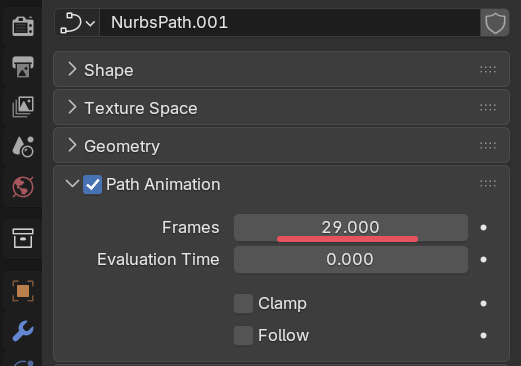
Sad Current Reality:
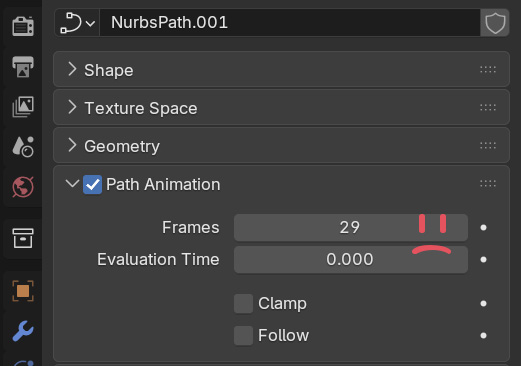
Now to the Pitch:
Curves in Blender are cool, but moving along them only works in "relative" distance. Moving a cube along a spline in "meters" is not possible.
Except if you misuse the "Path Animation -> Frames"! Store the actual length of the path here and everything works wonderfully! 🌈
Just one Problem: It does not store the decimals, which causes small offsets.
I think it make sense to have this Frame value be a Float since Blender widely understands the concept of "subframes" already, so there is no reason for the curve to store the "Frames" as an Int. Having this be a Float will allow accurate spline based workflows, which is exactly what we are doing for our Car Rig.
2 Comments
In Geometry Nodes you can Sample the Curve by lenght.
With Geomerty Attribute constrain it could be possible to make own path constrain that is based on length instead of the factor.
Thank you so much for the input! I hadn't thought of solving this using Geo Nodes - That might be a great solution indeed.
For some context, I am the developer of this car animation tool: launch-control.org/auto-car-rig/ and for that reason it's hard to depend on geo nodes as it's working on a geometry level, not an object level and hence does not work well with armatures.
But you are right! If we swap out all the Follow Path Bone constraints with Capture Attribute Constraints it might indeed be possible to bypass the "Frames" property altogether!