
Geometry nodes: Separate Geometry get "coverage" input
(Note: It appears that I misunderstood how the Separate Geometry node functions and that there may be a different way to achieve the process I am after. I am going to try to understand it better and then update this post. But for the time being it seems that perhaps this feature request is not a particularly good one)
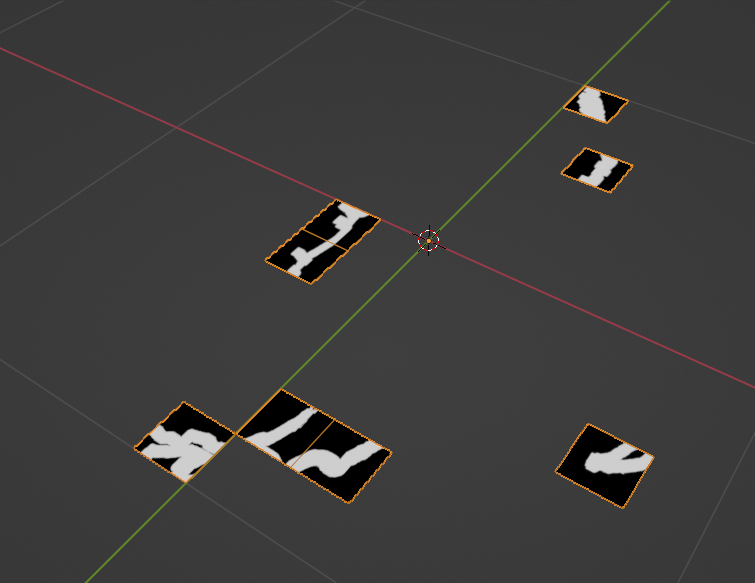
Right now the Separate Geometry node allows you to separate geometry based on an input UV map. The issue is that the node will only "include" a face in the separated geometry if (and I am guessing here) more than 50% of that face has white pixels.
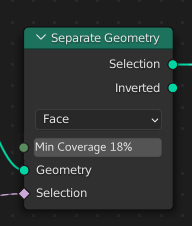
What I would like to see is an input that can control where that threshold is. So that if a face is only covered by, for example, 20% white pixels that it still is included in the separated geometry.
For example, assuming the following mesh with a UV map:
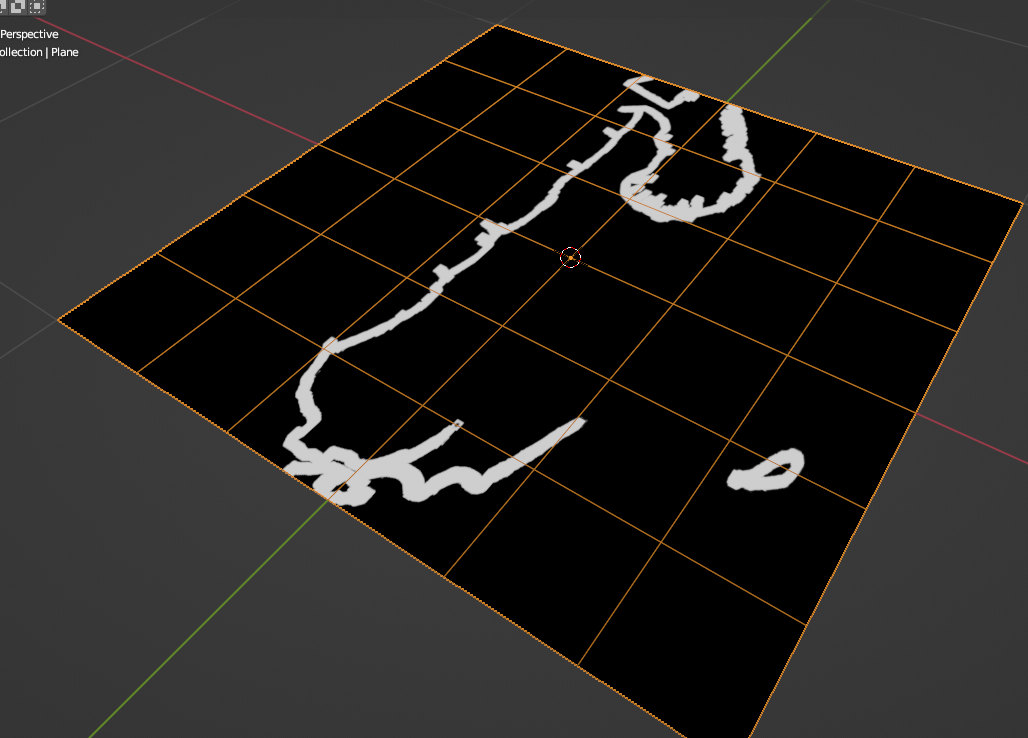
using this node graph:
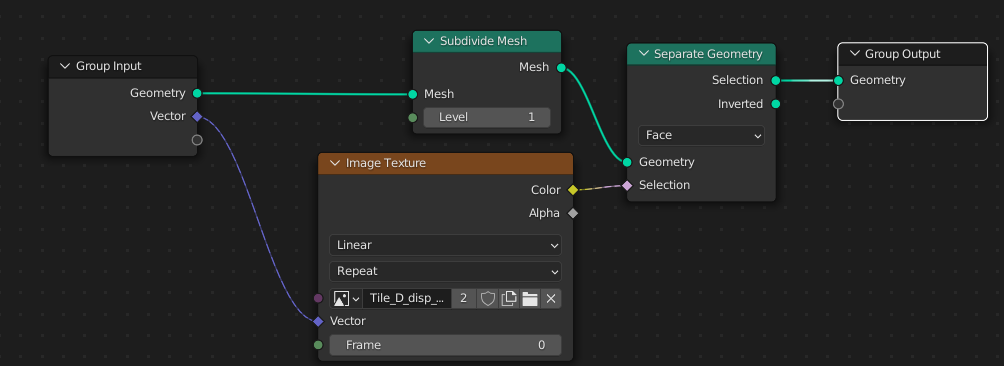
You get this:
Whereas I would like this (assuming the min coverage has been set to 0% - meaning if any pixel in the face is white, the face is kept as part of the separated geometry):
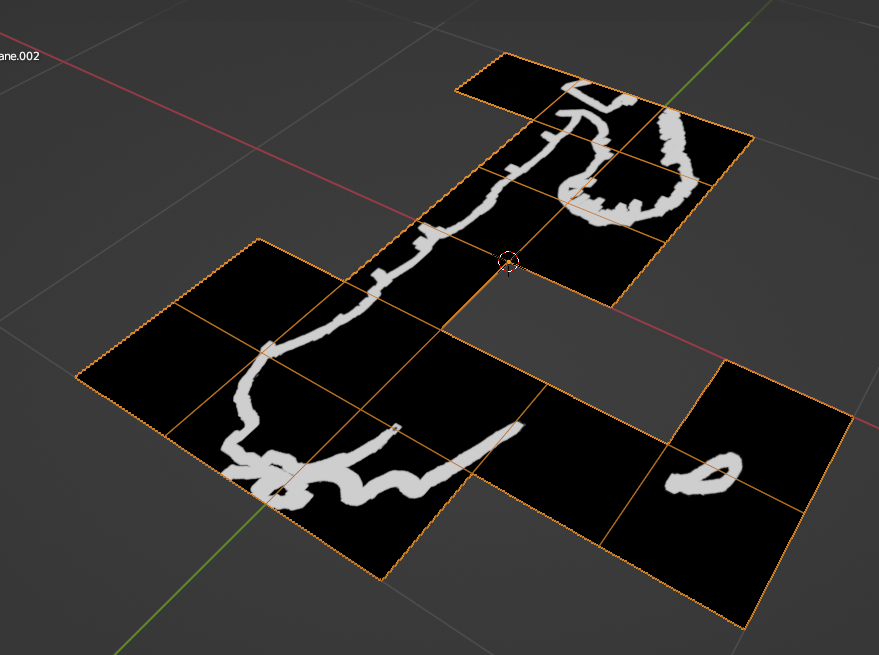
Here is how I envision something like that working:
3 Comments
Thanks for taking the time to explain all of this. I don't fully understand everything you mentioned, but it offers me a lot to start researching. Greatly appreciated!
But the one thing that is made clear is that the coverage is not how it determines whether or not to include a face or not (I was totally mistaken about that).
I will put a note at the top of my post indicating that people should read the comments and that this feature request might be something to skip (at least until I better understand how to use this node).
You should post this in the GeoNodes thread on BlenderArtists forum. They might know of a way to get it to behave how you want.