
Transform Pivot Point shortcut toggle
I frequently use the "transform pivot point" pie menu, but mostly just change "bounding box center" to 3D cursor then back to "bounding box center". There is an addon or a solution to change it with an expression or a simple shortcut? In Modo we can create simple expressions like this: view3d.topology state:?(true|false) where i can toggle the true and false status with a simple shortcut.
How can i toggle the bounding box center to 3d cursor and back
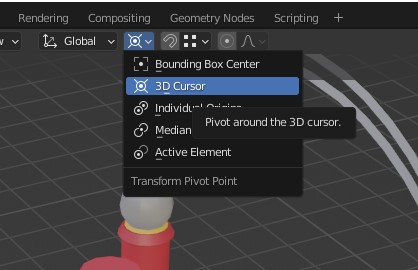 ? Thanks
2 Comments
Go into keymap editor and 3D View -> 3D View (Global) category:
Scroll to the bottom and add new entry like this:
This will add hotkey to Alt + . that cycles between 3d cursor and bounding box pivot modes. You can use other hotkeys, just make sure there is no same hotkey with higher priority (higher in list) that overrides it.
Woah, i missed your reply, thank you very much! Lifesaver / Timesaver! :)