
Issues with Alpha Texture (Major Update)
So, I'm completely rewriting this post to consolidate all suggestions regarding alpha brushes that are essential for high-quality character work. Without them, it's quite difficult to effectively implement seams, wear and tear, and damage using alpha textures. This is precisely why I believe all the functions described below are high priority and should be implemented immediately after adding Sculpt Layers to the Multiresolution modifier, if Blender aims to provide top-tier tools for character creation. I might have forgotten something, so I'd be happy to hear about it in the comments.
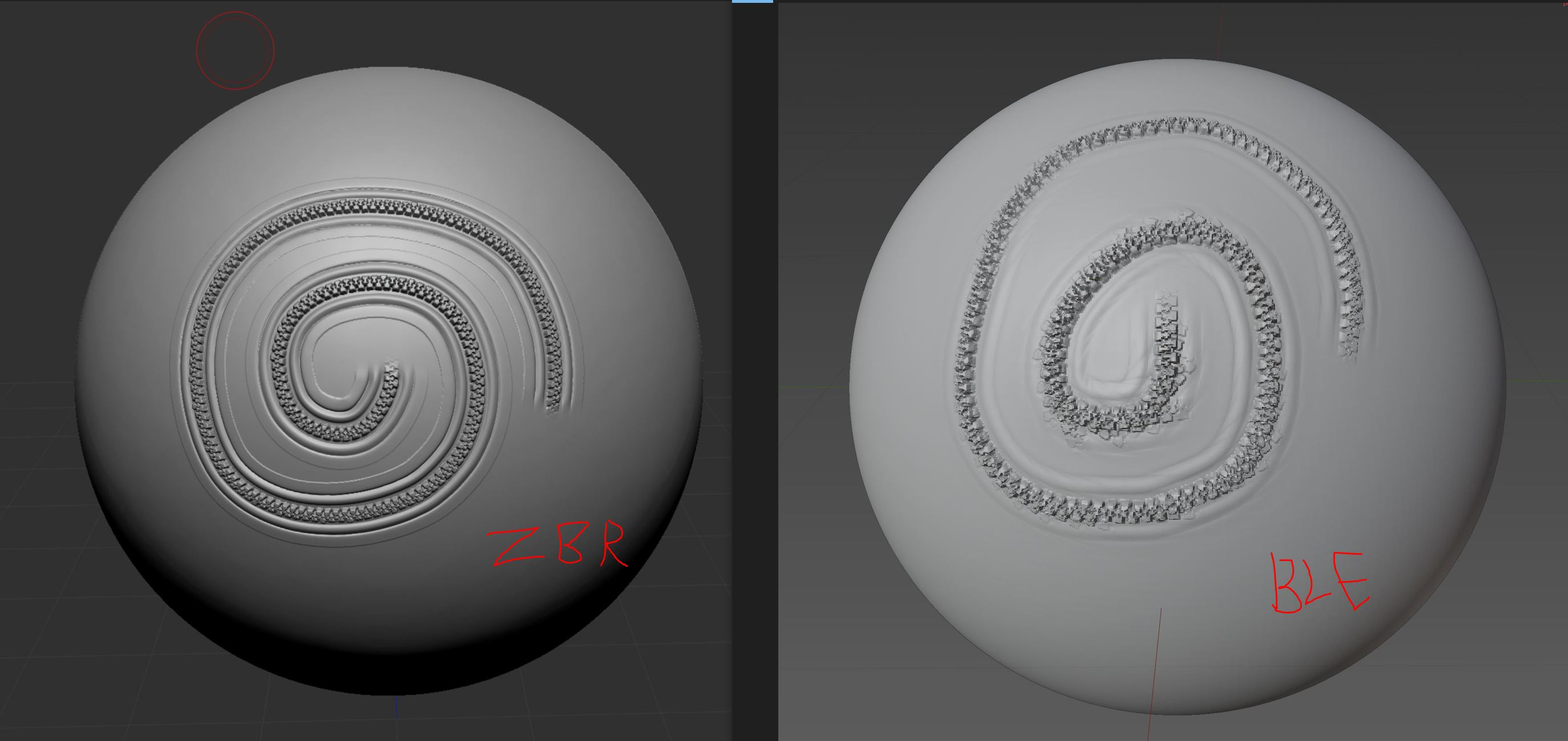
First, I want to address the critical need for the 'Roll' function. It was under development but, for some reason, never made it in. It's absolutely essential for working with alpha textures for seams, stitches, etc., which need to smoothly follow the brush stroke and conform to its curves.
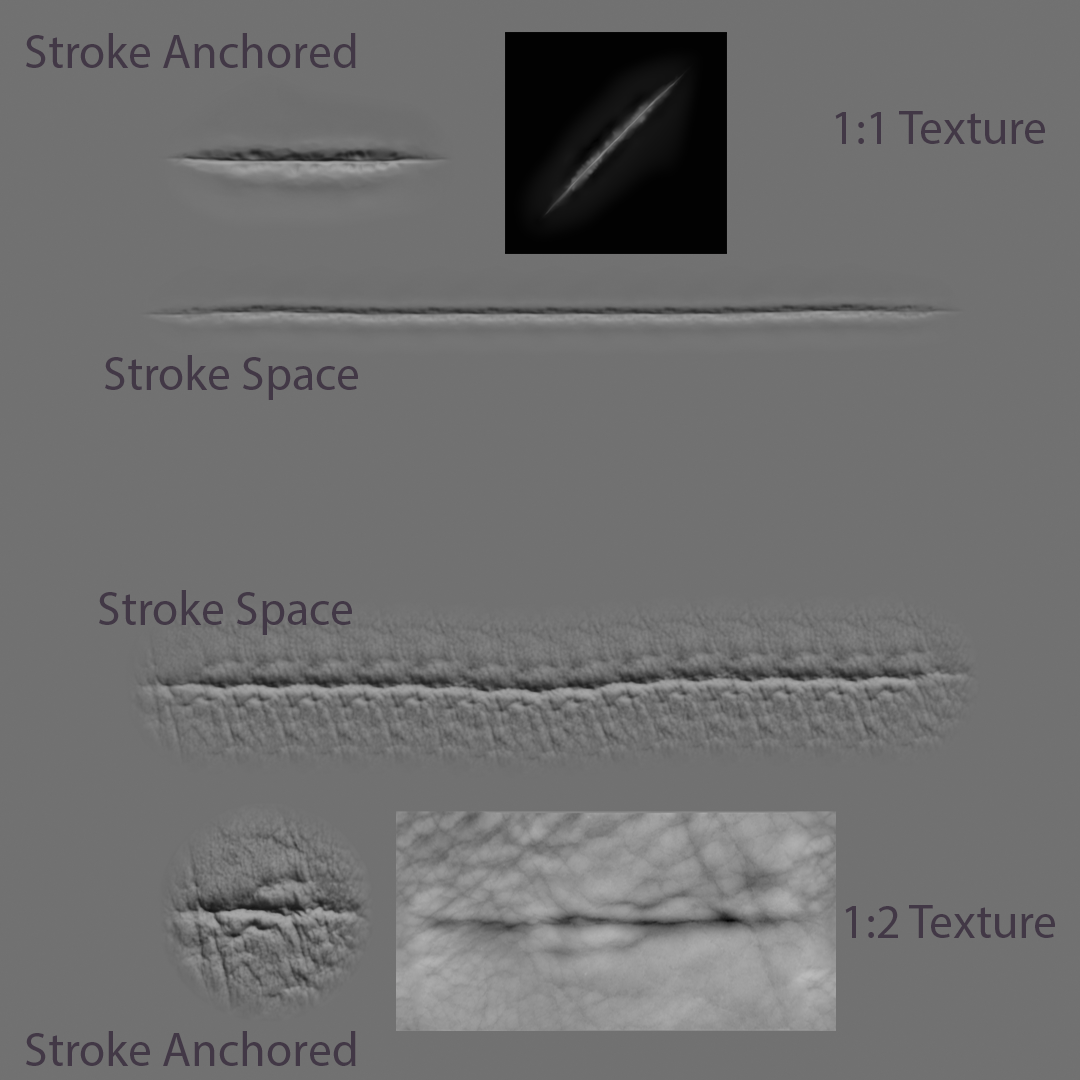
The second function that needs adding is support for non-square alpha textures (e.g., 1024x2048px, etc.). This is because many skin alphas, seam alphas, and memory folds alphas have non-standard aspect ratios, which causes them to work incorrectly. Blender currently tries its best to force non-square textures into a 1:1 format, making them appear squashed or stretched. Right now, with the stroke method set to "Spacing," Blender applies the entire alpha texture stamp on every iteration. Why not implement a function that allows stamping only a portion (a percentage) of the alpha texture per iteration? This could completely solve the problem with non-square aspect ratio alpha textures.
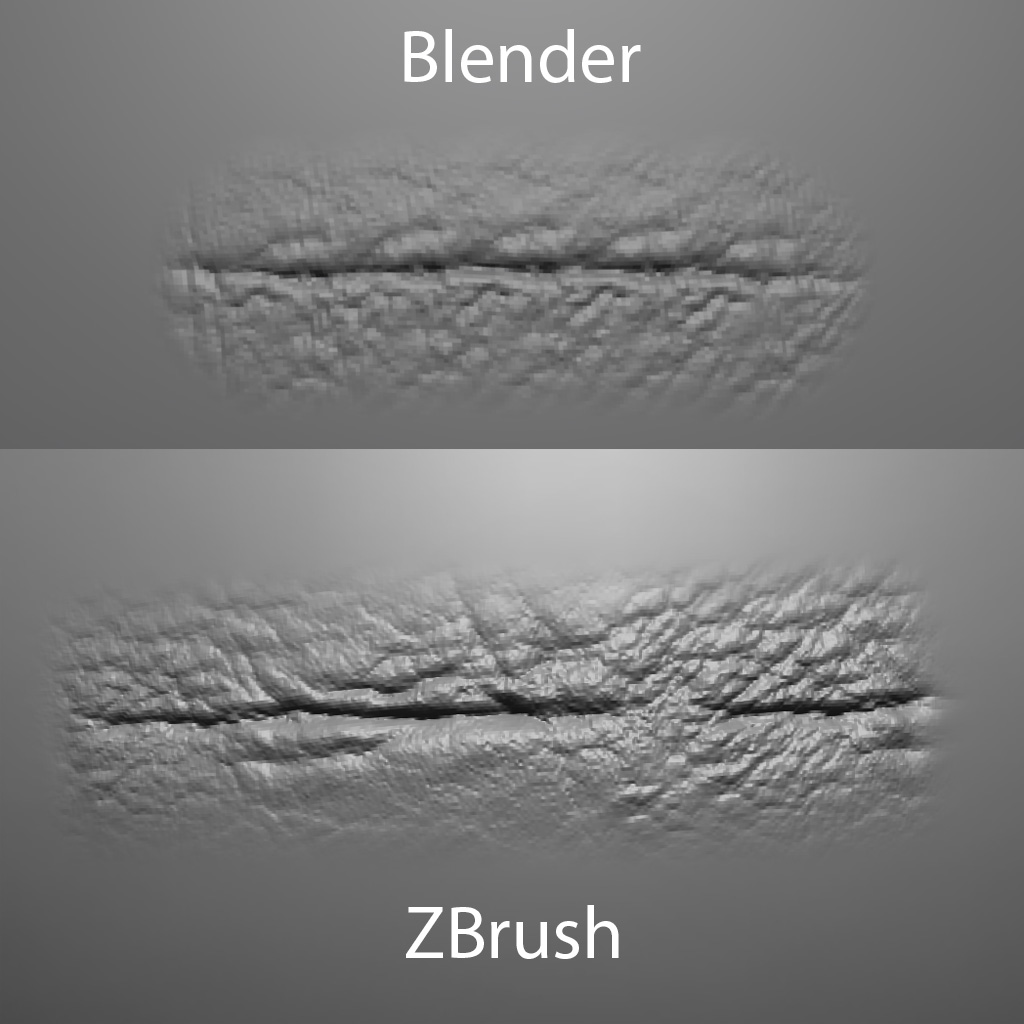
The third and final function would be the ability to squash/stretch (scale) the alpha texture along the X and Y axes independently to achieve the desired result. This function complements the second one because it would allow manually correcting the aspect ratio of a non-square alpha texture if needed.
In conclusion, I want to say that I'm looking at the problem of working with alpha textures from the perspective of a character artist. In my opinion, this is the primary purpose of Sculpt Mode, not only in Blender but in other software with similar sculpting capabilities.
7 Comments
Hello, I use this feature extensively, and I believe it's high time it was rethought. There are far too many parameters to tweak just to achieve a result comparable to what ZBrush offers—and in my opinion, that should have been the standard long ago!
I don't think linking to the other proposal is very valuable here. If anything it makes this harder to discuss as it broadens the scope of the two other topics. Additionally it's already in our backlog as linked in the other issue, so there's not much new ground that would be covered.
I left the link out of respect because I'm using an image from the original post, but yes, I understood you and updated the post to avoid fragmenting the discussion.
You would need to scale down the texture inside the brush where it will fit inside the sphere of the brush tip - then the whole image texture can be used on the brush tip. I had to do that with texture painting as well.
How?
I take it back - after trying to get the brush texture to sit within the bounds of the tip using the Size XYZ of the texture mapping, it still gave me problems with it. I had to use Stencil instead of View Plane to get the image to work correctly by pressing 'Image Aspect', which should be exposed for this as well. Upvoting now.
Thanks! Would you mind taking a look at the topic just below this one, which I also created: 'Issue with Sculpting Flat Objects (Zero Thickness)'. I’d really appreciate a vote