
Ability to change navigation hotkeys for the Knife Tool
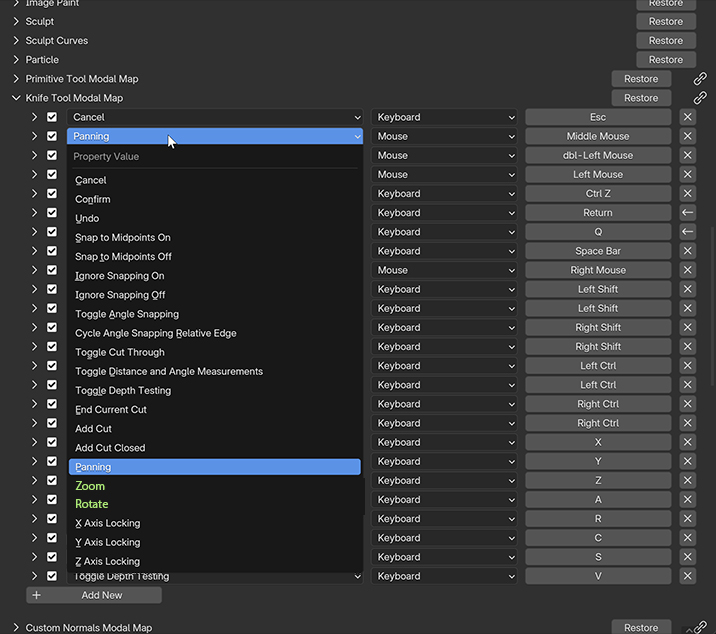
Hello! Please add the ability to change navigation hotkeys for the Knife Tool in Knife Tool Modal Map.
For example, in my case, I use the following navigation in viewport:
1 + Left Mouse – Zoom
2 + Left Mouse – Pan (Move)
Alt + Left Mouse – Rotate
It's works well everywhere except for the Knife Tool, because the Knife Tool has default navigation inside the tool and just changing navigation in 3D View hotkey section does not work. This means when I using the Knife Tool, I cannot use my custom rotate and zoom hotkeys.
The Knife Modal Map settings only has Panning for reassignment, but no Zoom and Rotate. Please add them as well.
Thanks!
0 Comments