
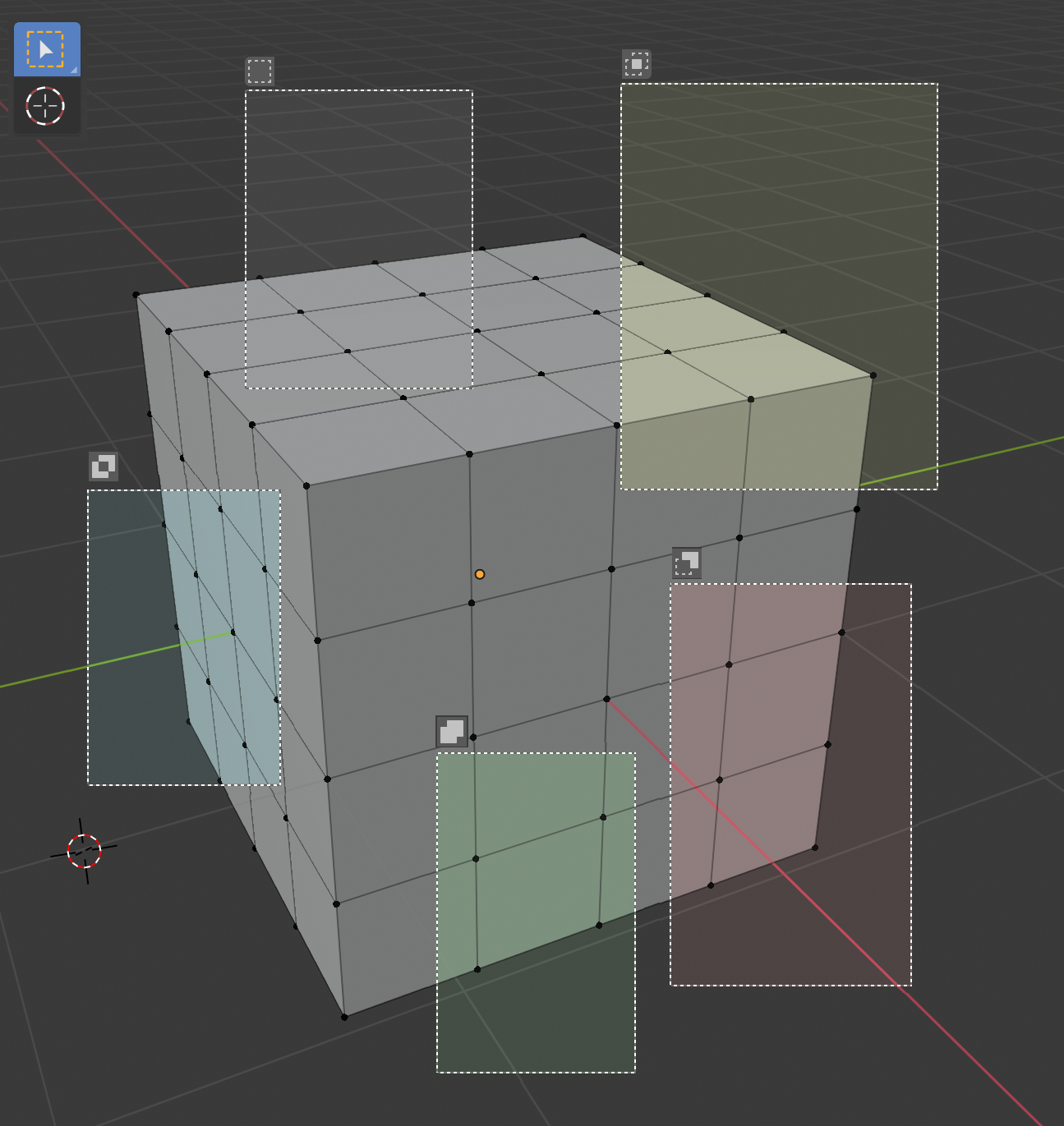
Visually indicate selection mode.
With the active selection tool combined with shift / ctrl / alt, the selection modes (new, extend, substract ...) are accessed, but no visual feedback is received, even in the status bar. I think that tinting the frame or selection path slightly would allow a better visualization of the interaction with the program, even a small icon could be added.
On the other hand, with the B key we can directly access the selection action, but its behavior is very different from the active tool, I think it could be unified a little.
7 Comments
selection only needs window/crossing by direction as 3ds max. whats for may be usefull photoshop pixels methods or boolean vector intersections representations i really dont understand.. imgur.com/a/zfTGjp4
* @impacman * "window/crossing by direction" Yes, I have also used it with Autocad and it is very useful.
seems like unnecessary visual noise to me.. those selection modes need a modifier key to be held down in order to work. If the user is pressing the button, how is it that they don't know what button they're pressing? does your car show you what pedal you're stepping on? I'm all for adding usability to the interface, but junking up the UI for no other reason than to add more stuff seems counter-intuitive to me.
* @testure * The coloring can be more subtle or even playing in black and white. If you try ZBrush and play with masks or hiding faces, you will see that it is very helpful, especially for beginners.
When driving you have sound, light and physical signs when braking, backing and accelerating.
obvious
very clever. at first, it can seem useless but for more advanced clever people, you deduce and understand very quickly, that it becomes very useful after having used it for a while. body remembers very well those kind of things. sry if I'm a little ironical. but to be clear...
The selection tool does not modify its behavior once the frame has begun to be drawn, for this reason I think that the coloring is not very useful either.
It would be more functional if the behavior could be modified while drawing the frame.