
Fov change shortcut
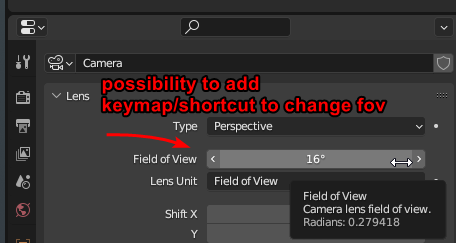 Whilst trying to personalize my keybinds for the camera view. I wanted to have a shortcut to change the view and active camera's FOV. This seemingly isn't possible right now.
You can change a camera's position and roll with shortcuts, so why not the FOV.
I don't need it to be the default. But right now it isn't even possible to add the keymap yourself, the setting just doesn't exist.
3 Comments
I'll clarify, yes there's shortcuts and menus so you can change the fov. What i mean, is a shortcut like with camera dolly (ctrl middle_mouse drag) That is not possible right now
You can use the object context menu. 'W' or 'RMB' depending on the keymap.
I think it's possible using this method . Though admittedly, it's not user-friendly at all.