
more scaling options
here are my suggestions
1.percentage based scaling :
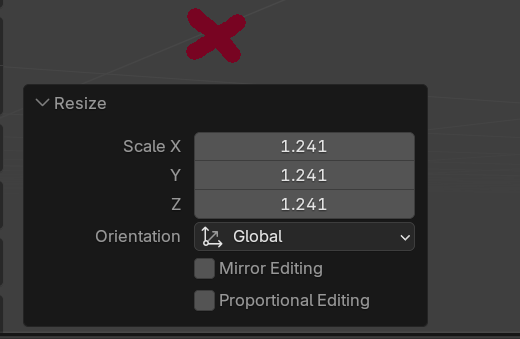
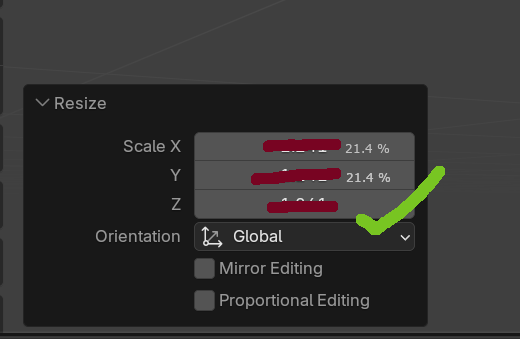 this should be an choice based option( it would be better that way than replacing the old units)
scale based :
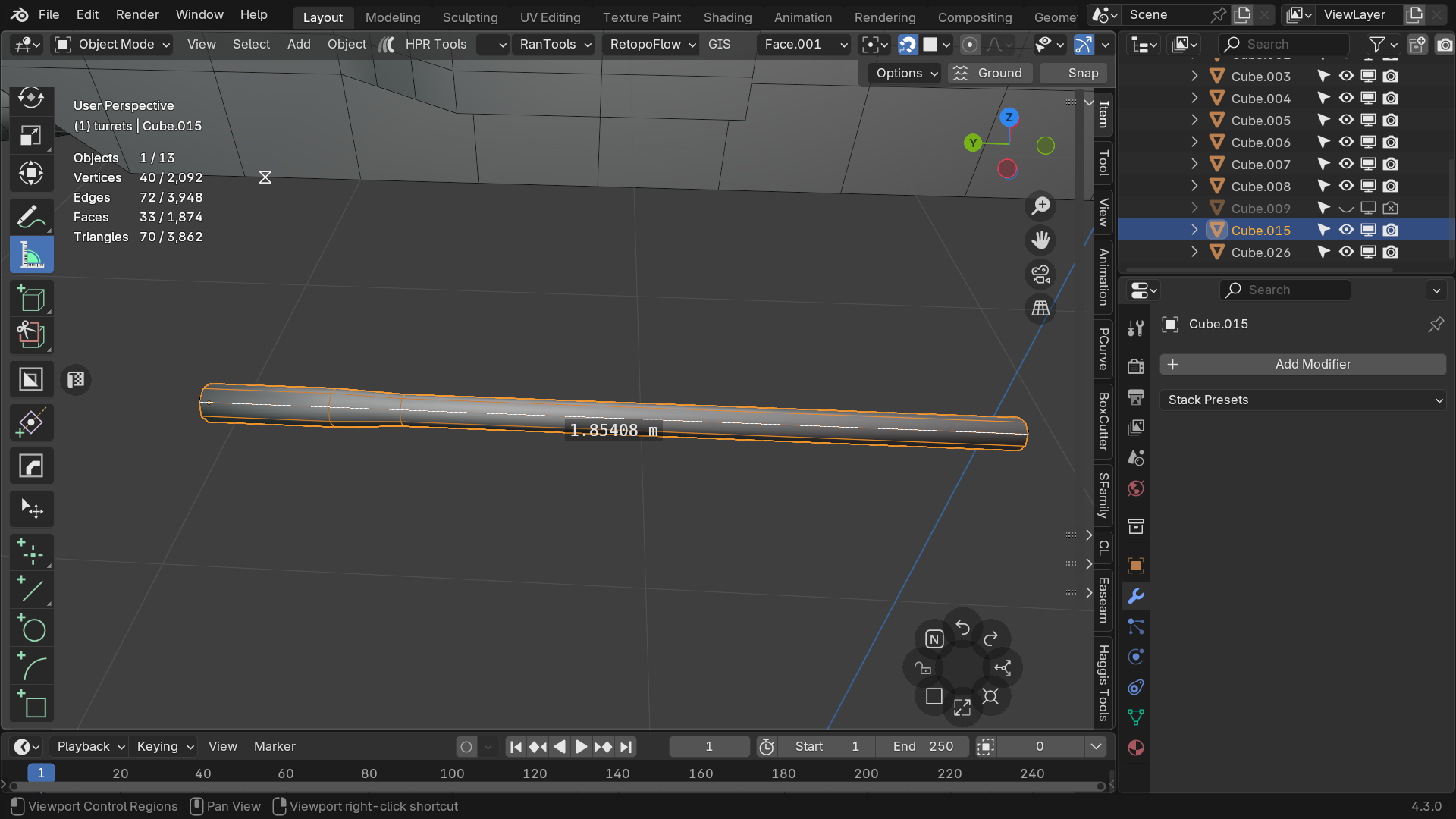
lets just say i wanted to scale it to 2 meters from its current lenght , it would be very useful to see that change visually occur (i.e the length numbers changing) , much easier than calculating how much percentage increase will 2 meters be
to summarize this will be very useful to have when working with precision and accuracy ( good for size consistency when making a movie especially with kaiju's in it)
4 Comments
you can do calculation while input like 2/1.854 to calculate the required scale to make it 2 meter.
Note that while in object mode, in the 3D viewport's right sidebar, in "Item" tab, in "Transform" panel, when there's an active (selected) object, below the usual transforms it shows a "DImensions" vector that allows you to see and adjust the current dimensions of the object, whenever applicable.
This is the crux of what the second feature request here is, as I understand. I agree, it'd be handy to also have that thing appear for selected geometry in edit mode.
If this proposal was only about percentage scaling, you would have written 124.1%. That's percentage already.
What you seem to ask, AFAIK is called additive scaling. To explain the difference clearly:
Multiplicative Scaling (current behavior):
The object's scale is multiplied by the input value:
X⋅Ywhere X is the object's current scale, and Y is the scale factor (e.g., 1.241 for 124.1%).
Additive Scaling:
The object's scale is increased by a percentage of its current scale:
X+(X⋅Y)where X is the object's current scale, and Y is the percentage as a decimal (e.g., 0.241 for 24.1%).
Examples with X=1:
1 ⋅ 1.241 = 1.2411 + (1 ⋅ 0.241) = 1.241Examples with X=2:
2 ⋅ 1.241 = 2.4822.0 + (2 ⋅ 0.241) = 2.482I guess it’s probably feasible to implement additive scaling, but it’d mean tweaking operator logic, the UI, and running tests... Which I don't suspect to be anywhere near development priorities right now.
Meanwhile, Blender's multiplicative scaling is efficient, aligns with industry standards, and easily accommodates "adding" percentages by writing values like 1.25 for a 25% increase. Given the low cost of achieving similar results in the current system, this change doesn't sound worth the trouble IMHO.
note : i miswrote 24.1 as 21.4